A soundbar audio delay is usually easier to narrow down than to guess at. First find out whether the fault follows one channel, app or source, or happens everywhere. Then check the connection and output format before touching a lip-sync slider. That order matters: many controls only add audio delay, so moving one blindly can make already-late dialogue worse.
This article is part of the consumer technology guide library.
Start with a two-minute diagnosis
Play one short, dialogue-heavy scene you can repeat. Watch a clear consonant or a hand clap, rather than trying to judge during music. Decide which way the error goes: is the voice late after the lips move, or does the voice arrive early? Keep that result in mind before changing any timing control.
Official Sony, Samsung and LG support guidance all point to the same useful split: an issue limited to one channel, app, file or external source may belong to that source, while an error across several sources makes the TV-to-soundbar path more likely. Do not start by buying a cable or resetting equipment until you have made that split.
- Test the same scene through the TV's own speakers. If it is in sync there, the external-audio path deserves attention.
- Try one TV app or channel and one different source, such as a set-top box or console. Change only one thing at a time.
- Check whether the problem affects every programme. If it appears on one channel or one downloaded video only, report it to the provider or test a different title first.
- Write down the connection now in use: HDMI ARC/eARC, optical, Bluetooth or another route. This stops settings from one path being mistaken for a fix on another.
Why sound and picture fall out of step
The picture and sound can each be processed by the TV, a streaming box, a game console and the soundbar. A programme can also arrive with its own timing fault. Loose or damaged cables, a format mismatch, a paused HDMI handshake, and older software are all reasonable checks. None can be confirmed from the size of the delay alone.
A wireless link adds another place where audio can be buffered and decoded. Bluetooth is therefore a weak first path for diagnosing TV lip-sync. Samsung specifically notes that its soundbar Audio Sync feature is not available when Bluetooth or USB is the source. Where possible, use a wired TV connection as the comparison test. Menu labels and functions vary by brand, model, software and region, so the exact manual is the authority.
Check the TV audio output before fine-tuning
Make sure the TV is sending sound to the intended external device and that the TV speakers are not also playing. Two outputs can make a small mismatch sound like a timing fault. Then look for the TV's digital-audio-output setting. For a controlled test, Sony advises using PCM with a connected soundbar. This is a diagnostic step, not a claim that PCM is the best permanent choice for every setup.
With the same clip playing, select PCM if your TV offers it, then listen again. If timing improves, the selected sound format or communication between devices may be involved. Restore or try other supported settings one at a time only after you know the result. Avoid stacking optional sound effects or a second timing adjustment while testing.
- Confirm the TV output is the soundbar or external audio system.
- Use a single repeated scene and change one setting at a time.
- Try PCM only if it is present and put it back if it makes dialogue later, drops sound, or removes a feature you need.
Fix ARC and eARC soundbar audio delay without guessing
ARC and eARC send audio from the TV back to a soundbar through HDMI. eARC adds support for higher-bandwidth audio formats, but it is not an automatic lip-sync cure. The TV, soundbar, selected ports, cable and current source still have to work together.
Look at the labels on the hardware. Sony's connection guidance says compatible terminals are marked ARC or eARC. Connect the TV's labelled ARC/eARC port to the soundbar's labelled HDMI output intended for ARC/eARC, then reseat both ends firmly. After a normal power-off and restart, repeat the same clip. Test any eARC setting only as the manual for your models directs.
| Connection path | Safe test | What the result can tell you |
|---|---|---|
| HDMI ARC/eARC | Confirm the labelled ports at both ends, reseat the HDMI cable and restart both devices normally. | If timing changes, the return-audio path or its settings may be involved; it does not prove the cable alone was at fault. |
| Optical | Reseat the optical plug carefully and try PCM on the TV if that setting is available. | An improvement after PCM points to a format or processing interaction worth checking in both manuals. |
| Bluetooth | Compare with a wired TV connection where available rather than chasing a soundbar sync button. | A wired result can show whether wireless buffering is part of the issue. |
Optical and Bluetooth: make the right next choice
For optical, reseat the plug carefully, check for damage or sharp bends, and try the TV's PCM output if it is available. Optical can be a useful comparison path, but it does not carry every format an eARC setup may support.
For Bluetooth, check whether a documented low-latency mode applies to TV playback; do not assume it does. If a wired connection restores lip-sync, prefer that route for films, live sport and gaming. Use timing controls only if the exact manual says they work for that input.
Use lip-sync controls in the correct direction
A TV or soundbar may offer Audio Delay, Audio Sync, Lip Sync or AV Sync. These names do not guarantee the same behaviour. Many controls delay the audio output. That can help if sound is early, but it can make already-late dialogue worse. Read the on-screen description or exact manual before making a larger adjustment.
Adjust in the smallest available steps while replaying the same clip. Stop when speech and picture meet, then test a second programme and a different source. Samsung documents different control methods across soundbars, while LG documents a Bypass option on specified TV versions; treat those as examples, not universal instructions.
- Identify whether audio is early or late before touching a slider.
- Read whether the control adds delay, reduces delay, or has a bypass mode.
- Make one small change, replay the clip, and retest with another source.
Restart, update, and know when to stop
A normal power restart and official software update check are sensible after connection and setting checks. Sony and Samsung include these steps in their support guidance. Use the device's own update feature or the manufacturer's official support route, never firmware files from forum posts, messaging groups or video descriptions.
Leave a factory reset for last because it may clear sound preferences, paired devices, Wi-Fi details or account setup. Record settings and read the exact manual first. Seek manufacturer or authorised service support when a correctly connected wired setup remains out of sync across TV apps and independent sources after a normal restart and update check, or when a port, cable or power lead looks damaged. Do not open either device.
Soundbar audio delay FAQs
These answers summarise current official support guidance from Sony, Samsung, LG and HDMI Licensing Administrator. Your exact TV, soundbar, region and software version may use different labels or support different formats.
Why is my soundbar audio behind the picture?
Start by checking whether it happens on every channel, app and source. If it does, audio processing, a TV output setting, the ARC/eARC or optical connection, or the soundbar may be involved. If it happens with one programme only, the broadcast, app, file or source device may be the cause.
Does eARC fix soundbar audio delay?
Not by itself. eARC is designed to send TV audio to a soundbar or receiver over HDMI and supports higher-bandwidth formats. Both devices and the selected ports must support the setup, and a timing issue can still come from settings, processing or the source.
How do I fix soundbar delay over an optical cable?
Reseat the optical cable, test the same clip through more than one source, and try the TV's PCM output option if it is available. If a TV or soundbar has a documented sync control, adjust it in small steps only after deciding whether sound is early or late.
Can Bluetooth cause a soundbar lip-sync problem?
It can add buffering and decoding time. Samsung also says its soundbar Audio Sync feature is not available when Bluetooth or USB is the source. Compare with a wired TV connection when possible, then use only the controls that your exact manual says work for that input.
Should I factory-reset my TV or soundbar to fix lip-sync?
Not first. Test sources, connections, output settings, a normal restart and official updates before considering a reset. A factory reset may clear paired devices, Wi-Fi and sound preferences, so check the manual and record important settings first.
Image note
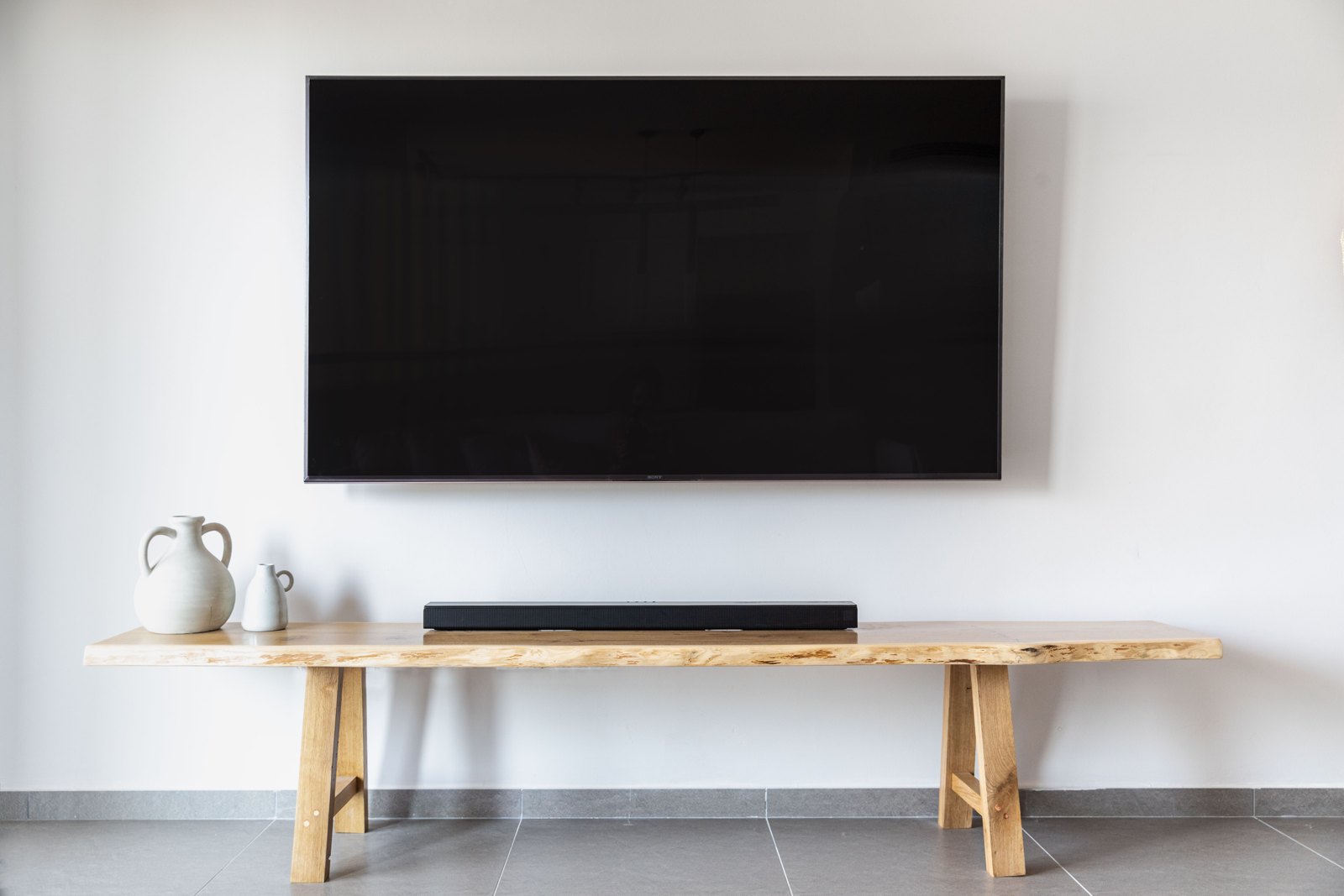
The header photograph is a contextual TV-and-soundbar scene. It is not a diagram, a product recommendation, or evidence of a particular connection method.
About the photograph
A contextual TV-and-soundbar setup; the photo does not show or endorse a specific product or connection method.
Source notes
Reporting record
techduopulse stores source destinations privately. Public notes remain non-clickable so every visitor journey stays on this website.
Source note: Sony support guidance on TV audio and video sync
Primary source · Causes, source isolation, cable checks, PCM test, restart, update and service escalationSource note: Samsung TV audio-delay troubleshooting
Primary source · Broadcast and external-device causes, digital audio-delay setting, wireless qualification and model-menu caveatSource note: Samsung soundbar sync guidance
Primary source · Soundbar Audio Sync controls, model-manual dependency and Bluetooth/USB limitationSource note: LG TV sync-control guidance
Primary source · Channel-specific triage, Match Screen and Sound, AV Sync Adjustment and Bypass on specified WebOS versionsSource note: Sony ARC/eARC connection guidance
Primary source · Labelled ARC/eARC terminal checks and model-dependent connection guidanceSource note: official HDMI eARC description
Primary source · eARC role in carrying audio from TV sources to a soundbar through a single HDMI cableInitial 15 October 2026 cross-brand troubleshooting explainer. It leads with source isolation and reversible checks, qualifies model, software and regional differences, explains why eARC is not a guaranteed lip-sync fix, and reserves reset or service escalation for appropriate cases. It makes no unverified product, India availability, price, performance or hands-on claims.