
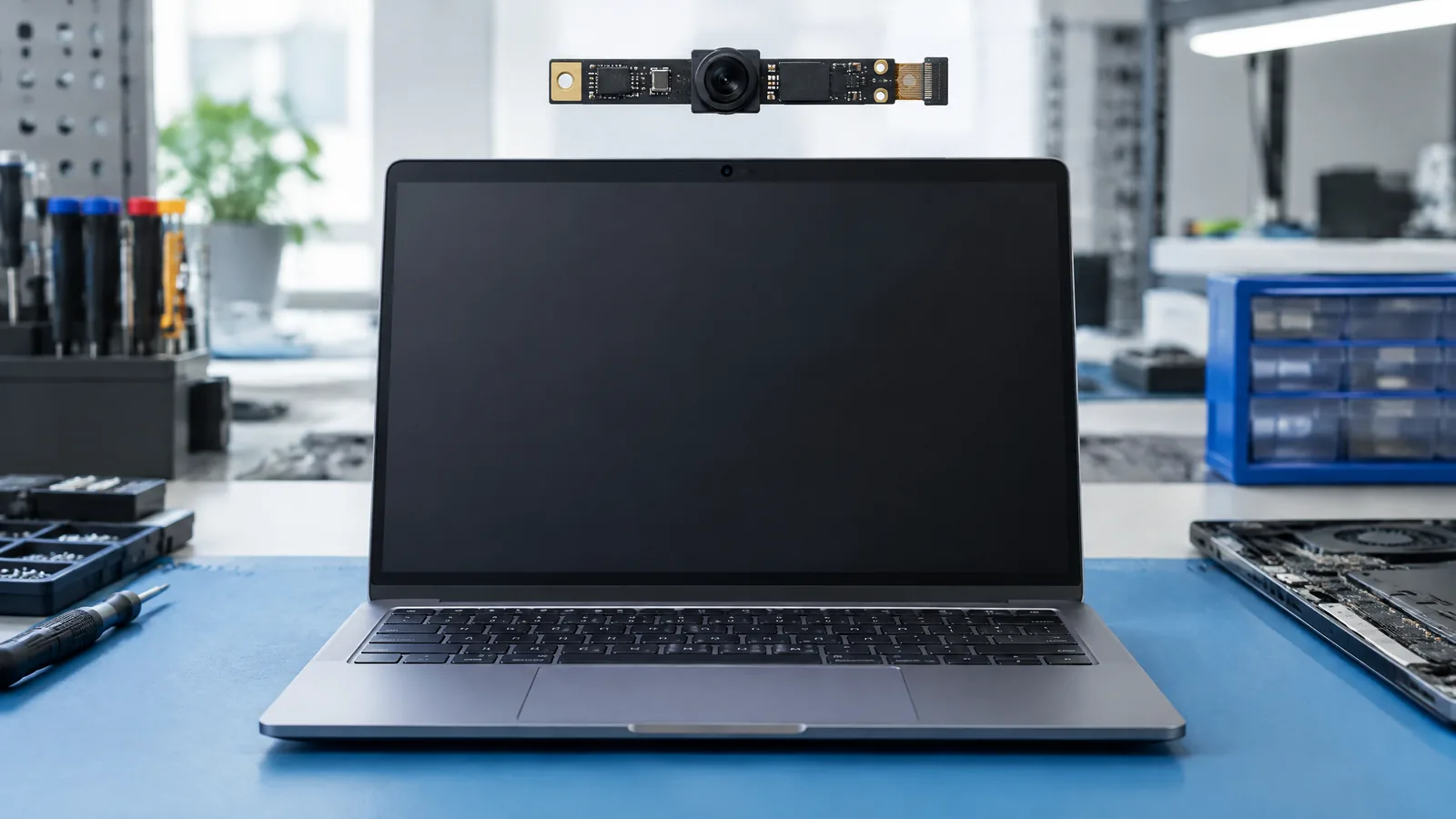
A video call can look soft, dark or strangely cropped even when the laptop is working normally, because the webcam is a small capture system rather than a single quality switch. The integrated webcam CMOS image sensor measures light through the lens and turns it into electrical data that the camera electronics, operating system and app can process into a frame.
This article is part of the computer hardware technology guide library.
Key takeaways
The integrated webcam CMOS image sensor is the physical optical sensor inside a laptop camera module. It measures incoming light during an exposure; it does not independently produce a finished video call.
A useful simplified path is scene light → lens → CMOS photosites → readout electronics → camera driver and app processing → preview or saved image.
Laptop webcams vary by model. Resolution, placement, lens design, exposure behavior, privacy hardware and software support cannot be inferred from the word CMOS alone.
- The sensor measures light and produces electrical image data.
- The camera module and software determine how that data is delivered.
- Model-specific features such as IR, depth sensing, a shutter or an activity light need separate evidence.
What does a laptop webcam CMOS image sensor measure?
At its simplest, the sensor measures the light that reaches its photosensitive sites during an exposure. Canon’s CMOS sensor explanation describes rows of photodiodes with individual amplifiers. When light reaches a photodiode, it accumulates electrical charge; that charge is converted to a voltage, amplified and transmitted as an electrical signal.
The result is a set of measurements that represents the scene at that moment. It is not yet a finished call image with a guaranteed brightness, colour balance or sharpness. The lens decides how light is projected onto the sensor, while readout electronics and software help turn the measurements into a usable frame.
The exact sensor area, pixel arrangement and exposure range depend on the camera module. A CMOS label identifies the sensing technology, not a universal performance level.
How the webcam turns light into a video call
The webcam works as a chain of components. The lens gathers and focuses light. The CMOS sensor samples that light during an exposure. Readout circuitry transfers the sensor’s electrical measurements. A device driver and the operating system expose a camera stream to an application such as a meeting, browser or camera app. The application may resize, crop, colour-correct or compress the frames before sending or saving them.
This separation explains why a camera preview can change when you move from one app to another. An app may request a different frame size or frame rate, apply its own crop, or use a different exposure and processing path. Network quality can also affect a received call, but that happens after capture and is not a property measured by the sensor.
A document image is limited by focus distance, lens distortion, glare and the small field of view. The sensor cannot recover detail that the lens and exposure did not capture.
- Lens: directs and focuses scene light.
- CMOS sensor: measures that light as electrical signals.
- Readout and camera electronics: move and condition the measurements.
- Driver and application: request frames and may transform, crop or compress them.
- Display, storage or network service: shows, saves or transmits the resulting data.
What is optional or separate from the CMOS webcam sensor?
A laptop’s camera area may contain more than one imaging component, but the parts should not be treated as interchangeable. Microsoft distinguishes a colour camera for standard photos and videos, an infrared camera that captures grayscale images using infrared light, and a depth camera that detects shapes and distance. A particular laptop may have only the colour webcam, or it may include additional model-specific hardware.
An infrared camera can support a biometric sign-in feature such as Windows Hello when the laptop and software support it. That is a separate camera function from the ordinary visible-light webcam image. A depth camera is also a distinct component when present; it is not implied by an ordinary webcam’s CMOS sensor.
A privacy shutter, sliding cover or camera disconnect switch is an external privacy feature. A camera activity light is an indicator on some devices. Windows camera permissions are software controls. None of these parts measures light like the CMOS photosites do, although they can determine whether an application receives camera data.
| Component or feature | What it does | Why it should not be conflated with the webcam sensor |
|---|---|---|
| Colour CMOS image sensor | Measures visible scene light for ordinary photos and video | It supplies measurements but does not alone define the finished image |
| Infrared camera | Captures grayscale information using infrared light when fitted | It is a separate camera type used for supported biometric or sensing functions |
| Depth camera | Detects shapes and distance on supported systems | Depth sensing is not guaranteed by a normal colour webcam |
| Privacy shutter or switch | Blocks or disconnects the camera path | It controls access or visibility; it is not an optical sensor |
| Camera permission | Controls whether apps or desktop software may use the camera | It is an operating-system policy, not a measurement made by the sensor |
Why a CMOS label cannot predict webcam quality
Two laptops can both use CMOS webcams and still produce different calls. The lens affects field of view, focus and how much light reaches the sensor. Sensor dimensions and pixel design affect sampling and noise trade-offs. Exposure control, white balance, image processing, driver support and the meeting app also affect the delivered frame.
Room lighting is another limit. A bright window can make a face look dark, while dim light may require longer exposure or gain that makes movement softer or noise more visible.
Privacy and access controls around a laptop webcam
The sensor can only provide useful data to an app when the camera path is available and permission allows access. Microsoft’s Windows guidance places camera controls under Start, Settings, Privacy & security and Camera. The available controls include camera access, app access and access for desktop apps. A browser may also ask for permission for an individual website.
Windows says that a camera light turns on when a device has one and the camera is active; devices without a camera light can show a Windows notification when the camera turns on or off. This is a system indicator, not a measurement from the sensor. A physical shutter can add another visible check, but its presence depends on the laptop model.
If a camera works in one application but not another, check the selected camera, app or site permission and Windows camera setting before assuming the sensor has failed.
- Check whether the physical shutter or camera switch is open, if the laptop has one.
- Confirm that the intended app or website has camera permission.
- Check the selected camera when more than one camera is listed.
- Compare the result in the operating system’s camera app and the meeting app without assuming they use identical processing.
- Use the laptop manufacturer’s support route for model-specific driver or hardware questions.
Integrated webcam CMOS image sensor FAQs
These answers describe the general laptop camera system. Exact hardware and software features vary by model.
Is a laptop webcam a CMOS sensor?
Many laptop webcams use a CMOS image sensor, and the supplied STMicroelectronics material lists laptops among CMOS image-sensor applications. The webcam is the wider camera module, however: it also needs a lens, readout electronics and software. A laptop’s exact sensor type should be confirmed from its model documentation rather than assumed.
What does a laptop camera sensor actually measure?
It measures light reaching its photosensitive sites during an exposure and converts that response into electrical image data. The sensor does not independently create a finished video call; the camera electronics, operating system and application can process, resize, crop and compress the data.
Is an IR camera the same as a laptop webcam?
Not necessarily. Microsoft identifies colour, infrared and depth cameras as different camera types. An IR camera captures grayscale information using infrared light for supported features, while the ordinary colour webcam captures visible-light photos and video. Some laptops have both; many do not.
Does a higher webcam resolution guarantee a clearer call?
No. Resolution describes how many image positions a mode can provide, but clarity also depends on lens focus, lighting, sensor behaviour, exposure, processing, placement and the app or service’s output settings. A higher number alone is not a complete quality test.
Why can a webcam look dark even when its sensor works?
A bright background, low room light, exposure choices, lens limits or application processing can make the face look dark. Check the lighting and selected camera first, then review the app and Windows permissions. The CMOS sensor may be measuring a difficult scene normally rather than failing.
About the image
AI-generated editorial illustration; not an actual product or mission photograph.
Source notes
Reporting record
techduopulse stores source destinations privately. Public notes remain non-clickable so every visitor journey stays on this website.
Source note: STMicroelectronics CMOS image-sensor overview and application list
Primary source · Image capture role; laptops listed among consumer applications; application and product variationSource note: Canon Science Lab CMOS sensor explanation
Primary source · Photodiodes accumulate charge; charge becomes voltage and electrical signal; CMOS readout architectureSource note: Microsoft Windows camera types, indicators and privacy controls
Primary source · Colour, infrared and depth camera distinctions; camera activity indicators; Windows camera and desktop-app permissionsInitial 15 October 2026 India-facing laptop hardware explainer. Separates the physical integrated webcam CMOS image sensor from the lens, readout electronics, operating-system camera stack, applications, privacy controls, infrared cameras and depth cameras. Uses authoritative STMicroelectronics, Canon Science Lab and Microsoft evidence, avoids model-specific performance claims and does not present an unperformed camera test.


