A smartphone camera uses a lens to focus light onto an image sensor. The sensor turns that light into electrical measurements; focus, exposure and stabilization help make those measurements useful. Then an image-processing pipeline produces the photo you see. That sequence sounds simple, but no single megapixel, aperture or zoom figure describes the result. If you have ever wondered why a sharp daylight shot turns into a blurry indoor one, this guide starts with the physical capture system and explains what its specifications can—and cannot—tell you.
This article is part of the consumer technology guide library.
What is inside a smartphone camera?
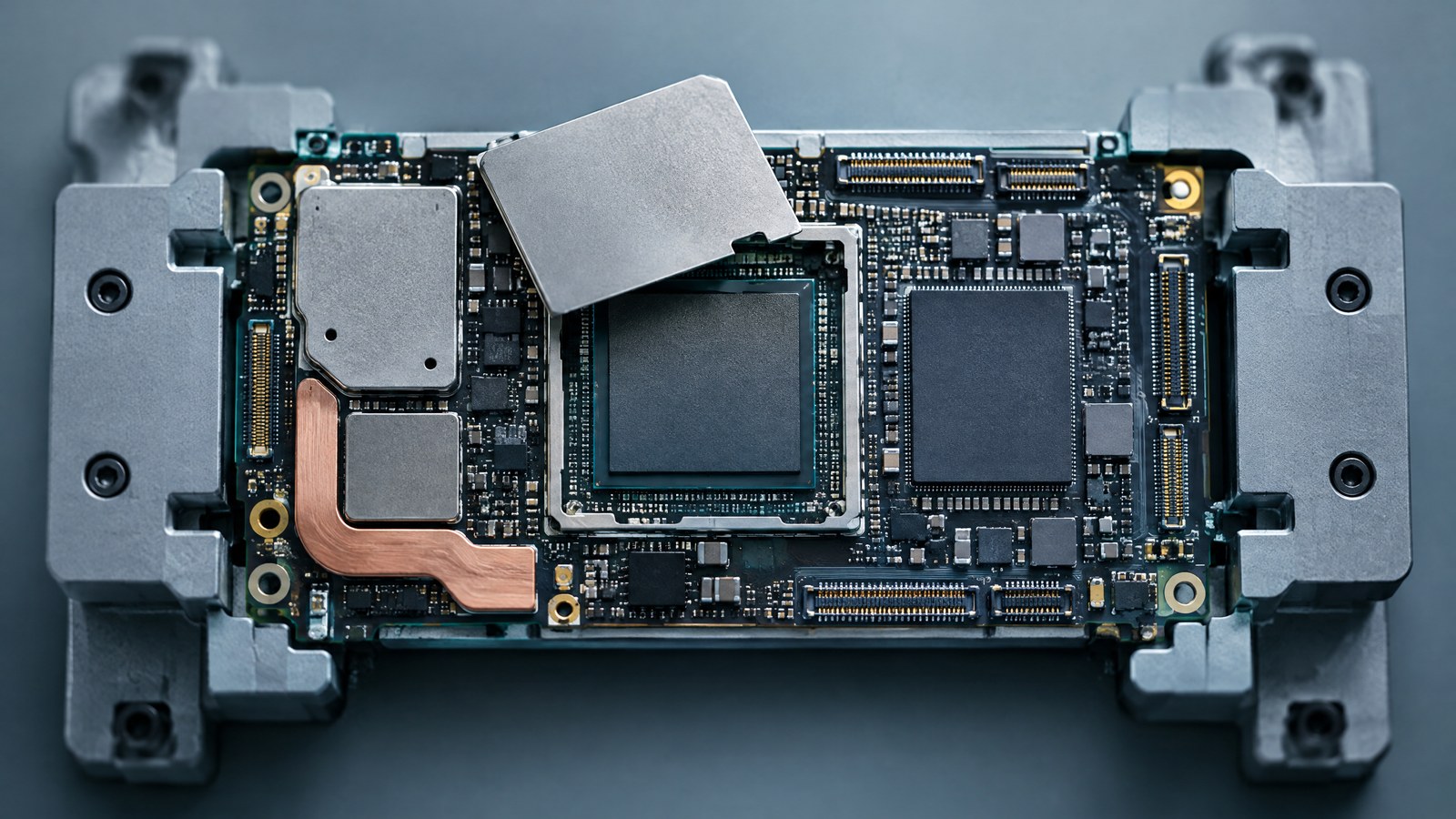
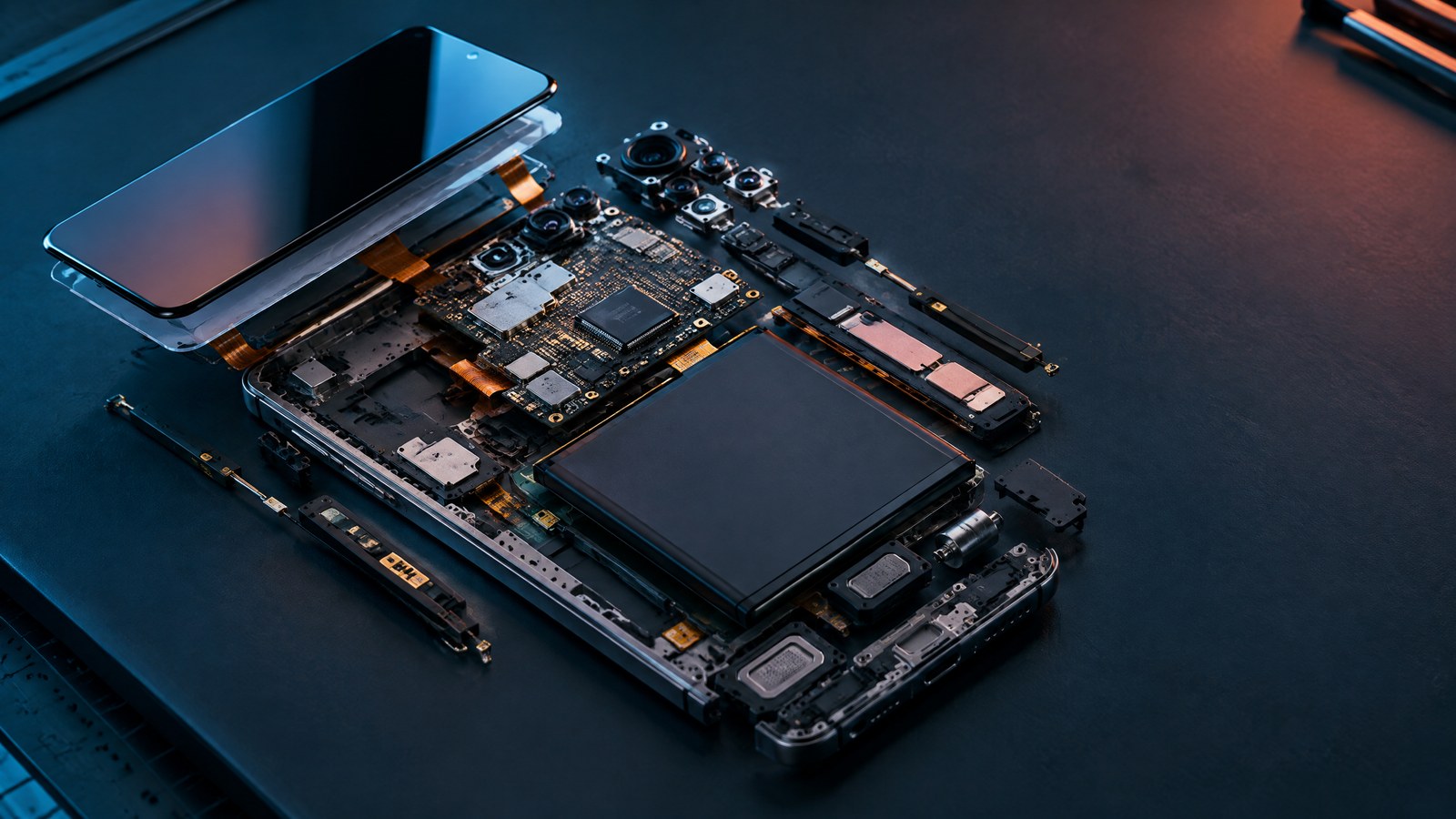
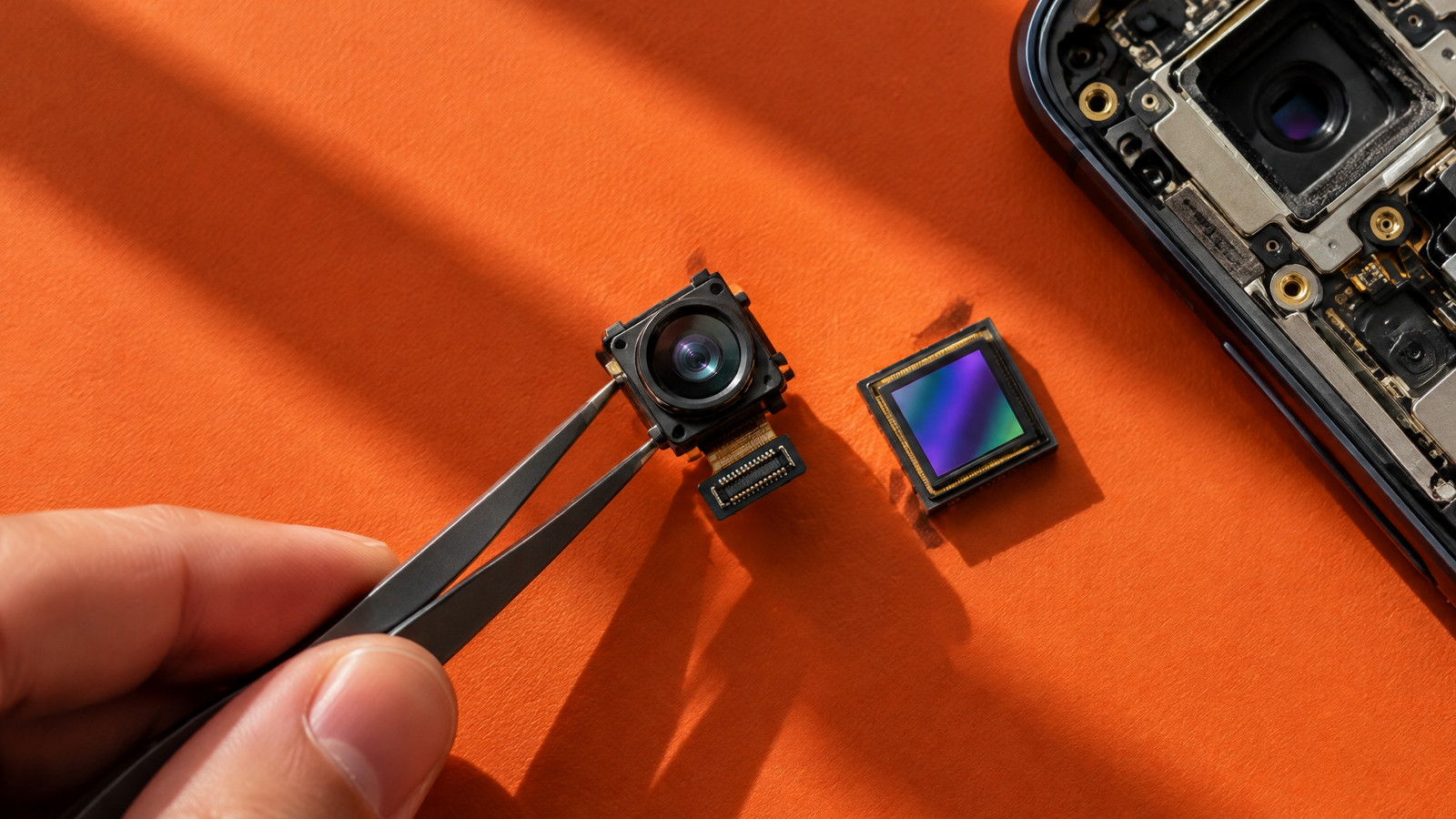
The visible circles on a phone's back are not complete cameras by themselves. Each camera module pairs an optical path with a light-sensitive image sensor. It also needs electronics to read the sensor and coordinate focusing, exposure and, where fitted, physical stabilization. The phone's application, camera interface and processing hardware then request frames and turn sensor measurements into viewable images. The exact arrangement varies by model and even by camera on the same phone.
A useful mental model is light from a scene → lens and aperture → focused image on the sensor → sensor readout → processing and saved file. That is a simplified map, not a universal manufacturer schematic. A camera cannot rescue a subject that moved too far during exposure just because its software is sophisticated. Conversely, good optics and a capable sensor still need suitable exposure, accurate focus and careful processing to produce a pleasing photograph.
- Light from the subject enters a lens module; the lens projects a focused image toward the sensor.
- Light-sensitive sites on the sensor make electrical measurements during an exposure.
- Autofocus and exposure controls adjust capture settings; stabilization can compensate for some camera movement.
- Sensor readout and image-processing hardware/software convert measurements into the photograph that is stored or shared.
The lens: where light is directed and field of view begins
A phone lens is a compact optical assembly, not merely the outer piece of protective glass. Its elements bend incoming light to form an image on the sensor. Design and alignment affect how well fine detail is reproduced across the picture, whether straight lines distort at the edges and how much light makes it through. Thin phones place tight limits on the space available for this optical path. Real modules use engineering compromises rather than one universally best lens design.
Focal length describes an optical property of the lens. Together with sensor dimensions it helps determine how much of a scene fits in the frame: for the same sensor width, a shorter real focal length gives a wider angle of view. A '24 mm equivalent' label, when provided, compares framing to a conventional reference format. It does not mean a 24 mm-long lens is physically inside a thin phone. The same nominal focal length paired with a different sensor can frame a different scene, and distortion can change the useful field of view.
The f-number relates focal length to the diameter of the entrance pupil. On a particular lens, a smaller f-number generally indicates a wider opening, but comparing f-numbers alone across complete phone cameras ignores sensor area, transmission, lens quality, exposure choice and processing. A wide aperture can help gather light; it does not guarantee a sharp night portrait or prove that one phone outperforms another.
The image sensor: measuring light, not producing a finished photo
The sensor contains many light-sensitive sites. Each site measures charge related to the light collected during an exposure; most colour cameras use a pattern of colour filters, so the system must estimate full-colour information from neighboring measurements. Readout electronics turn those values into data for the processing pipeline. Sensor area, pixel design, read noise, readout behavior and colour-filter arrangement all matter. 'Sensor size' names should not be treated as literal physical diagonal dimensions in inches; inspect actual dimensions when a precise comparison matters.
Back-illuminated, or BSI, designs move much of the wiring behind the light-sensitive layer so more incoming light can reach it. That can improve an optical limitation, but it does not eliminate manufacturing noise, colour crosstalk or lens limits. Stacked designs may place pixel and logic layers separately. These descriptions are architectural clues, not a certified rating for a complete phone camera. A photograph made through a poor lens or at the wrong exposure can still disappoint on a sophisticated sensor.
A sensor captures a finite range of light and can be limited by highlight saturation or shadow noise. The scene itself, exposure duration and movement determine what was measured. Later software can balance and combine useful captured information, but it cannot reconstruct every detail that never reached the sensor. When discussing a named model, remember that a main camera, ultrawide and telephoto module may use different sensors and optics even inside the same handset.
Megapixels, pixel size and binning: read the mode, not the headline
A megapixel is roughly one million sampled image positions. A larger pixel count can leave room for detail or cropping when the lens, focus, light and processing support it. But packing more small sites into the same area creates engineering trade-offs. The saved photo can also have a different pixel count from the sensor's advertised maximum because the phone selected another capture mode. File size or a high-resolution switch does not measure optical quality.
Some sensors group neighboring same-colour-filter pixels into a combined signal for certain low-light modes, then use a different readout or rearrangement strategy for high-resolution modes. Sony describes this for its Quad Bayer Coding implementation; Samsung describes other grouping sizes in its ISOCELL families. This is why a high-MP sensor may ordinarily output a lower-MP photo. Exact grouping, readout and remosaic behavior are design-specific. 'Four-to-one' is not a promise of four times better photos, and a nominally larger virtual pixel is not physically identical to a larger individual photosite.
For readers, the relevant question is which mode was actually used and whether it retains texture without excessive blur or noise at the intended viewing size. A well-exposed, accurately focused moderate-resolution photo can be more useful than a large but soft or motion-blurred file. Do not select a camera winner from sensor megapixels or marketing pixel-size figures alone.
Autofocus, autoexposure and white balance solve different problems
Autofocus aims to bring the selected subject into focus, often by changing the position of optical parts and examining camera feedback. Techniques and available modes vary by module. The Android camera interface, for example, describes single-shot and continuous autofocus states, including a state where focus is not achieved. That is a useful reminder: an 'AF' label does not guarantee that a moving subject in dim light will be sharp. Focus distance and subject movement still matter.
Autoexposure chooses a capture strategy to render brightness from the available light, including exposure time and sensor gain. A longer exposure lets the sensor measure light for longer, but camera or subject motion can smear detail. Raising gain can make a signal easier to use while also making noise more visible. Auto white balance estimates how colours should be rendered under the scene's lighting; it is not the same as fixing exposure or bringing a subject into focus.
These three controls are often called AF, AE and AWB, or 3A. The Android documentation specifies how these states and controls are communicated to a device-specific camera implementation, but it does not prescribe one perfect manufacturer's algorithm. A tap on a subject can change the focus and metering region in many apps; the exact effect depends on the app and phone. To diagnose a soft photo, first ask whether the subject or the whole frame blurred, whether focus landed elsewhere, and whether light was scarce.
Stabilization can steady the camera, but not the subject
Optical image stabilization, or OIS, uses controlled physical movement in the camera's optical system—depending on the design, part of the lens assembly or the sensor—to counter some hand movement. Electronic image stabilization, or EIS, adjusts image data across video frames, often using spare frame area and a crop to smooth apparent motion. A phone may combine methods, support them on different modules, or change behavior between still photos, preview and video.
The distinction matters in a dim room. Physical stabilization may help when your hand moves during a longer still exposure, but it cannot freeze a child or pet that moves across the frame. Electronic video stabilization can make a walk look steadier yet may narrow the field of view and can introduce artifacts. Neither a stabilizer badge nor a wide-angle lens alone proves the final video is steady. Camera mode, shutter timing, subject motion, crop and light level matter.
Why phones use several cameras for wide views and zoom
A phone may pair a main module with an ultrawide and a narrower-view telephoto module because one tiny lens cannot meet every field-of-view goal equally well. The '0.5×', '1×' and '3×' numbers in a camera app are relative framing shortcuts, not a guarantee that one optical assembly has a continuous three-times zoom range. The camera may change modules, crop a sensor, blend information across modules or choose a different path in low light. Devices differ.
An ultrawide can fit a group or a small room into a frame, but a wider perspective can make nearby faces and edge objects look unusual, especially if you stand close. A telephoto module can give a narrower view for a distant subject when the light is sufficient, while a digital crop can enlarge what was already captured without creating lens-resolved detail that was not recorded. Do not assume a given zoom label tells you which module supplied every pixel in the saved result.
A comparison should say which camera module, focal-length equivalent or field of view, capture mode and lighting were used. Otherwise a daylight telephoto image and an indoor crop can be mistaken for equivalent evidence. For the broader phone-system context, see the processor and camera-software guides rather than treating the lens count as a stand-alone score.
Where camera hardware ends and computational photography begins
After sensor readout, the image signal processor, or ISP, and camera software help translate sampled data into a viewable picture. A colour-filter pattern must be interpreted; noise, lens characteristics, contrast and colour rendering may be adjusted. Depending on the mode and phone, the system can capture and combine more than one frame. Android's documented camera hardware abstraction layer coordinates requests, outputs and metadata while leaving many device-specific algorithms to the implementation.
This guide is deliberately about the capture hardware and basic controls. For the separate question of how burst alignment, high dynamic range (HDR), night modes and computational portrait effects reshape those measurements, use the existing computational-photography explainer. The two pages should answer different reader questions: what the camera captures, versus how software combines and renders what was captured. Neither page should imply that a generic camera API reveals every manufacturer's private algorithm.
A camera-specification checklist without false shortcuts
Specifications can identify a component or a supported mode; they cannot show what the camera did in your exact scene. Read each number with a second question: what else would I need to know before predicting a photo? The table is a way to interrogate evidence, not a product ranking or a claim that all phones expose identical measurements.
| Label you may see | What it can tell you | What it cannot prove alone |
|---|---|---|
| Megapixels | Sensor sampling count or a particular output-mode resolution. | Sharpness, noise, low-light success, real optical detail or a larger final photo in every mode. |
| Sensor size or pixel size | A stated sensor format/area or photosite dimension for a named module. | Exact usable light, lens quality or photo quality; optical-format names are not literal inch diagonals. |
| Focal length / equivalent length | An approximate field-of-view relationship when paired with the sensor or reference format. | A continuous optical zoom range or consistent framing across all sensor modes. |
| Aperture f-number | The lens opening relative to its focal length. | A fair brightness or depth-of-field comparison across different sensors and complete camera systems. |
| OIS or EIS | A physical or digital strategy that may reduce a kind of camera motion. | A motion-free subject, identical video crop, or stabilization on every camera and mode. |
| Autofocus mode | A supported method or control state for attempting focus. | Reliable sharpness on every moving subject or in every low-light scene. |
Three ordinary scenes that reveal the trade-offs
A child crossing a dim living room is hard because subject motion matters even if your hand is steady. More exposure time can gather light but also record more motion; stabilization cannot hold the child still. Compare the actual focus and exposure outcomes rather than blaming a megapixel count. This is an illustrative scene, not a TechDuoPulse device test.
For a family group in a tight room, a wider camera can include more people without stepping back. But at very close range, faces near the edge may be stretched by perspective and optical correction. Moving the phone back when space permits, then choosing a field of view that fits, can be more useful than choosing the camera with the widest stated angle. Which modules are available varies by phone.
For a distant sign outside in daylight, a narrower-view module may record more useful detail than cropping a wide-camera frame, provided focus and light are adequate. An on-screen zoom number alone does not show the path used. Compare like-for-like scene framing and inspect the actual output rather than counting rear camera circles. None of these examples predicts a named phone's performance without a controlled comparison.
How to evaluate a phone camera without a spec-sheet verdict
Begin by naming the task: a moving person indoors, text on a distant object, a wide group, or a handheld evening video. Then compare photos made under the same scene, lighting, viewpoint, framing, mode and software version. Look at the original-resolution result as well as its normal viewing size. Check whether detail holds in the subject, whether bright areas clip, whether shadow texture becomes smeared and whether colour remains consistent between modules.
Use multiple attempts when possible. Autofocus and autoexposure can choose differently from shot to shot, and a single lucky or unlucky image can mislead. Record which module or zoom step, resolution mode, stabilization setting and video frame rate were used. If a review does not disclose these conditions, keep its conclusion narrow. This explainer does not recommend a best phone: that would require dated independent device testing rather than inferred winners from manufacturer specifications.
- Match the scene and moving subject, not just the advertised resolution.
- Check whether the camera module changed when you selected a zoom level.
- Compare focus, blur, highlights, shadows, colour and video crop at the same viewing size.
- Treat one manufacturer's sensor or OIS claim as a capability, not a measured outcome.
Smartphone camera technology FAQs
These answers describe general capture principles; your phone's exact hardware and supported modes may differ.
How does a smartphone camera turn light into a photo?
A lens focuses light onto an image sensor. The sensor measures the light during an exposure and sends data through camera electronics and software. Focus, exposure, stabilization and image processing affect the finished photo; implementations vary by phone.
Does a higher megapixel count always make a better phone camera?
No. Megapixels describe sampling or output resolution, not lens sharpness, accurate focus, noise control, colour, motion handling or the quality of the saved image. Some high-resolution sensors use lower-resolution grouped-pixel modes in particular light conditions.
What is the difference between OIS and EIS?
Optical image stabilization uses controlled physical movement of an optical component or sensor to counter some camera movement. Electronic stabilization adjusts image frames in software, often using a crop. Both have limits and neither freezes a subject that moves during exposure.
Why is a moving subject blurry even when a phone has OIS?
OIS mainly compensates for camera movement. If a person or animal moves during an exposure, the subject can still blur. Focus accuracy, available light, exposure time and subject speed also affect the result.
Is a phone's 3× zoom always an optical telephoto lens?
No. A zoom label describes relative framing, not the exact capture path. Depending on the phone, lighting and mode, the camera may switch modules, crop sensor data or combine sources. Check the resulting image and module-specific evidence rather than assuming one path.
Source notes
Reporting record
techduopulse stores source destinations privately. Public notes remain non-clickable so every visitor journey stays on this website.
Camera hardware-interface source note
Primary source · Where camera hardware ends and computational photography beginsOptical field-of-view engineering source note
Primary source · The lens: where light is directed and field of view beginsCompact lens design source note
Primary source · The lens: where light is directed and field of view beginsSensor back-illumination source note
Primary source · The image sensor: measuring light, not producing a finished photoQuad Bayer sensor architecture source note
Primary source · Megapixels, pixel size and binning: read the mode, not the headlineSensor pixel grouping source note
Primary source · Megapixels, pixel size and binning: read the mode, not the headlineAutofocus autoexposure and white-balance source note
Primary source · Autofocus, autoexposure and white balance solve different problemsOptical and video stabilization controls source note
Primary source · Stabilization can steady the camera, but not the subjectVersion 1: Day 3 hardware-first smartphone camera technology explainer covering optics, sensors, focus, stabilization, camera modules and spec interpretation with a strict computational-photography intent boundary.