
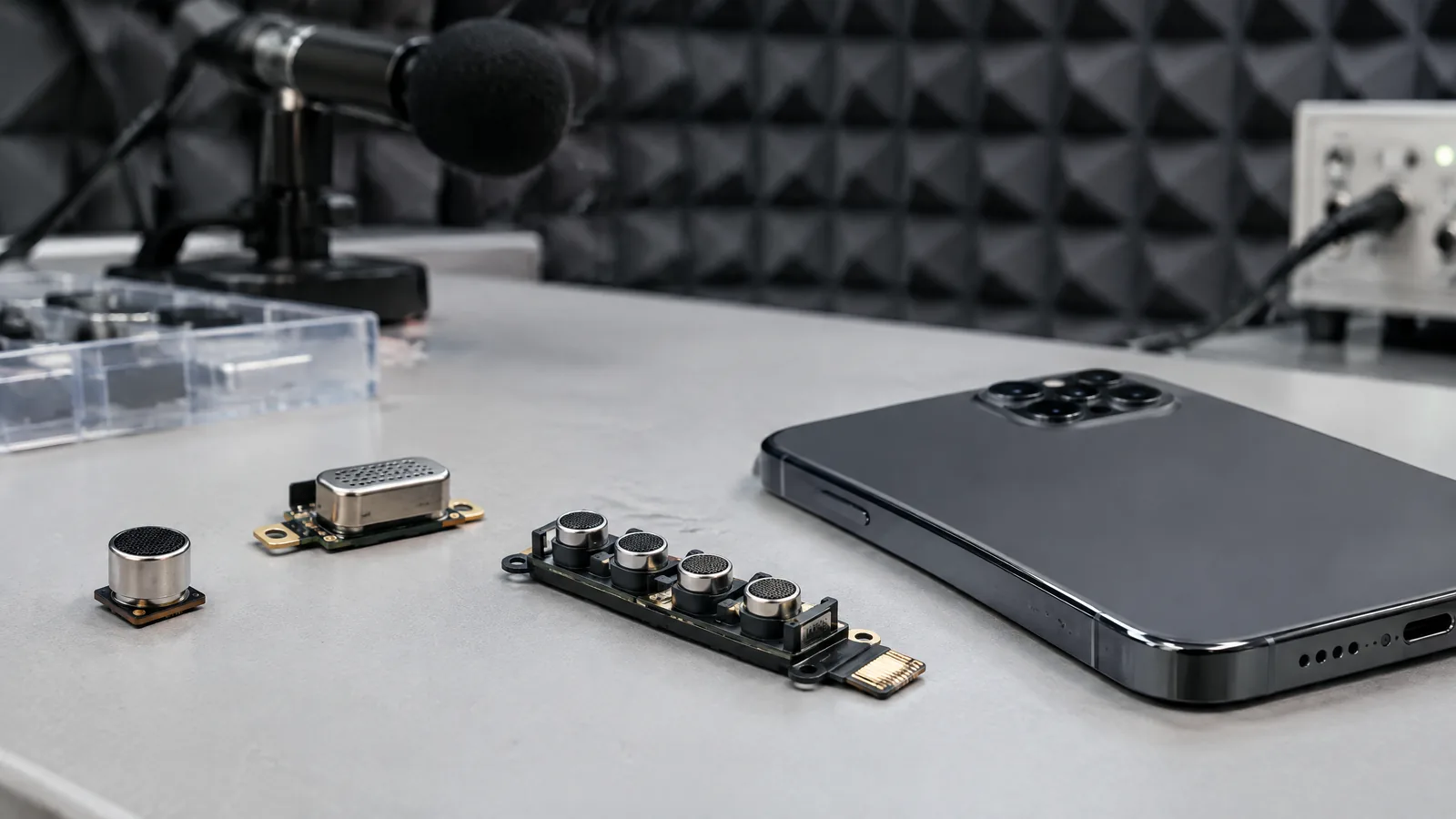
If your voice sounds distant on a call or a video records more fan noise than speech, the phone microphone system is part of the explanation. A phone microphone measures changing air pressure from sound and turns it into an electrical audio signal that apps and the operating system can record or process.
This article is part of the computer hardware technology guide library.
What is a phone microphone sensor?
A phone microphone is a physical acoustic transducer. Sound makes small pressure changes in the air; those changes move a microscopic diaphragm or plate inside the microphone, which produces a changing electrical signal. The phone then converts and handles that signal as digital audio for a call, voice note, camera recording or voice feature.
The word sensor can make a microphone sound like the phone's accelerometer or proximity sensor, but its job is different. A microphone responds to sound pressure, not movement, distance or brightness. It is an audio input component, and the quality of the final recording also depends on the phone's analogue electronics, digital conversion, software and acoustic design.
A microphone array is a group of physical microphones used together. Multiple inputs can give software more information about direction and background sound, but the array itself is not a promise of a fixed microphone count or identical performance across phones. Placement, openings, enclosure, wind and the model's tuning all matter.
- Built-in microphone: a physical transducer inside the handset that receives nearby sound.
- Microphone array: two or more microphone inputs used together when a model supports that design.
- Audio processing: software functions such as noise reduction, voice isolation or beamforming; these are not extra physical microphones.
- External microphone: an optional wired, USB or Bluetooth input, separate from the phone's built-in hardware.
How does a phone microphone capture your voice?
The capture path is easier to understand as a sequence. Your speech creates pressure variations. A microphone diaphragm responds to them and creates a small electrical change. Phone electronics condition and convert that signal, after which the operating system or app can route it into a call, a recording or another audio feature.
In a camera app, the microphone input is combined with the video stream and may be processed before the file is saved. During a call, the system may prioritise speech while reducing some steady background noise. In a voice note, the app stores an audio recording whose result depends on the microphone, distance, room and selected recording settings.
Apple's AVFoundation documentation describes an AVCaptureDevice as a hardware or virtual capture device such as a camera or microphone, while an AVCaptureDeviceInput provides media input to a capture session. This distinction is useful: the physical microphone senses sound, while the software capture path decides how an app uses that input.
- Sound pressure reaches an opening in the phone body.
- The microphone's diaphragm responds and produces an electrical signal.
- The phone converts and routes the signal as digital audio.
- An app or system feature records, transmits or processes that audio.
Why do phones use more than one microphone?
More than one microphone can help a phone compare sound arriving at different positions. Software can use those differences to give greater weight to a nearby voice or reduce some unwanted sound from another direction. This is often described with terms such as beamforming, noise suppression, voice isolation or audio zoom.
The terms describe processing, not a new kind of physical sensor. A phone still needs microphones to collect the signals; the improvement comes from the combination of hardware placement, signal processing and the conditions around the phone. A fan, traffic, wind, a hand covering an opening or a reflective room can all change the result.
There is no universal rule that a particular microphone count guarantees clearer calls. Manufacturers can place microphones near the bottom edge, earpiece area, rear camera region or elsewhere, and different apps may use different capture paths. Treat a model's own specification and behaviour as the evidence for that device.
| Part or feature | What it does | What it does not guarantee |
|---|---|---|
| Physical microphone | Converts sound-pressure changes into an electrical audio signal | It does not understand words or remove all noise by itself |
| Microphone array | Combines inputs from multiple microphone positions | It does not mean every phone has the same count or layout |
| Noise reduction or voice isolation | Processes captured audio to reduce some unwanted sound | It cannot remove every sound or repair a badly blocked microphone |
| External microphone | Provides an optional separate audio input | It is not part of the handset's built-in sensor array |
Phone microphone uses in everyday life
The same basic sensor supports several different jobs. In a call, it provides the near-end voice signal. In a voice note, it captures audio for later playback. In a video, it records sound alongside moving images. Voice assistants and accessibility features can also use microphone input, subject to the app, operating system and permission settings.
A manufacturer specification shows why feature names need context. Apple's iPhone 14 Pro specifications list stereo recording for video and mention Audio Zoom, Voice Isolation and Wide Spectrum microphone modes for calling. Those are features of that phone's hardware and software system, not a specification for every Android or iPhone model.
For a reader comparing phones, the practical questions are more useful than a marketing label: where are the microphone openings, does the phone support the recording mode you need, can an external input be selected, and does the result stay intelligible in your normal room or outdoor setting? A reviewer's sample can help, but it does not replace checking the exact model.
- Calls and video calls: capture speech for the person or service at the other end.
- Voice notes and interviews: save spoken audio for later listening, subject to consent and app permissions.
- Camera video: record audio with the image, sometimes with model-specific directional or stereo processing.
- Voice features: provide audio input for supported assistants, dictation and accessibility tools.
Why phone audio can sound muffled, windy or noisy
A microphone can only capture the sound that reaches it. A case, dirt, a finger or a hand-held grip can partly block an opening. Wind creates strong pressure changes that may overwhelm speech. Distance also matters: a speaker farther from the phone produces a weaker direct signal while room reflections and background sounds remain present.
Noise processing has limits. A system may reduce a steady fan or road hum more easily than overlapping speech, sudden impacts or a busy market. Aggressive processing can also make a voice sound thin or unnatural. If only one app has a problem, its permission, input selection or processing mode may be relevant; if every recording is affected, inspect the physical openings and compare a second capture path.
Do not treat a phone microphone as a calibrated sound-level meter. The raw audio signal is shaped by the microphone, gain, frequency response, distance, orientation and software. It can record or help detect sound, but a phone specification or voice-note waveform is not automatically a defensible decibel measurement.
Built-in microphones, external microphones and privacy
An external microphone can be useful when the phone must be farther from the speaker, when a clip-on input is preferred, or when a camera setup needs a different pickup pattern. It is an optional accessory and may require the correct connector, adapter, wireless pairing or app support. The phone's built-in microphones remain a separate capture path.
Before recording in a classroom, meeting, home or public place, make the purpose clear and follow the rules that apply to the situation. A microphone can capture more than the intended speaker, especially in a quiet room. Permission indicators and app controls help, but they do not replace careful recording choices.
If a phone has a microphone problem, start with low-risk checks: remove anything covering the openings, test a short recording in a quiet place, compare the camera and voice-recorder paths, and check whether an external device is selected. Stop before invasive cleaning or repair if the opening is damaged, the phone has liquid exposure or the fault persists across apps.
Key takeaways
A phone microphone measures sound-pressure changes and converts them into an electrical audio signal. A microphone array combines multiple physical inputs, while noise cancellation, voice isolation and audio zoom are processing applied after capture. Count, placement and performance vary by model, so a phone microphone is not automatically a calibrated sound meter or a guarantee of clear audio in every environment.
- The sensor is physical; most sound-cleanup features are software processing.
- Calls, voice notes and video can use different capture paths and processing.
- Wind, distance, blocked openings and room noise can limit any phone microphone.
- External microphones are optional separate inputs, not built-in array elements.
Frequently asked questions
These answers describe the general phone microphone system; the exact microphone layout and available modes depend on the handset and app.
What does a phone microphone sensor measure?
It responds to changing air pressure caused by sound and converts that movement into an electrical audio signal. The phone then converts and processes the signal for calls, recordings or voice features.
Is a microphone array the same as noise cancellation?
No. An array is a group of physical microphones. Noise cancellation, voice isolation and beamforming are processing methods that may use the signals from those microphones to reduce or prioritise parts of the sound.
Why does my phone video record wind or background noise?
Wind and background sound can reach the microphone more strongly than the intended voice, especially outdoors or when the speaker is far away. Openings, phone orientation, case design and the app's processing also affect the result.
Can a phone microphone measure decibels accurately?
A normal phone microphone and recording app should not be treated as a calibrated sound-level meter. A defensible sound-level result needs suitable instrumentation, a defined setup and calibration.
Can I use an external microphone with a phone?
Often yes, if the phone, connector or wireless link and app support it. An external microphone is an optional separate input, so compatibility and the selected input should be checked for the exact phone and recording setup.
About the image
AI-generated editorial illustration; not an actual product or mission photograph.
Source notes
Reporting record
techduopulse stores source destinations privately. Public notes remain non-clickable so every visitor journey stays on this website.
Source note: Apple iPhone 14 Pro technical specifications
Primary source · Stereo video recording, Audio Zoom, Voice Isolation and Wide Spectrum microphone modesSource note: Apple Developer AVFoundation capture-device documentation
Primary source · AVCaptureDevice hardware or virtual microphone representation and capture-session input pathNew India-facing application explainer for phone microphones and microphone arrays. It separates the physical acoustic transducer from software processing and optional external inputs, covers calls, voice notes and video audio, and qualifies model-specific counts, placement, noise handling and sound-level limitations without duplicating the supplied Arduino-oriented sound-sensor guide.


