
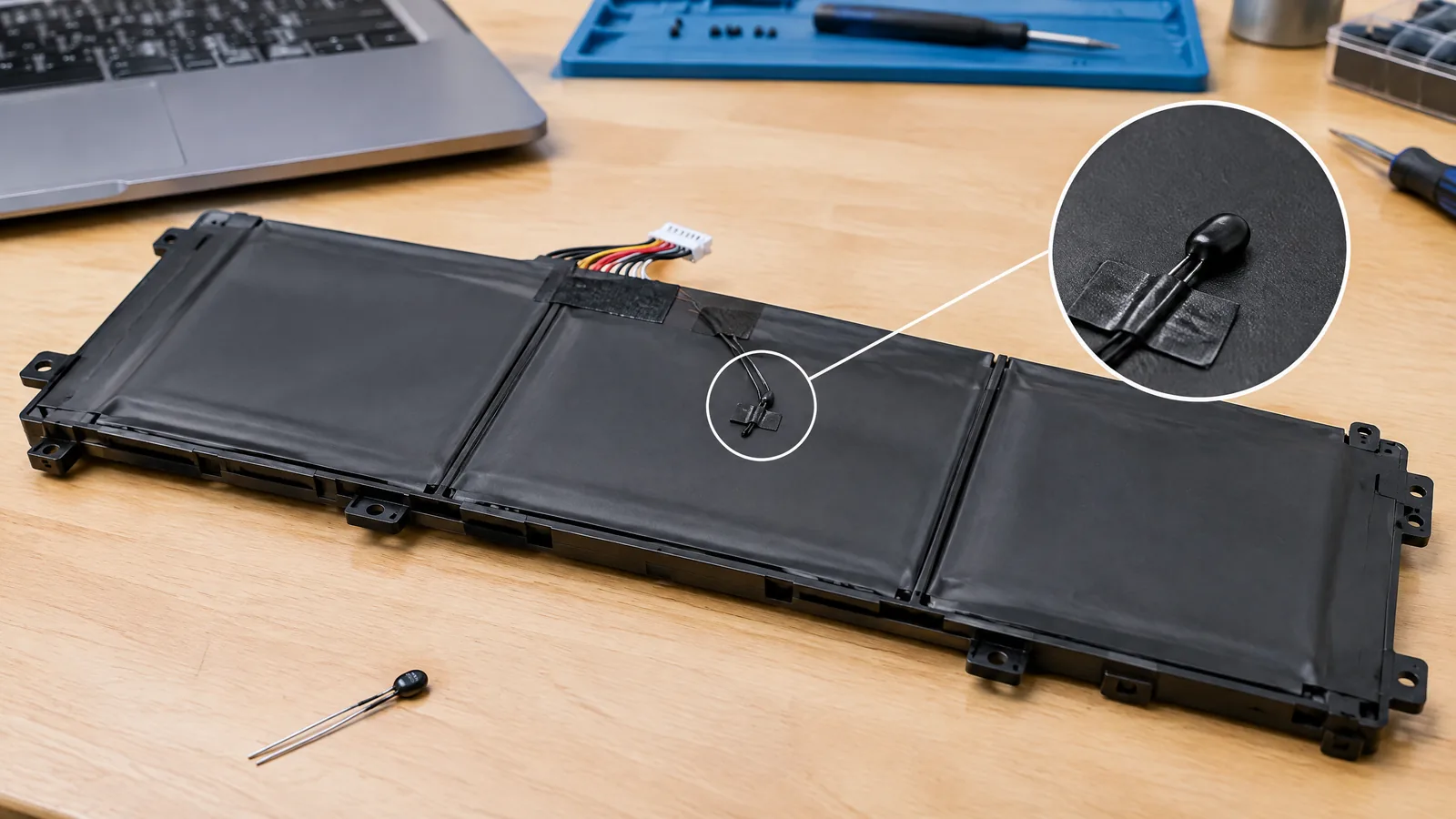
Your laptop may charge slowly, pause charging or refuse to charge when the pack is unusually hot or cold, even though the adapter is connected. A battery-pack NTC thermistor is a physical laptop battery temperature sensor often placed in or near the battery pack; it measures the pack environment so charging protection and battery-management logic can respond.
This article is part of the computer hardware technology guide library.
Key takeaways
A battery-pack NTC thermistor is a physical temperature-sensing component, not a battery-health score or a software-only estimate.
Its resistance generally falls as temperature rises, and a fuel-gauge or battery-management circuit converts that electrical change into a temperature value.
Charging may slow or stop during a thermal condition because hardware can change the charging rate or stop charging when a fault is detected.
Exact placement, thermistor curve, thresholds and telemetry vary by laptop model. Do not treat one model’s service data as a universal specification.
- Physical sensor: NTC thermistor in or near the pack.
- Measurement electronics: battery-management or fuel-gauge circuitry.
- User-facing result: a charging decision, warning, status value or estimate.
What does a laptop battery temperature sensor measure?
The sensor measures temperature at, or close to, the battery pack. In a common design, the sensing element is an NTC (negative temperature coefficient) thermistor: its resistance generally decreases as it gets warmer. The battery-management electronics measure that resistance and apply the thermistor’s configured curve to estimate temperature. [1]
That reading is different from battery health, wear level, cycle count and remaining capacity. Those values may be calculated from voltage, current, accumulated charge, history and models. Temperature can influence those calculations, but the thermistor itself is a physical temperature sensor.
The sensor does not necessarily measure every cell equally or report the temperature of the whole laptop. Its location and thermal contact determine what it represents. A thermistor attached near a cell group, inside a pack, or positioned on a pack circuit board can respond differently from a probe measuring the laptop case or air around the keyboard.
How the laptop battery thermistor supports charging protection
A laptop’s charging system uses more than the operating system. Microsoft’s platform guidance says hardware should manage charging autonomously and stop charging automatically when the battery is full or when a battery or thermal fault occurs. It also allows a design to reduce or eliminate charging during a thermal condition. [2]
A battery fuel-gauge example from Texas Instruments shows the signal chain clearly. Its external temperature input is designed for a high-accuracy 10-kΩ NTC thermistor at 25°C, and the device uses temperature for both fuel gauging and cell-protection functions. The same document describes overtemperature behavior: during charging or discharging, the gauge can open the relevant FET after temperature stays above a configured threshold for the configured time, then recover below a configured recovery threshold. [1]
This explains a familiar symptom: connecting the charger does not guarantee that the battery will keep accepting the normal rate. A warm pack, a cold pack, a detected sensor fault or another pack-protection condition can cause a pause, lower rate or stop. The exact policy belongs to the laptop’s charger, pack electronics and firmware, not to Windows alone.
- Thermistor resistance changes with temperature.
- Fuel-gauge or protection circuitry interprets the value.
- Charging hardware can reduce or stop charging when limits or faults are detected.
Why charging can slow, pause or stop
Charging behavior is a system decision. Heat from the cells, charger, processor, graphics hardware or a warm environment can raise the pack temperature. The battery controller may respond by reducing charge current, pausing charging or opening a charging switch. Microsoft describes lower-rate charging, or stopping altogether, as an option during a thermal condition. [2]
A cold condition can also matter. Lithium-ion charging requires temperature limits chosen by the product designer; a laptop may therefore wait for the pack to move into an allowed range instead of treating every plugged-in state as permission to charge. The relevant thresholds are model-specific, so a generic “safe temperature” number is not a reliable diagnosis for every laptop.
A slow charge is not proof that the thermistor is faulty. It can reflect normal protection, a high internal load, adapter or cable limits, a full-charge policy, battery aging, a pack fault or inaccurate temperature measurement. A persistent warning or sudden charging change should be handled through the laptop maker’s instructions and qualified service rather than by bypassing the sensor.
Sensor, instrument and estimate: keep the terms separate
The thermistor is the physical sensor element. The battery-management or fuel-gauge IC is the measurement and decision electronics. The laptop firmware and operating system expose selected battery status to the user. A temperature displayed by a utility is therefore a reported or interpreted value, not necessarily a direct measurement made by the app.
Some designs may use an external pack thermistor; some fuel-gauge devices can also be configured to use an internal temperature sensor. TI documents both possibilities for its example device, while recommending a defined NTC profile for external measurement accuracy. [1] The presence, number and placement of sensors vary by model, so a laptop teardown, service manual or diagnostic screen is needed to establish what a particular machine has.
Do not confuse a battery temperature sensor with the laptop’s CPU or motherboard temperature sensors. Those may be separate physical components with different locations and purposes.
What you can check without opening the laptop
Start with the simple context: is the underside hot, is the laptop under a heavy workload, is it charging on a soft surface, and does the behavior change after cooling in a ventilated place? Keep vents clear and use the approved charger and cable. These checks can explain a thermal slowdown without proving a sensor fault.
Next, compare the laptop maker’s battery diagnostics, firmware messages and support instructions. A reported temperature can be unavailable, rounded, delayed or model-specific. A software reading alone cannot confirm the thermistor’s resistance, wiring, attachment or calibration.
Do not short, disconnect, replace or bypass a battery thermistor as a home experiment. The sensor participates in a protection system around a lithium-ion pack. If the pack is swollen, damaged, unusually hot, leaking or producing a burning smell, stop using it, disconnect external power if safe, keep it away from flammable materials and seek manufacturer or qualified service guidance.
Frequently asked questions
Is a laptop battery temperature sensor the same as battery health?
No. The sensor is a physical temperature-sensing element, commonly an NTC thermistor. Battery health is a separate estimate or set of measurements that can use temperature along with voltage, current, capacity history and other data.
Why does my laptop say it is plugged in but charge slowly?
A thermal condition is one possible reason, because charging hardware may reduce the rate or stop charging when temperature or another fault is outside its allowed range. Adapter limits, workload, full-charge settings, battery age and pack faults can also contribute; the model’s diagnostics are needed for a diagnosis.
Can I replace a laptop battery thermistor myself?
Do not bypass or improvise a replacement inside a lithium-ion pack. The thermistor value, curve, placement and connection are part of the protection design. Use the laptop maker’s replacement procedure or qualified service.
Does every laptop expose battery temperature in software?
No. The pack may measure temperature internally while the firmware exposes only selected status fields. Availability, resolution, refresh rate and reported values vary by model and operating system.
Is the thermistor an external temperature probe?
Usually it is a small physical component mounted in or near the battery pack, not a user-facing probe. Its thermal contact and location are chosen by the pack design, so it should not be assumed to represent the keyboard, charger or every cell equally.
About the image
AI-generated editorial illustration; not an actual product or mission photograph.
Source notes
Reporting record
techduopulse stores source destinations privately. Public notes remain non-clickable so every visitor journey stays on this website.
Source note: Texas Instruments bq27742-G1 fuel-gauge technical documentation
Primary source · External 10-kΩ NTC temperature sensing; temperature used for fuel gauging and cell protection; overtemperature charge/discharge FET behavior; thermistor curve and TS input notesSource note: Microsoft battery and charging platform guidance
Primary source · Hardware-autonomous charging; automatic stop on full charge or fault; reduced or stopped charging during thermal conditions; model/platform implementation caveatsInitial 15 October 2026 India-facing application explainer distinct from the broad temperature-sensor guide. Explains the battery-pack NTC thermistor as a physical component, separates it from health estimates and software instruments, and qualifies charging behavior, topology and diagnostics as model-specific using Texas Instruments and Microsoft primary documentation.


