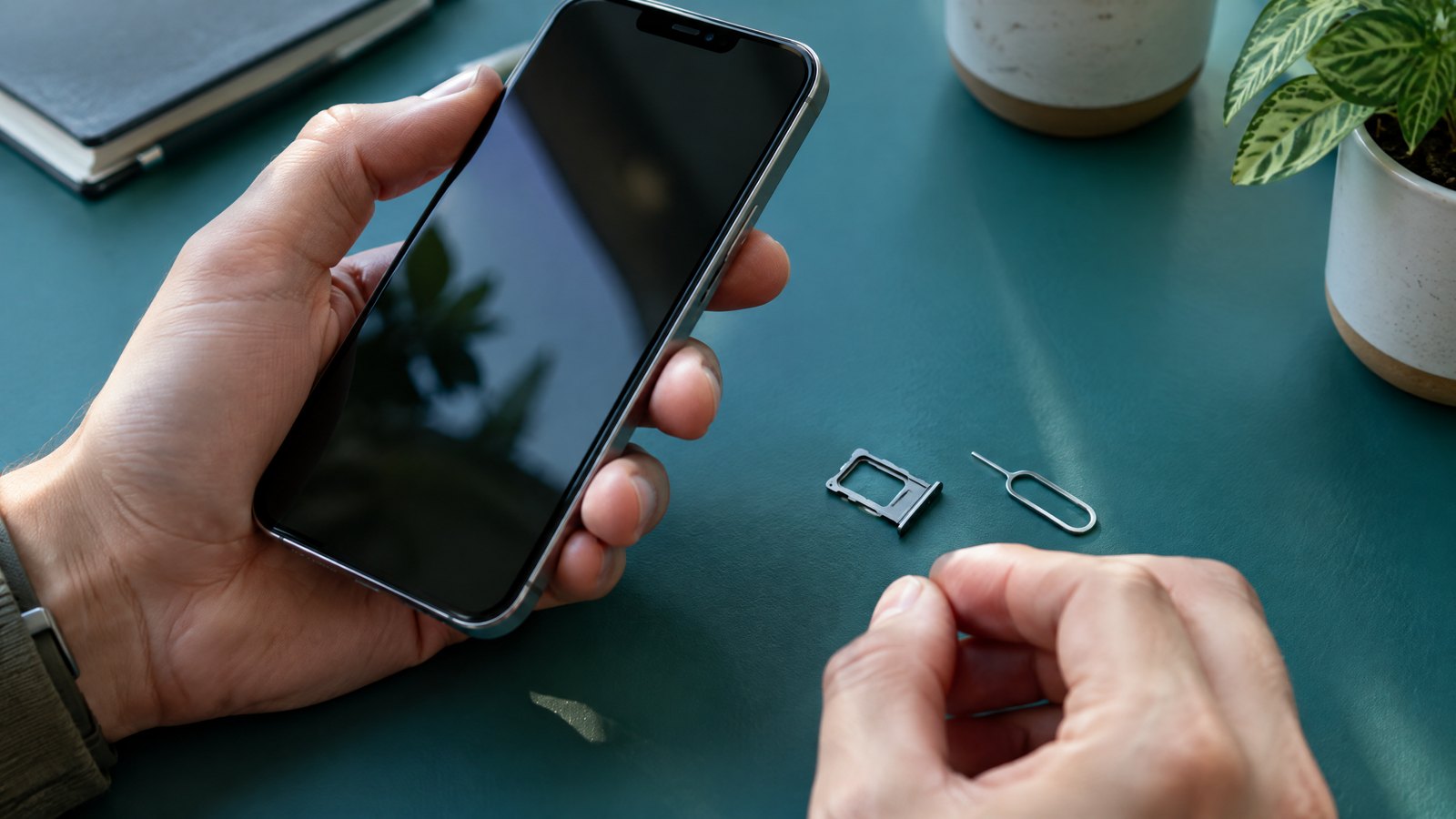
An eSIM is not a special mobile network or a guaranteed faster data plan. It is a way to keep a carrier’s SIM profile inside a compatible phone instead of on a removable plastic card. That can be genuinely useful: you may keep your Indian number active while using a travel data line, or avoid handling a tiny card when changing phones. The catch is that the convenient part is not universal. Your specific handset variant, software, carrier, account and current plan decide whether you can install, convert or transfer an eSIM without help. In India, treat an eSIM switch as a short service migration, not as a settings experiment to start when you urgently need an SMS OTP.
This article is part of the consumer technology guide library.
How eSIM technology works in a smartphone
A traditional SIM is a removable secure card that helps a mobile operator recognise your subscription. With eSIM, the secure component is built into the device and an operator profile is downloaded to it. The underlying job remains familiar: the profile represents your mobile subscription when the phone connects to that operator’s network. It does not create coverage, replace a recharge or make an unsupported tariff eligible.
The useful distinction is between the built-in eSIM capability and the plan installed on it. A phone can have eSIM hardware yet still need a carrier that supports eSIM for that model and line. It can also store more than one operator profile, but stored profiles and usable lines are not the same thing. The combination of phones and plans that can be active at once varies by model and software.
For example, a person with an Indian main number may retain that line for calls and account messages while adding a separate travel data profile abroad, if the handset and both services support the arrangement. Before relying on it, check the phone’s SIM settings to see how many lines it can actively use and which line is selected for mobile data. The broader phone architecture, including the modem that connects to a carrier, is explained in the related smartphone guide.
Activation is a carrier process, not a universal button
Adding an eSIM normally means the carrier authorises and delivers a profile to the phone. The route may be a carrier notification during setup, a QR code, a carrier app or a link. A phone maker can provide the menu, but cannot make a carrier issue a profile to an ineligible line. That is why two people with the same handset can see different options, and why an online guide for another network may not apply to yours.
Start with four checks: whether the exact handset sold in your region supports eSIM, whether your carrier supports eSIM for your account type, whether your current software is supported, and whether you have stable Wi-Fi or another safe internet connection for the download. Keep the existing line working until the replacement line has registered and you have tested an ordinary call or mobile data, as appropriate for your plan.
Do not delete an installed profile merely to tidy the SIM menu unless you have confirmed the carrier’s recovery procedure. A deleted eSIM can leave the number unable to connect, and recovery can require a fresh profile or a store visit. Also use only a carrier’s official app, site or verified support path for QR codes and activation messages. A profile download is a sensitive account action, not an invitation to share verification codes or device identifiers with an untrusted caller.
What eSIM activation can look like in India
India does not have one consumer eSIM workflow. Airtel and Reliance Jio each publish their own current instructions, and the steps change by device and transfer route. Airtel’s documented app flow asks for the device’s 32-digit EID, verifies an OTP and includes a confirmation call before the profile is configured. Jio documents direct nearby-device routes for some recent phones as well as an app flow that uses a registered email address, the destination phone’s EID and an OTP. These examples show why a generic ‘scan and go’ promise is not enough.
The EID identifies the phone’s embedded SIM component. Find it in your phone’s device information or SIM-status area rather than copying it from a message forwarded by someone else. Check the value carefully; a profile requested for the wrong EID will not become your working line on the intended phone. If a carrier gives a time window to download or configure the profile, do it when you have Wi-Fi, power and access to the old device or the active number.
A practical India-specific consequence is SMS timing. Both Airtel and Jio state that SMS service can be unavailable for up to 24 hours after some eSIM requests or transfers. That can interrupt banking, UPI, account-recovery or delivery OTPs even when your mobile plan itself is otherwise intact. Move the number on a day when you can use another authentication method if possible, and do not begin just before travel, a payment deadline or a device handover.
- Confirm the exact phone model has eSIM support and locate its EID in Settings.
- Read the current instructions for your own carrier and plan before selecting Convert or Transfer.
- Use dependable Wi-Fi, keep the old phone or physical SIM available, and complete verification yourself.
- Wait for activation, then test the new line before discarding or removing the old SIM.
Moving your number to a new phone: plan for a carrier fallback
Moving an eSIM is not always the same as moving a physical card. With a removable SIM, you can often power off both phones and insert the card into the new one. An eSIM transfer needs both a supported phone path and carrier approval. On supported iPhones, a nearby-device transfer can move a plan after identity and device checks. Recent Android transfer paths can also exist, but their exact menus, version requirements and carrier availability differ.
Keep both phones close, charged and connected as the instructions require. Apple’s process says the old SIM is deactivated when the plan activates on the new iPhone. Google notes that automatic transfer depends on carrier support and gives carrier activation as the fallback if it does not complete. In other words, do not wipe, sell or send away the old phone until the new one has service and you can receive the communications you need.
A realistic example is replacing a damaged-but-working phone on a weekday evening. If a direct transfer option is present, follow it on both devices. If it is not present, stop rather than repeatedly deleting and re-adding profiles. Use the carrier’s documented app or support route, because the alternative may need an EID, registered email, OTP or a new QR profile. The number and plan may transfer, but the timing and self-service route are carrier decisions, not a property of eSIM alone.
Travel with an eSIM: choose the line roles before departure
For an India-based traveller, there are two separate choices. You can use an international-roaming pack from your existing carrier, or you can use a local or travel eSIM for the destination. Roaming works on an eSIM in the same basic way it works on a physical SIM: the form factor does not turn roaming charges on or off. Compare your current carrier’s destination terms with any alternative instead of assuming that a travel profile is automatically cheaper or includes calls.
A local or worldwide travel eSIM can be convenient for data, but it needs an unlocked compatible phone if it will use another carrier. It may also need Wi-Fi to install. Some travel products are data-only, so they may not provide a conventional local mobile number for calls or SMS. Read the plan’s destination coverage, data amount, validity, hotspot policy and renewal terms before paying. Those details belong to the provider and plan, not to eSIM technology itself.
Set the roles deliberately before take-off. You might choose the travel line for mobile data and leave the home line on only if you need it. If both lines remain active, the home line can still create roaming charges depending on its settings and carrier terms. Save carrier support details offline, label the lines clearly in the phone settings, and do a quiet check at home so you know how to switch the data line. This is preparation, not a guarantee of coverage at a destination.
eSIM vs physical SIM: choose for the job, not the label
Neither option is automatically better. A physical SIM is tangible and can be moved between compatible phones without downloading a profile. That can be reassuring when you use an older spare phone or need to change devices where there is no data connection. It also creates small objects to lose, damage or misplace, and the tray may be inconvenient when you use two numbers.
An eSIM avoids tray handling and can make a second line or a temporary travel profile easier to add on a supported phone. It is less exposed to simple physical removal if the handset is lost. But it can be slower to move when a phone fails completely, since the carrier may need to issue or approve a fresh profile. Deleting it by mistake is not equivalent to taking a card out and putting it on a desk; you could lose cellular service until the carrier restores the line.
The right decision usually follows your routine. A frequent traveller with a compatible unlocked handset may value flexible data lines. Someone who swaps handsets often, keeps a basic backup phone or depends on an immediate physical move may prefer a removable SIM. In either case, use a screen lock, protect the carrier account and keep recovery contacts current. SIM format does not defend you against phishing, a stolen account password or a malicious app.
| Question | eSIM | Physical SIM |
|---|---|---|
| How the subscription is placed | A carrier profile is downloaded to embedded hardware | A removable card is inserted into a tray |
| Changing to another compatible phone | May use a supported device transfer or carrier-issued replacement profile | Usually involves moving the card itself |
| A travel second line | Can be practical when the phone and provider support it | May require using a second tray position or swapping cards |
| If the active identity is removed | Profile recovery can depend on the carrier | The card can generally be reinserted if it is intact |
| What it does not decide | Coverage, plan price, account eligibility or security habits | Coverage, plan price, account eligibility or security habits |
India-specific caveats before you switch
Check the exact product page or device settings for your particular model, not just the name of the phone series. A phone can have different regional variants, and a carrier can enable an eSIM route for some models or software versions but not another. Apple’s carrier list currently names Airtel, Reliance Jio and Vi for eSIM carrier activation on compatible iPhones, and names Airtel and Jio for its iPhone Quick Transfer category. That is useful evidence for an iPhone owner, but it is not a blanket Android compatibility list or a promise for every plan.
Carrier instructions should outrank a third-party social post, especially for a ported number, a business line, a recently replaced SIM or a phone bought abroad. Ask the carrier whether your exact account is eligible, what identification or verification it will require, whether a store visit is needed after a failed activation, and whether there is an expected SMS restriction. Keep a different way to reach essential services during the change.
The Indian regulator material checked for this article concerns foreign-provider SIM and eSIM cards used in export-bound M2M and IoT devices, not ordinary consumer smartphone conversions. It therefore cannot be used to claim a single TRAI rule for your personal eSIM activation. The dependable approach is narrower: verify your handset, line, carrier instructions and travel destination at the time you act.
eSIM technology in smartphones: common questions
These answers cover the practical pattern, but a carrier’s live instructions for your model and plan are decisive. Check them again when you are ready to activate or travel, because support paths and software requirements change.
Can any eSIM phone use any carrier’s eSIM plan?
No. The phone needs the right eSIM capability and, for another carrier, may need to be unlocked. The carrier must also support eSIM for that account, plan and device route. A compatible chip by itself does not make every plan available.
Will I lose my number when I convert a physical SIM to eSIM?
A conversion is intended to move the existing subscription, not create a new number, but activation must complete correctly. Keep the physical SIM in place until your carrier’s process says the eSIM is active, and do not delete the new profile while you still need service.
Can I transfer an eSIM to a new phone by myself?
Sometimes. Supported iPhone and recent Android flows may offer nearby-device transfer, but carrier and software conditions apply. If the transfer option is missing or fails, use the carrier’s documented activation process rather than assuming a QR code from an old setup will work again.
Is eSIM better than a physical SIM for international travel?
It can make a separate travel data line convenient, while you retain your Indian line if your phone supports both roles. It does not automatically avoid roaming fees, supply calls or guarantee destination coverage. Compare the home carrier’s roaming terms with a specific travel or local plan before deciding.
Source notes
Reporting record
techduopulse stores source destinations privately. Public notes remain non-clickable so every visitor journey stays on this website.
eSIM profile and remote-switching source note
Primary source · How eSIM technology works in a smartphoneCarrier-led eSIM activation and transfer source note
Primary source · Activation is a carrier process, not a universal buttonIndia activation verification, EID and SMS timing source note
Primary source · What eSIM activation can look like in IndiaIndia device-transfer conditions and fallback source note
Primary source · Moving your number to a new phone: plan for a carrier fallbackAndroid transfer prerequisites and carrier fallback source note
Primary source · Moving your number to a new phone: plan for a carrier fallbackRoaming, unlock, dual-line and travel-profile source note
Primary source · Travel with an eSIM: choose the line roles before departureIndia iPhone carrier-support category source note
Primary source · India-specific caveats before you switchRegulatory scope limitation source note
Primary source · India-specific caveats before you switchVersion 1: original India-focused eSIM guide covering carrier/model-dependent activation, number transfer, travel line choices, physical-SIM trade-offs, India carrier evidence and a regulator-scope limitation.