
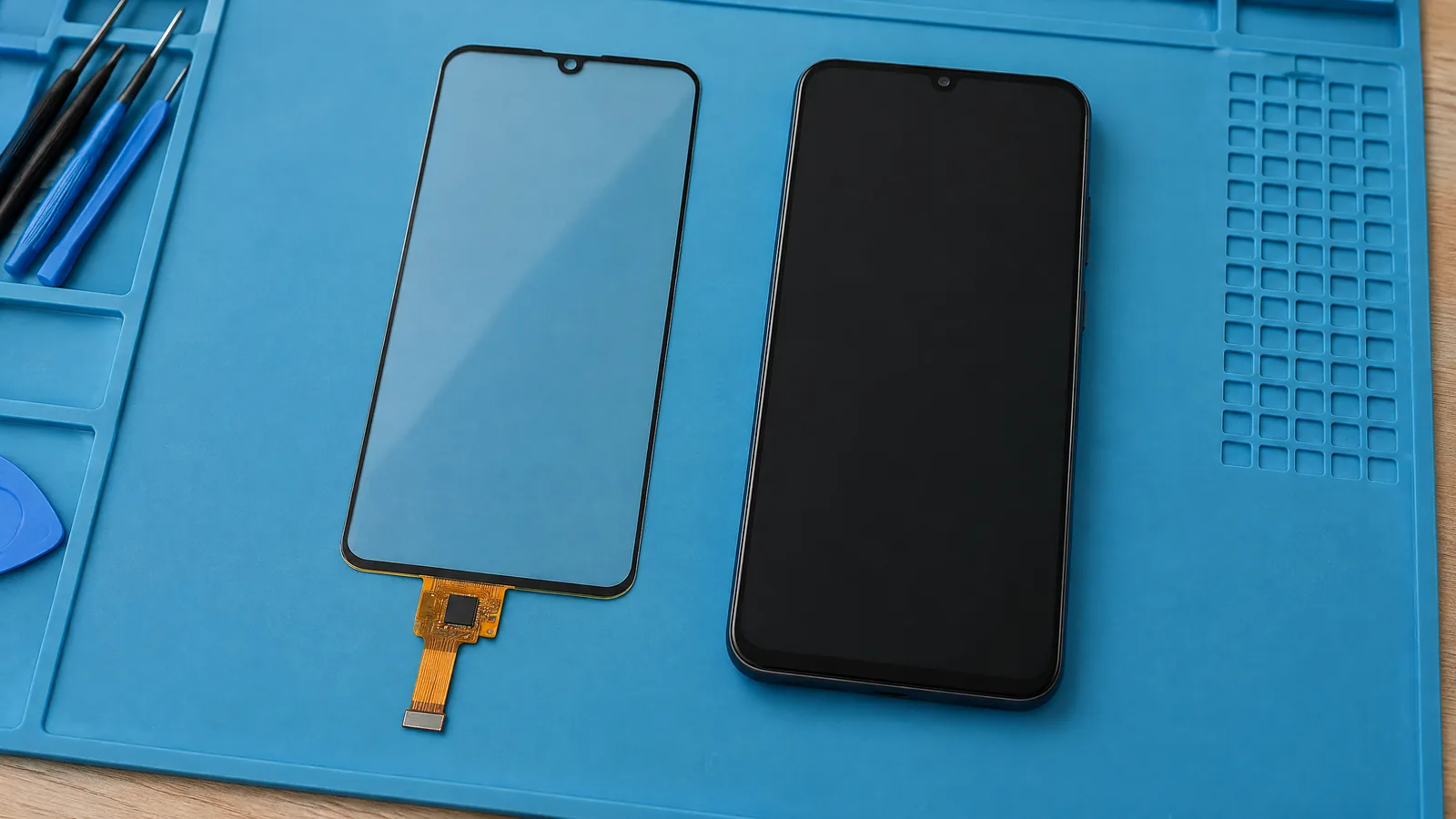
Your phone can open an app from a light tap, follow a finger across a swipe and recognise two fingers moving apart because its capacitive touchscreen digitizer detects changing electrical conditions at the display surface. It measures touch locations through an electrode grid, while a controller and phone software turn those locations into gestures and commands.
This article is part of the computer hardware technology guide library.
Key takeaways
- The capacitive touchscreen digitizer is a sensing layer and controller system, not the display image and not a separate motion sensor.
- Phone-style projected capacitive panels use electrode patterns to locate one or more touches; mutual-capacitance designs are suited to multi-touch.
- A tap or swipe is a software event built from touch locations over time. It is not a separate physical sensor.
- Cover material, electrode layout, grounding, electrical noise, water and the phone's model-specific tuning can change touch behaviour.
What is a capacitive touchscreen digitizer?
A capacitive touchscreen digitizer is the phone's touch-input hardware. It detects a change in capacitance around conductive electrodes beneath or within the screen structure, then sends measured touch information to a controller. The controller estimates position and reports touch events to the operating system. The display produces the picture; the digitizer supplies the touch input. These parts can be closely integrated in a modern phone, but their jobs remain different.
The word capacitive describes what is measured: capacitance, or the ability of nearby conductive structures to store and transfer electrical charge. An insulating cover separates a finger from the electrodes. Because a human body is conductive and coupled to the surrounding electrical environment, placing a finger near the sensing structure changes the measured field. The design then decides whether that change represents a valid touch. [1] [3]
How does the phone digitizer detect a touch?
Most smartphone touch panels use a projected-capacitive arrangement: fine conductive patterns form a matrix of sensing locations. One set of traces can act as transmit, or Tx, electrodes and another as receive, or Rx, electrodes. Electronics scan these intersections and look for a change from the normal baseline. A finger near an intersection disturbs the electric field, helping the controller estimate the touch's horizontal and vertical position. [2]
In mutual-capacitance sensing, the controller measures coupling between a Tx electrode and an Rx electrode. A finger between them generally reduces that coupling because it alters the field. In self-capacitance sensing, an electrode is measured relative to ground and a touch commonly increases the measured capacitance. The exact signals are small, so the controller has to separate touch changes from parasitic capacitance and electrical noise. [2] [3]
This is a measurement chain rather than a magic surface: electrode pattern and cover, scanning electronics, signal processing, controller output, then operating-system input. A phone's software receives coordinates and timing information. It can then treat a stationary contact as a tap after release, or compare changing coordinates to interpret a swipe or pinch.
Why multi-touch works on a phone screen
Multi-touch depends on how the electrode matrix is measured and how the controller resolves several touch points. Mutual-capacitance matrices give each Tx/Rx intersection a more distinct sensing node, so multiple locations can be measured without relying only on separate row and column guesses. Research on touchscreen technology identifies mutual capacitance as widely used in consumer electronics because it supports multi-touch. [2]
Self-capacitance can still detect touch, but measuring rows and columns separately can create extra possible combinations when two fingers are present. Those false combinations are often called ghost touches. A controller and panel may use additional techniques to manage this, so the safe explanation is that multi-touch capability depends on the particular digitizer design and firmware, not on the word capacitive alone. [2]
The gesture is one level above the sensor. Two points moving together may become a two-finger drag; two points moving apart may become a zoom command. The digitizer reports touch data, while the operating system and app decide what that pattern means.
What can affect touch response?
A capacitive touchscreen digitizer is tuned as a complete system. The cover's thickness and material, electrode spacing, shielding, nearby ground structures, parasitic capacitance and electrical noise all affect how large or clear a touch-related change appears. Texas Instruments notes that parasitic capacitance can make a touch change harder to measure, while electrode geometry and an overlay affect where the electric field reaches. [3] Microchip's design guidance likewise treats cover effects, shielding, mechanical construction and sensor design as connected choices. [4]
That is why touch response can vary between phone models and situations. A wet surface may create unwanted conductive paths. A glove may not couple to the electrodes in the same way as bare skin unless the phone and glove support that mode. A screen protector can change the spacing and materials above the electrodes. These are design and condition limits, not proof that every capacitive digitizer has the same sensitivity.
Refresh rate, display construction, stylus support and water or glove handling are model-specific features. They should not be inferred from the presence of a capacitive digitizer. An external stylus may be supported by a phone's particular sensing and software design, but it is an optional accessory or input method, not the physical digitizer itself.
Capacitive digitizer versus other phone sensors
The digitizer handles contact with the screen. It does not measure acceleration, rotation, ambient light, proximity or magnetic field; those jobs belong to separate phone components when a model includes them. It also does not identify a gesture by itself. A swipe is derived from a sequence of touch coordinates and timing, and an app decides whether that sequence should scroll a page, move an object or trigger another action.
This distinction helps when diagnosing a problem. A phone that still rotates its screen may have a working motion sensor while its touch input has another issue. A display that shows an image can still have a touch-layer, controller or software-input problem. Exact repair construction varies, and the digitizer may be integrated with other display layers, so a model's service documentation is needed before making hardware assumptions.
Frequently asked questions
Is a capacitive touchscreen digitizer the same as the phone display?
No. The display creates the visible image, while the digitizer senses touch and supplies input data. They may be integrated into one screen assembly, but they perform different functions. [1]
Does a capacitive digitizer detect a swipe directly?
It detects touch locations and their timing. The phone's operating system or app compares those locations over time and interprets the pattern as a swipe, tap, drag or another gesture.
Why can two fingers work on some phone screens?
A suitable electrode matrix and controller can resolve multiple touch locations. Mutual-capacitance arrangements are designed to measure distinct Tx/Rx intersections and are widely used for multi-touch, but implementation varies by device. [2]
Why might a screen respond differently with water or gloves?
Water, gloves and screen protectors change the electrical coupling or spacing above the electrodes. The result depends on the phone's materials, tuning and supported modes; capacitive touch response is not identical in every condition. [3] [4]
Is the touchscreen digitizer an Android sensor?
It is an input hardware system used by the phone. It is different from standard motion and environmental sensor categories such as an accelerometer, gyroscope or proximity sensor. Software receives touch events rather than treating each gesture as a separate physical sensor reading.
About the image
AI-generated editorial illustration; not an actual product or mission photograph.
Source notes
Reporting record
techduopulse stores source destinations privately. Public notes remain non-clickable so every visitor journey stays on this website.
Source note: Apple iPhone 14 Pro technical specifications; Sensors section
Primary source · Model-specific device implementation boundarySource note: Library of Congress touchscreen explanation
Primary source · Sensor-controller-software chain and capacitive versus resistive touchSource note: Sensors review of touchscreen technology
Secondary source · Projected-capacitive matrices, self/mutual capacitance and multi-touchSource note: Texas Instruments CapTIvate Technology Guide
Primary source · Electrode, overlay, parasitic capacitance, Tx/Rx and sensitivity limitsSource note: Microchip capacitive touch sensor design guide
Primary source · Cover effects, shielding, construction and sensor-design dependenciesNew distinct smartphone application explainer based on the brief's related-only coverage decision. Adds a phone-specific signal chain, projected-capacitive matrix and multi-touch explanation, separates digitizer hardware from display and software gestures, and qualifies model-dependent glove, water, stylus and cover behaviour.


