SEO Title: PIR Motion Sensor: How It Works in India Meta Description: Learn how a PIR motion sensor detects movement, why pyroelectric elements and Fresnel lenses matter, and its limits in Indian projects and homes.
This article is part of the software engineering technologies guide library.
What is a PIR motion sensor?
PIR stands for passive infrared. “Passive” means the sensor receives infrared energy already present in its surroundings; it does not send out an active probe signal such as ultrasound, light or microwave energy. PIR detectors are used for general motion detection of people or animals. [1] [2]
Everything above absolute zero emits infrared radiation to some degree. A PIR sensor is arranged to respond to a change in the infrared pattern it receives. When the scene is stable, its sensing elements see broadly similar conditions. When a person walks sideways across the coverage area, the change moves through different zones and the sensor can produce a signal.
This is why it is more accurate to call it a motion/change detector than a person detector. A person who remains still may not keep generating the change that a basic PIR needs. Similarly, the output cannot by itself tell you who moved, how many people are present, or how far away they are. [1]
How a PIR motion sensor works
A typical PIR motion path has four stages:
Infrared reaches the sensor. A person or animal at a temperature different from the background moves through the sensing field.
Two pyroelectric elements compare changing energy. Common PIR devices use two infrared-sensitive elements with slightly offset fields of view. If both receive roughly the same level, there is little differential response. Movement across the fields creates a changing differential signal. [1] [2]
The electronics condition a very small signal. The raw analogue signal needs amplification, filtering and a decision stage such as a threshold/comparator or analogue-to-digital processing. TI notes that signals from more distant objects can be in the microvolt range; ST shows an approximately 1 mV peak-to-peak signal in one application circuit. That ST value is an example of a particular design, not a universal PIR specification. [1] [2]
A module presents a usable output. Many beginner-friendly breakout modules turn the conditioned result into a digital high/low signal. A microcontroller can read that state as a digital input. The board’s voltage, warm-up behaviour, hold time, sensitivity range and retriggering behaviour are module-specific. [3]
### Why the patterned dome matters: the Fresnel lens
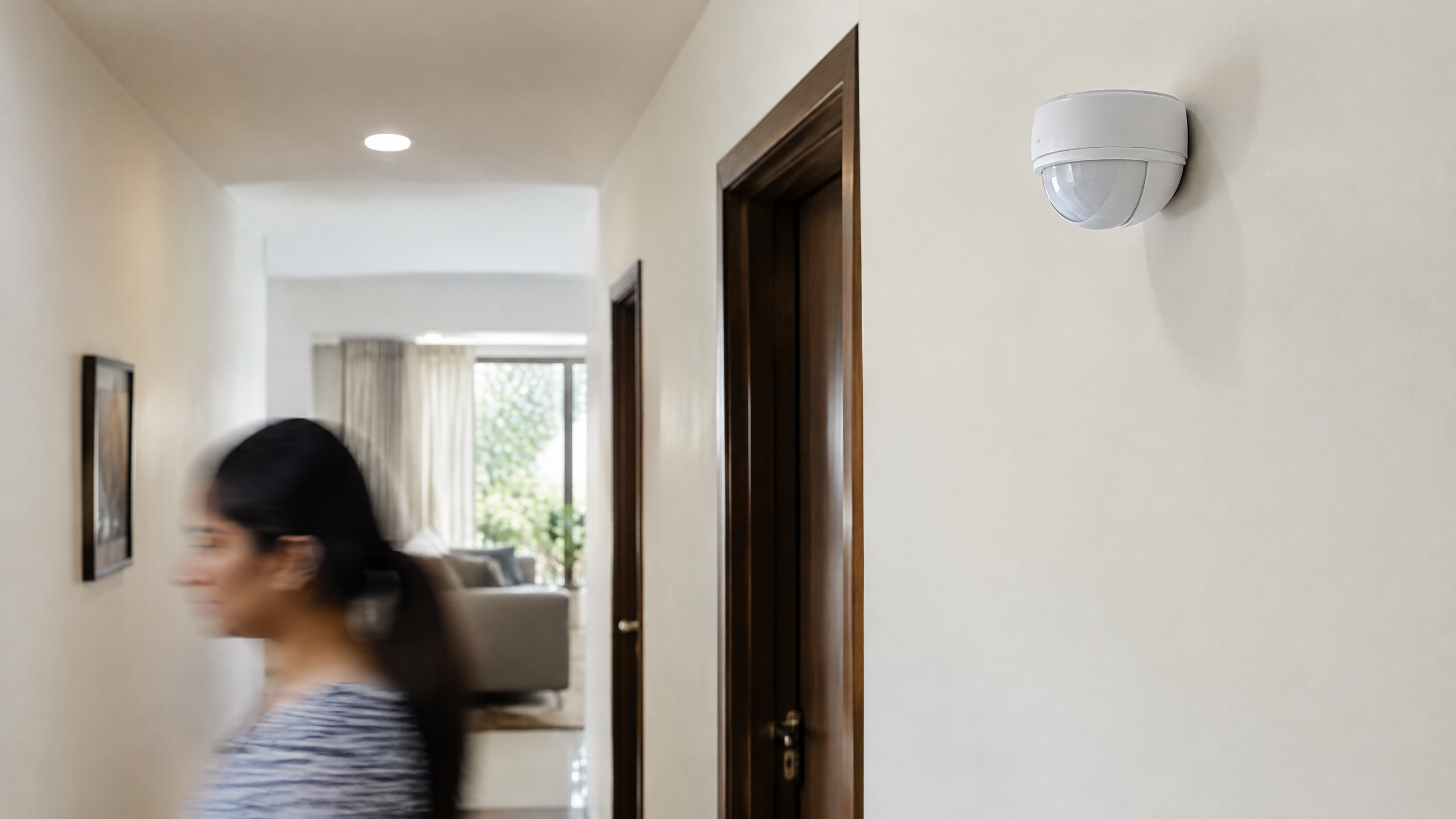
The segmented plastic dome on many PIR units is a Fresnel lens. It helps direct incoming infrared energy onto the small sensing elements and expands the useful coverage pattern. The lens creates multiple zones, which makes a moving warm object more likely to produce the alternating change the electronics look for. It improves reception and coverage; it does not create a thermal image or turn the module into a camera. [2]
Main PIR forms: element, module and installed detector
PIR is one sensing principle, but you may meet it at different integration levels. The table below helps prevent a common beginner mistake: treating the sensor element, a hobby module and a finished detector as interchangeable.
| Form | What it provides | What still depends on the design |
|---|---|---|
| Pyroelectric PIR sensing element | A small analogue response to changing infrared energy | Lens, analogue conditioning, thresholding and the final detection behaviour |
| Conditioned PIR breakout module | Onboard conditioning and usually a digital high/low output for a controller | Supply requirements, timing, retriggering, warm-up and detection settings [3] |
| Installed motion detector | A PIR-based motion signal incorporated into a lighting, alarm or automation system | Placement, enclosure, surrounding heat/airflow, system logic and installation choices |
The important point is that an output labelled “motion” is the result of both the pyroelectric sensor and the electronics around it. It is not a direct measurement of a human being.
Where PIR sensors are used
PIR sensor applications are usually about reacting to a movement event rather than measuring a precise physical quantity. Documented uses include:
Automatic lighting, where a system can react when movement is detected;
Security alarms, where motion can trigger an alert or a wider security workflow;
Automatic doors, where a detector can contribute to opening logic; and
Pet-related applications, where the system is designed around expected animal movement. [2]
For an Indian home, classroom or small IoT prototype, PIR can be a practical way to ask, “Has something moved through this area recently?” It is not a reliable standalone answer to “Is this room occupied?”, “How many people are here?” or “Who entered?” Those questions usually need extra sensing, careful placement or additional algorithms. [2]
PIR sensor with Arduino: what the digital output means
A PIR sensor Arduino project usually starts simply: connect a conditioned PIR module according to that module’s documentation, read its output on a digital input, and make an LED, log message or other low-risk response depend on a detected state. Adafruit’s example demonstrates reading a PIR output with an Arduino digital input and notes that retriggering may be configurable. [3]
Treat the first build as an observation exercise rather than a security guarantee:
Let the particular module settle as its documentation instructs before judging behaviour.
Walk across the field, then try standing still, to see the difference between motion detection and continuous presence detection.
Record false or missed triggers before connecting the signal to any important automation.
Keep mains-voltage wiring and any equipment with safety implications outside a basic breadboard exercise; use appropriate qualified installation where required.
Avoid copying a claimed range, hold time or jumper meaning from another board. Even visually similar PIR modules can have different settings and documentation.
Limits, accuracy and setup: why a PIR can miss or falsely detect motion
There is no universal PIR accuracy figure. Detection depends on the sensing element, lens, signal conditioning, threshold settings, target distance, target motion speed and the environment. TI specifically discusses the trade-off between greater sensitivity and the risk of false detection. [1]
A PIR installation can be affected by:
Movement direction and speed: a moving person crossing sensing zones can produce a different response from someone approaching slowly or standing still.
Distance and coverage pattern: the lens and detector design shape what the unit can receive; a quoted range for one product is not a rule for every unit.
Temperature contrast: PIR responds to changing infrared energy, so a warm body that has little contrast with its surroundings may be harder for a system to distinguish.
Sunlight, airflow and ambient change: these can alter conditions in the sensing field and contribute to unwanted or missed events. [1]
Pets and placement: an animal, a poorly chosen mounting position or a view toward a changing heat source can affect the result. [1]
### A practical calibration mindset
For a basic module, “calibration” is usually not a universal one-time accuracy adjustment. It is a placement-and-settings exercise: decide the movement you want to notice, test the intended field of view, and adjust only through the controls and instructions documented for that exact module. Raising sensitivity or lowering a threshold may pick up more events, but it can also increase false detections. [1]
Test under the actual conditions of use: day and night, normal fan or ventilation conditions, and realistic walking paths. If the decision has important safety, access-control or security consequences, use a properly designed system and do not rely on one hobby PIR output as a guarantee.
PIR compared with other motion approaches
A PIR sensor is passive and reacts to infrared changes. By contrast, active approaches may emit ultrasound, light or microwave energy and interpret a returned or disturbed signal. [2] This is why the best technology depends on the question being asked. PIR can be suitable for noticing movement of warm bodies in a coverage area, while distance measurement, object identification or robust occupancy assessment call for different sensing and system design.
Frequently asked questions
1. PIR sensor kya hai?
A PIR sensor is a passive infrared sensor. It receives infrared energy from the scene and looks for changes caused when a warmer object moves through its sensing zones. It does not emit a measuring beam and does not identify people. [1] [2]
2. What is the PIR sensor working principle in Hindi?
In simple Hindi: PIR sensor garmi se judi infrared energy mein badlav ko detect karta hai. A person moving across its zones changes the balance seen by its pyroelectric elements; the module electronics amplify and interpret that small change. It is not continuously “seeing” a stationary person. [1] [2]
3. How do I use a PIR motion sensor with Arduino?
Use a conditioned PIR module according to its own documentation, connect its output to a suitable Arduino digital input, and read the high/low state in a small test sketch. Verify warm-up, output timing and retriggering on the specific module rather than assuming values from an online example. [3]
4. Is a PIR sensor Arduino project good for detecting room occupancy?
It can demonstrate motion detection, but a single basic PIR is not a reliable occupancy or people-counting system. Someone who sits still may stop producing transitions, while environmental changes can cause unwanted events. Use additional sensing and appropriate system design when dependable occupancy information matters. [1] [2]
5. What are PIR sensor uses in home security?
PIR detectors can provide a motion event for an alarm workflow or alert. They should not be treated as proof of identity or a guaranteed intrusion decision because placement, pets, sunlight, airflow, temperature contrast and settings may affect detection. [1] [2]
6. How should I approach an HC-SR501 PIR sensor Arduino setup?
Treat “HC-SR501” as a board-specific module label, not as a universal PIR standard. Begin by confirming the markings and documentation for the board in hand, then test its digital output, settling behaviour and any retriggering or adjustment options before designing a project around it. The general Arduino pattern is to read a conditioned PIR module’s output as a digital input. [3]
Related reading
[Proximity sensor](/article/proximity-sensor-types-working)
[Infrared (IR) sensor](/article/ir-sensor-working-types-uses)
[Ultrasonic sensor](/article/ultrasonic-sensor-working-uses)
Source notes
Reporting record
techduopulse stores source destinations privately. Public notes remain non-clickable so every visitor journey stays on this website.
https://support.google.com/trends/answer/4355212?hl=en
Primary source · Research source 4https://www.ti.com/lit/slaaef6
Primary source · Research source 1https://www.st.com.cn/resource/ja/application_note/dm00096551-signal-conditioning-for-pyroelectric-passive-infrared-pir-sensors.pdf
Primary source · Research source 2https://learn.adafruit.com/pir-passive-infrared-proximity-motion-sensor/using-a-pir-w-arduino
Primary source · Research source 3New India-focused sensor explainer covering PIR motion sensor, working principles, uses and limitations.