
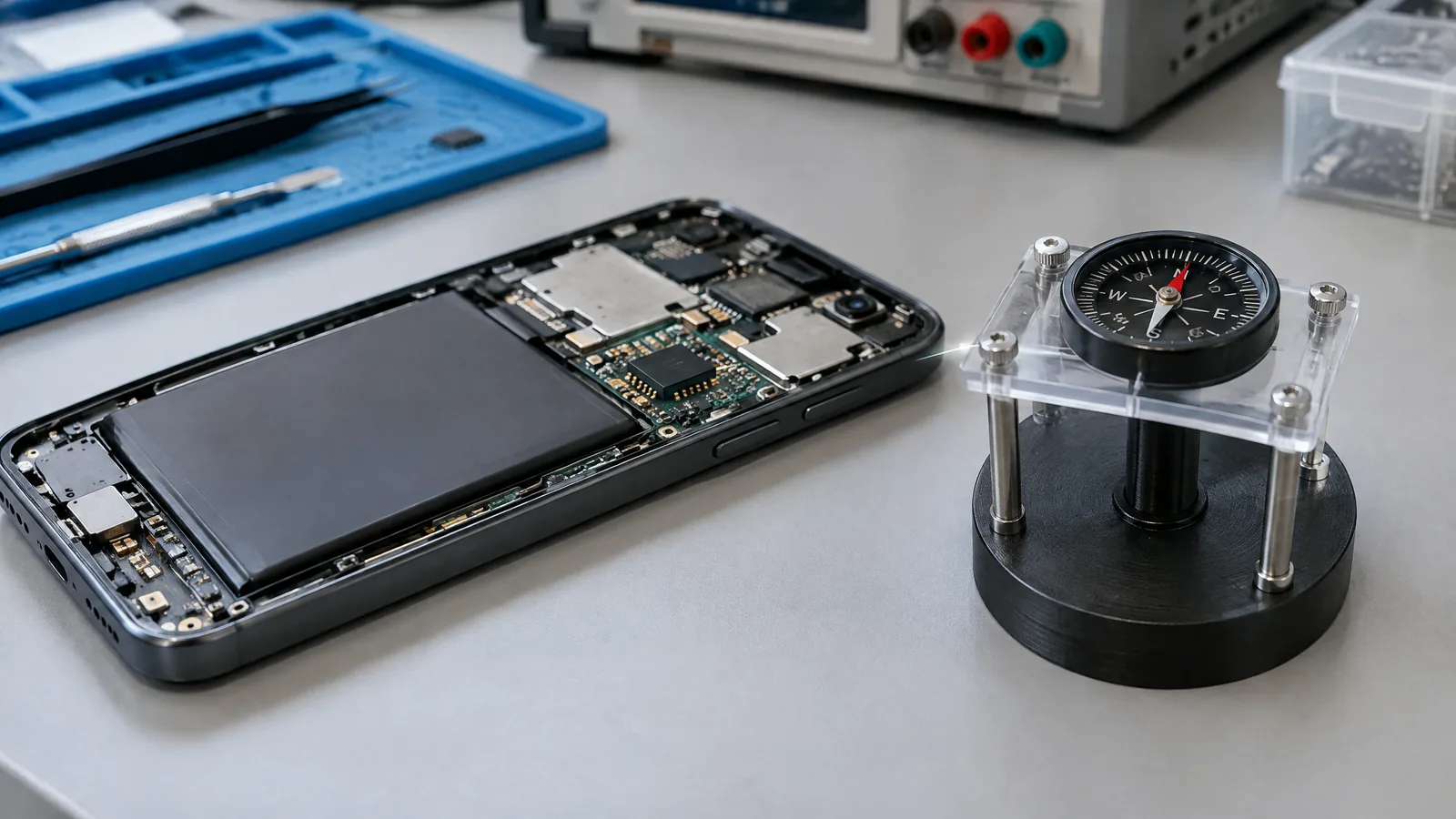
When your phone compass points the wrong way near a car, speaker or metal desk, the problem is usually the magnetic environment—not a camera or GPS fault. A phone magnetometer is a physical three-axis sensor that measures the surrounding geomagnetic field, while the direction shown on screen is a processed heading that also depends on device attitude, calibration and software.
This article is part of the computer hardware technology guide library.
Key takeaways
A magnetometer measures magnetic-field components; it does not directly “see” a map direction.
A compass heading is calculated from the magnetometer with other sensor readings and software processing.
Cases, magnets, speakers and nearby metal can disturb the local field, but the effect depends on the material, distance and phone design.
A figure-eight motion can help the phone improve calibration, but it cannot remove a persistent hardware or environmental problem.
Not every Android phone includes every sensor, so check the actual device before depending on compass features.
What does a magnetometer measure in a phone?
A magnetometer, also called Android’s geomagnetic-field sensor, is a physical sensor that measures the ambient magnetic field along three axes: x, y and z. Android reports those raw field-strength values in microteslas (µT). This is the measurement made by the sensor; it is not itself a ready-made instruction such as “turn east.”
The field around a phone can include Earth’s magnetic field plus local disturbances from magnets, ferromagnetic materials and electrical hardware. The sensor reports what reaches its sensing element. The phone’s software must then interpret the three components in the device’s current position.
This distinction matters when an app asks for a magnetometer. A phone can have a physical field sensor, a software-derived rotation or orientation output, or both. A software sensor is not an extra physical chip simply because it appears as a separate API feature.
How does a phone turn field readings into compass direction?
A compass app needs more than a magnetometer reading because the phone may be tilted, held upright or rotated. Android documents a method that combines accelerometer and geomagnetic-field readings to calculate a rotation matrix and orientation angles. The azimuth is the phone’s direction relative to magnetic north, while pitch and roll describe how it is tilted.
Many apps use a fused rotation-vector output rather than handling every raw sample themselves. That output can combine available hardware and software processing. The exact sensor set and implementation vary by model, so two phones can respond differently in the same place.
A heading also is not automatically true geographic north. Android’s documented azimuth is relative to magnetic north. Mapping software may use location and other processing for a broader navigation experience, but the magnetometer alone should not be described as GPS or as a complete navigation system.
Why can phone magnetometer compass accuracy drop?
The most common reason is a changed local magnetic field. A magnetic phone case, clasp, nearby speaker, vehicle body, metal table or another magnet can add a field that the sensor interprets along with Earth’s field. The size and direction of the error depend on distance, orientation, material and the phone’s internal layout. “Metal” is therefore a warning to check the environment, not proof that every metal object will break the compass.
Calibration and sensor fusion also matter. Android distinguishes calibrated geomagnetic readings from an uncalibrated magnetometer that can include bias. Software may compensate for hard-iron effects, but compensation is an estimate and can be affected when the surrounding setup changes. The heading is consequently a system result, not a fixed accuracy promise for every handset or position.
If the compass is wrong only in one room, near one accessory or beside one vehicle, move the phone away from that source and compare again. If it remains wrong in several open locations, check whether the phone actually reports a magnetic-field sensor and whether the app has a clear calibration or sensor-status message.
A sensible calibration and interference check
Start with low-risk checks rather than replacing the phone or downloading an unknown “compass fixer.” Remove a magnetic wallet or magnetic mount, move away from speakers and large metal surfaces, and hold the phone in the same orientation while comparing readings. Do not treat a single indoor test as a definitive measurement of the sensor’s quality.
- Move to an open area away from the suspected magnet, speaker, vehicle panel or metal desk.
- Remove magnetic accessories and compare the compass with and without the case or mount.
- Follow the app’s own calibration prompt. Android’s documentation notes that waving the device in a figure-eight pattern can improve sensor accuracy while testing.
- Turn or tilt the phone slowly and see whether the displayed heading changes smoothly rather than jumping only beside one object.
- If the problem follows the phone across different environments, check the model’s sensor list or ask the manufacturer’s support team before assuming the app is at fault.
What the magnetometer cannot tell you by itself
The sensor cannot guarantee a correct heading in every environment. It does not identify whether a field came from Earth, a magnet, a speaker or a nearby ferrous object. It also cannot replace the phone’s accelerometer, software fusion or the app’s coordinate handling when the goal is a stable direction display.
Availability is model-specific. Android says manufacturers are not required to build every sensor into every device, so an app should verify that a magnetic-field sensor exists. A phone may still offer some motion or rotation features without offering a compass that can establish magnetic north.
For ordinary walking or map orientation, use the compass as a direction aid and watch for obvious interference. For surveying, engineering alignment or any safety-critical decision, use an instrument and procedure intended for that job rather than treating a phone heading as a calibrated reference.
Frequently asked questions
These answers describe the sensor and Android’s documented behaviour without assuming a particular phone model.
Is a magnetometer the same as a phone compass?
Not exactly. The magnetometer is the physical three-axis sensor that measures the ambient magnetic field. A compass is the user-facing feature that interprets those readings, device attitude and calibration to show a direction.
Why is my phone compass inaccurate near a speaker or car?
The nearby object can change the local magnetic field reaching the sensor. Move away from the object, remove magnetic accessories and compare again in an open area. The size of the effect depends on the object, distance, orientation and phone design.
Does every Android phone have a magnetometer?
No. Android does not require manufacturers to include every sensor. Apps should check whether the device exposes a TYPE_MAGNETIC_FIELD sensor before promising compass behaviour.
Does a figure-eight fix a phone compass?
It can help the phone improve calibration during testing, and Android documents the figure-eight motion for that purpose. It cannot correct persistent interference or a sensor that is absent or faulty.
Is a phone compass pointing to true north?
Android’s documented azimuth is relative to magnetic north. A phone compass should not be treated as a guaranteed true-north or precision-survey instrument.
Related reading
For the broader difference between magnetometers, Hall sensors and other magnetic-sensing technologies, see the existing magnetic sensor explainer.
About the image
AI-generated editorial illustration; not an actual product or mission photograph.
Source notes
Reporting record
techduopulse stores source destinations privately. Public notes remain non-clickable so every visitor journey stays on this website.
Source note: Android Developers Sensors overview
Primary source · Hardware versus software sensors; TYPE_MAGNETIC_FIELD three-axis µT readings; optional sensor availability and capability checksSource note: Android Developers position sensors guidance
Primary source · Raw geomagnetic readings; accelerometer plus geomagnetic orientation; magnetic-north azimuth; figure-eight calibration; uncalibrated magnetometer biasNew 15 October 2026 application explainer focused on phone magnetometer compass accuracy and interference. Separates the physical three-axis geomagnetic sensor from fused heading output, qualifies model-specific availability and calibration, and avoids unsupported device-specific accuracy claims.


