
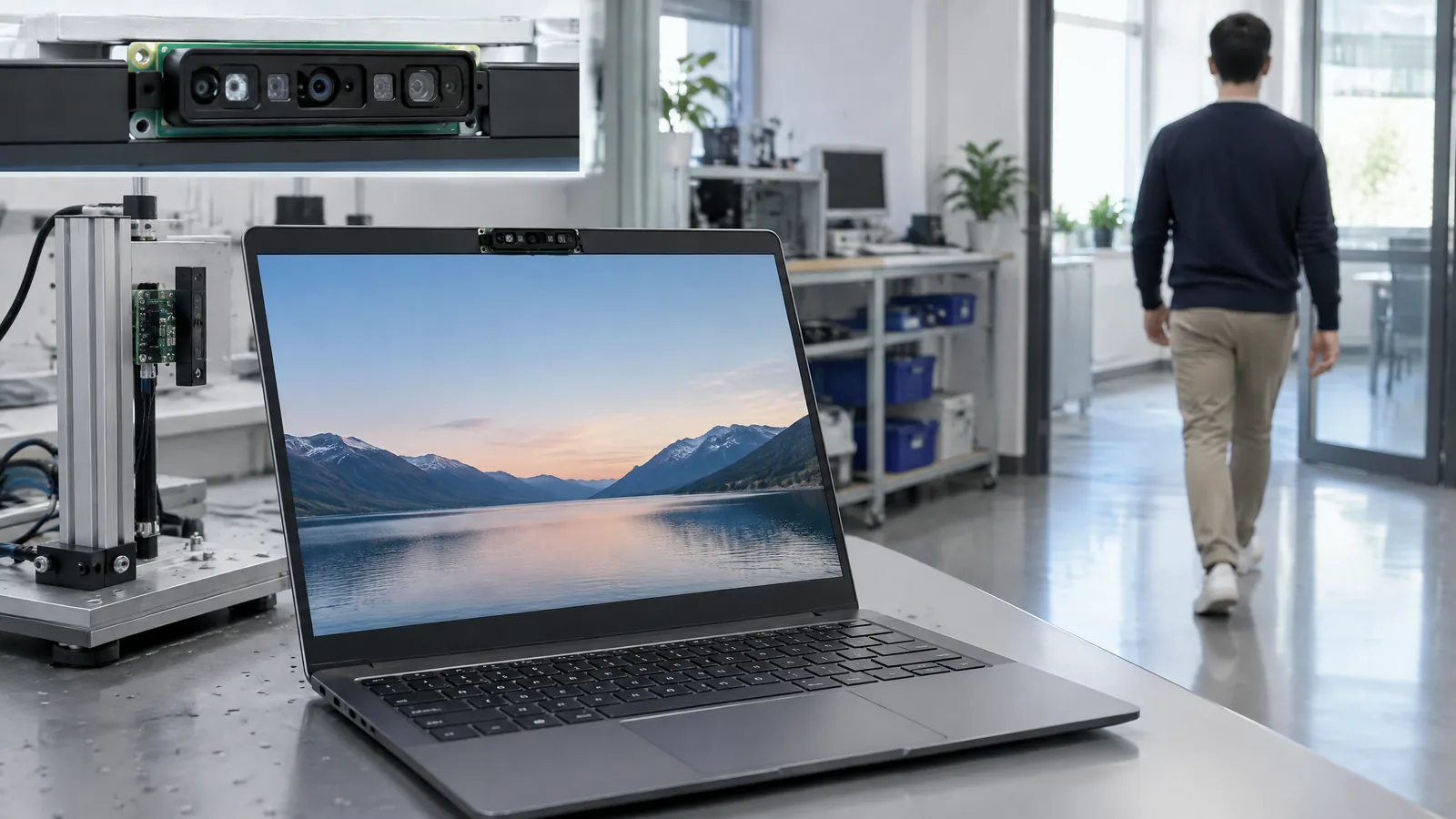
Your laptop may stay awake after you leave your desk, or fail to wake when you return, because it does not have compatible presence-sensing hardware or the feature is switched off. A multizone ToF human-presence sensor measures distance patterns from reflected light across several zones, while software turns those readings into optional features such as walk-away lock, wake-on-approach and adaptive dimming.
This article is part of the computer hardware technology guide library.
Key takeaways
- A multizone ToF sensor is active optical ranging hardware; human presence, head orientation and onlooker alerts are derived outputs from firmware or algorithms.
- An 8×8 ToF example can provide distance data across zones, but the sensor alone is not the complete laptop privacy or power feature.
- Windows 11 presence sensing needs compatible hardware, firmware/driver support and user settings; not every laptop camera or proximity sensor qualifies.
- ToF can support camera-free presence detection in a specific implementation, but presence sensing as a category can also use other technologies such as computer vision or radar.
What does a laptop presence sensor measure?
A laptop presence sensor measures whether one or more people are near the device and, depending on the hardware and software, their approximate position or movement relative to it. A time-of-flight (ToF) device sends optical signals and estimates distance from the returning light. “Multizone” means the ranging data is divided into several viewing areas instead of being treated as one single point.
That makes the physical sensor different from the feature shown in Windows settings. The sensor supplies distance data; a sensor hub, driver, firmware and application or operating-system service can interpret that data as presence, approach, departure, head orientation or an onlooker state. Microsoft describes presence sensors as a subset of human proximity sensors, while also noting that Windows-compatible presence implementations may use computer vision or radar.
How multizone ToF presence sensing works in a laptop
The signal chain starts with an active optical ranging component placed near the display or another suitable part of the laptop. It measures reflected light at multiple zones and passes distance information to local processing. An 8×8 ToF example therefore provides a small grid of distance values rather than a camera image.
Algorithms can compare those values over time. A person moving away may produce a departure pattern; someone approaching may produce a nearer, sustained pattern. With a suitable model and training, the system may also estimate which way a head is oriented or distinguish a primary user from another person. Those are model-specific algorithm outputs, not direct physical measurements made by every ToF sensor.
ST’s laptop and PC example combines an 8×8 multizone ToF sensor with AI-based algorithms for human presence, multi-person detection and head-orientation tracking. It presents the complete hardware-and-software package as an OEM solution, which is why a laptop specification mentioning a ToF component should not be read as a promise that every listed feature is enabled.
What features can it enable?
The most useful laptop applications are small automatic actions around a user’s desk:
Walk-away lock can lock the PC or turn off its display after the primary user leaves. Wake-on-approach can wake the device when the user returns. Adaptive dimming can reduce brightness when the system decides the user is not looking at the screen. An onlooker or multi-person function may warn that someone else is near the display, where the complete implementation supports that state.
These features improve convenience, privacy and power management, but they do not replace a strong password, screen-lock policy or the user’s judgement. A sensor can misclassify a passerby, fail to see a person outside its field of view, or be disabled by settings. ST describes filtering to reduce casual-passerby triggers in its solution; that is evidence about that solution, not a guarantee for every laptop.
| Layer | What it does | Why the distinction matters |
|---|---|---|
| Physical sensor | Measures optical distance across zones | It does not independently decide that a human has left. |
| Firmware, hub or driver | Moves and exposes sensor data to the platform | Compatibility and supported sensor interfaces are model-specific. |
| Algorithms or OS service | Derives presence, head orientation or onlooker states | The same sensor data can support different features on different devices. |
| Windows or OEM settings | Controls opt-in, privacy and user-facing actions | A compatible component may still have features disabled or unavailable. |
Windows 11 support: why the laptop model matters
Microsoft says Windows 11 natively supports presence sensing on PCs with a built-in presence sensor. Its documented feature set includes Lock on Leave, Wake on Approach and Adaptive Dimming, but the device must implement the defined hardware and software path. A normal webcam, a generic phone-style proximity sensor or an external USB camera should not be assumed to provide the same inbox features.
Presence sensing is also a privacy-controlled experience. Microsoft’s documentation describes local processing requirements for presence implementations and says the user must opt in during setup or settings. OEM custom sensors may offer similar actions without being supported by Microsoft’s inbox features. To check a particular laptop, look for Presence sensing settings and the manufacturer’s specifications rather than relying only on the words “AI sensor” or “ToF sensor.”
Limitations: what the sensor cannot promise
A multizone ToF presence sensor does not automatically identify a person, recognise a face, or guarantee that the screen is private. Its useful field of view, distance behaviour, optical conditions, placement and filtering depend on the component and the complete laptop design. A person sitting outside the sensing area may not be detected, while a nearby person may be treated as an onlooker or the primary user according to the implementation’s rules.
Presence output is not the same as a precise distance measurement for every application. A Windows presence sensor may expose only a binary present/not-present state, while another design can expose more detailed distance or position data. The software may also deliberately reduce detail for privacy. Check the laptop maker’s documentation and Windows settings for the actual behaviour, and do not infer specifications from an image of a sensor window.
Finally, “camera-free” is not universal. ST’s cited implementation says its ToF approach does not capture images or rely on the camera, while Microsoft lists computer vision and radar as other possible presence-sensing technologies. The correct question is which hardware and local-processing design the particular laptop uses.
Frequently asked questions
What is a laptop presence sensor?
A laptop presence sensor is hardware that detects whether one or more people are near a device and can provide distance or movement information. A multizone ToF model uses reflected optical signals across several zones; software then derives features such as wake-on-approach or walk-away lock.
Is a ToF sensor the same as a webcam?
No. A ToF sensor measures optical distance and can support camera-free presence detection in a suitable implementation. It does not automatically capture a conventional image, although the complete laptop may still include a separate webcam.
Does every ToF laptop sensor support Windows walk-away lock?
No. Walk-away lock needs compatible hardware, firmware or driver support, Windows integration and enabled user settings. A laptop that merely lists ToF hardware may not expose Microsoft’s Presence sensing features.
Can a laptop presence sensor detect an onlooker?
Some complete hardware-and-software solutions support multi-person or onlooker detection. This is an algorithmic feature that depends on the sensor’s zones, field of view, local processing and OEM implementation; it is not a guaranteed output of every physical ToF component.
Can I add a multizone ToF presence sensor to any laptop?
Not as a simple universal upgrade. Internal placement, sensor interfaces, firmware, drivers, power management and operating-system support all matter. For an existing laptop, use its documented privacy and power settings rather than treating a generic external module as a supported replacement.
About the image
AI-generated editorial illustration; not an actual product or mission photograph.
Source notes
Reporting record
techduopulse stores source destinations privately. Public notes remain non-clickable so every visitor journey stays on this website.
Source note: STMicroelectronics — STMicroelectronics Introduces Advanced Human Presence Detection Solution to Enhance Laptop and PC User Experience
Primary source · Research source L10Source note: Microsoft Learn — Presence sensing
Primary source · Research source L8Source note: techduopulse — Proximity Sensor: How It Detects Nearby Objects Without Touching Them
Context source · Existing owner guideNew application article for laptop presence sensing. Adds a reader-focused explanation of multizone ToF, separates physical ranging hardware from algorithms and Windows/OEM features, covers walk-away lock, wake-on-approach, adaptive dimming and onlooker detection, and states compatibility and privacy limitations without duplicating the existing broad proximity guide.


