
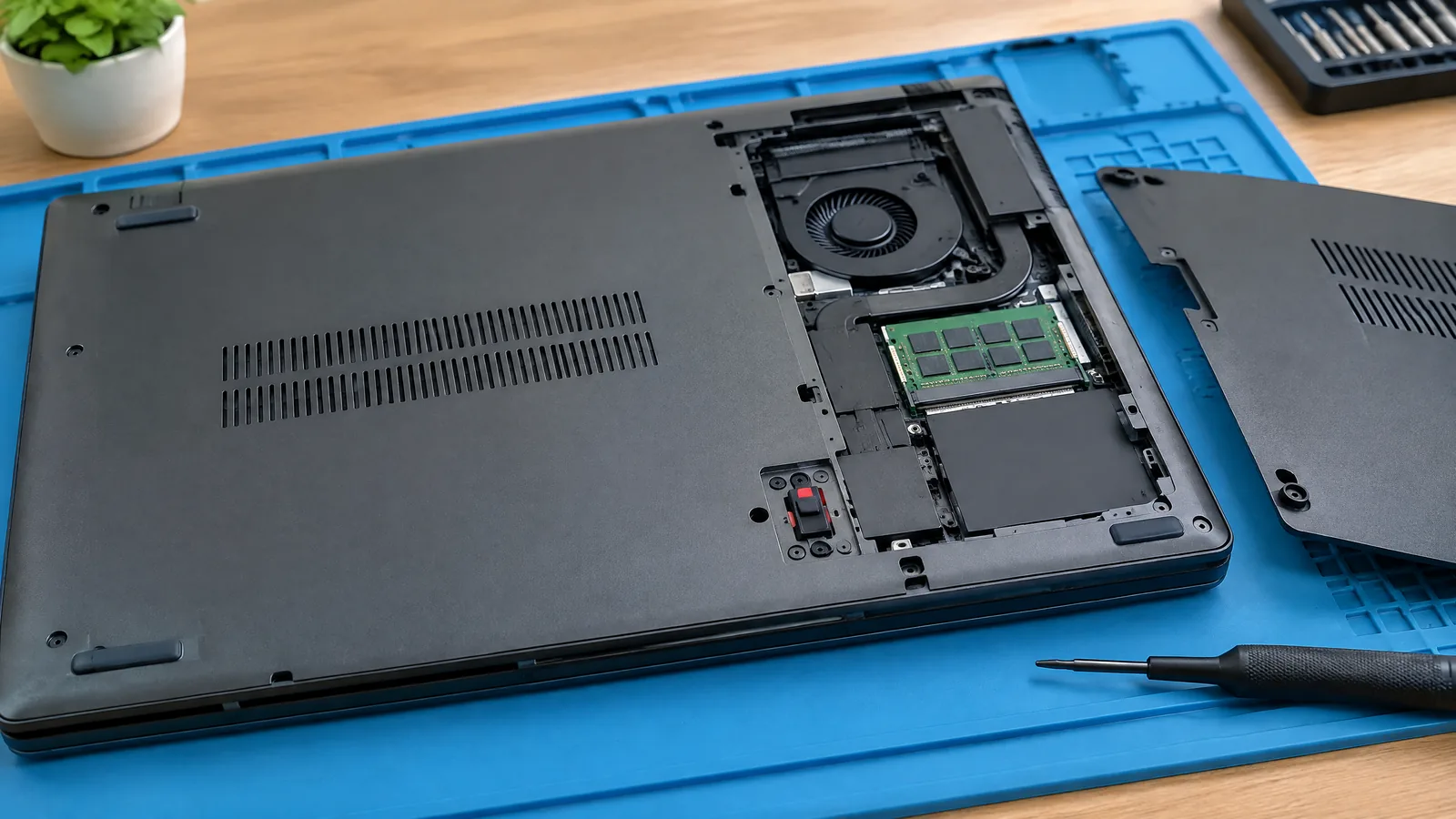
You open a laptop after a repair or SSD upgrade and it suddenly says the cover was removed. A laptop chassis intrusion switch is a model-specific physical input that detects whether the base cover has been opened, then lets firmware record or report that event; it is not a malware detector and it is not fitted to every laptop.
This article is part of the computer hardware technology guide library.
What does a laptop chassis intrusion switch measure?
The switch measures a simple physical condition: whether the laptop's base cover has moved away from its expected closed position. It may be a small switch or related cover-detection assembly inside the chassis, but the useful user-facing result is usually binary: the cover was detected as closed, or the system recorded that it had been opened.
This is different from a webcam, microphone, accelerometer or operating-system security scan. The switch does not inspect files, identify an attacker or prove that anything malicious happened. A warning can be legitimate after a service-centre repair, a battery replacement or an upgrade on a supported model.
Dell's XPS 13 9350 and Latitude 7440 service documentation describe the feature as a chassis intrusion switch that detects removal of the base cover. Those manuals also place the alert controls in BIOS Security settings, which means the first response is a firmware message rather than a normal Windows or Linux notification.
- Measures: a base-cover opening or removal event.
- Usually reports: a stored alert or a pre-boot warning.
- Does not measure: malware, room movement, user identity or the contents of the laptop.
Why does the base-cover tamper alert appear?
The alert appears when the laptop has detected that its cover was previously removed and the chassis-intrusion option is enabled. The event may be entirely expected: a technician may have opened the base, or you may have followed a manufacturer-approved service procedure. The alert records the physical event, not the reason for it.
Dell's support article documents two broad outcomes on affected laptops. With Chassis Intrusion enabled and Block Boot Until Cleared turned off, the system can show a warning and still offer a normal boot. With the same intrusion setting and the blocking option turned on, the firmware requires the warning to be cleared before ordinary startup continues.
The exact wording and setting names depend on the laptop family. Some BIOS menus use On-Silent, Disabled or another option rather than a single Enabled label. Do not assume that a menu shown in a video applies to your model.
| What you see | What it generally means | What to check |
|---|---|---|
| Warning, then Continue | The firmware recorded a cover opening, but boot blocking is off. | Confirm the cover is correctly fitted and read the exact model manual before clearing the record. |
| Warning requiring BIOS clearance | The firmware recorded a cover opening and the block-until-cleared policy is on. | Use the model's documented BIOS Security procedure or contact authorised support. |
| No intrusion option in BIOS | The model may not include the switch, may use another name or may not expose the feature. | Check the exact service manual; do not infer capability from another laptop. |
How is a chassis intrusion alert cleared?
On the Dell models covered by the supplied manuals, clearing is handled in BIOS Setup. The documented flow is to enter the Security submenu and set Clear Intrusion Warning to ON. When blocking is off, choosing Continue may let the laptop start, but Dell says the message can return at every power-on until the alert is cleared.
That is a firmware-specific example, not a universal repair recipe. Another manufacturer may store the event differently, require an administrator credential or expose no user-facing clear control. HP's TamperLock guide, for example, describes policy-controlled responses that can include notification, administrator authentication, power-off and, when separately enabled, TPM clearing.
If the laptop belongs to a workplace, ask the organisation's administrator before changing the setting. A tamper policy may be intentional. If the cover was not opened by an authorised person, preserve the warning and contact the manufacturer or IT support instead of repeatedly dismissing it.
- Identify the exact laptop model and read its current service or owner's manual.
- Check whether the base cover is properly seated without forcing clips or screws.
- Use only the documented BIOS option for clearing or acknowledging the event.
- Escalate to authorised support when the alert returns unexpectedly or the BIOS requires credentials.
Is the switch fitted to every laptop?
No. Chassis-intrusion detection is optional and model-specific. The supplied Dell documentation names particular product families, while the XPS 13 9350 manual documents the feature for that model. Many consumer laptops do not expose a chassis-intrusion switch or a related BIOS policy at all.
The presence of screws, a removable bottom cover or a business-oriented security menu does not prove that a sensor is installed. A service manual may show the switch, connector or BIOS field; a product page that merely says the laptop is secure is not enough evidence.
Do not treat the switch as a standard upgrade part. Adding or bypassing a physical sensor can affect the chassis, firmware policy and support status. For a broken or repeatedly triggered switch, use the exact manufacturer's service route rather than improvising a jumper or disabling a protection setting.
What are the important limitations?
A chassis-intrusion event is evidence of a detected cover-opening condition, not proof of unauthorised access. The switch may trigger after routine maintenance, and a cover that is not seated correctly can create a persistent warning. Conversely, a laptop without this feature cannot report a cover opening through this mechanism.
The response can also be much stronger on an enterprise security platform than on a basic consumer notebook. HP's TamperLock documentation describes detection across on, off or hibernated and sleep states when configured with its recommended settings, plus optional credential, shutdown and TPM policies. Those behaviours should not be generalised to every chassis-intrusion switch.
Most importantly, do not clear a warning blindly when the laptop contains work or confidential data. Record the message, note who last serviced the machine, check the manufacturer's guidance and involve the device owner or administrator when the event is unexpected.
Is a laptop chassis intrusion switch a malware detector?
No. It is a physical cover-detection input. It can record that the base cover was opened, but it cannot identify malware, the person who opened the laptop or what happened inside it.
Can a normal repair trigger a chassis intrusion alert?
Yes. On a supported laptop, removing the base cover for an authorised repair, battery service or upgrade can create the same recorded event as any other cover opening. The alert describes the physical event, not its intent.
Why does the warning return every time I start the laptop?
On Dell models documented in the supplied manuals, the alert remains until it is cleared in BIOS Security settings. If Block Boot Until Cleared is off, Continue may allow startup while the warning keeps returning.
Can I add a chassis-intrusion switch to any laptop?
Do not assume so. The feature depends on the chassis, motherboard connection and firmware support of a particular model. Check the exact service documentation and use authorised repair support rather than modifying the security circuit.
Should I disable the alert if the laptop was serviced?
Only follow the exact manufacturer's or organisation's documented process. A workplace laptop may use the alert as part of an intentional tamper policy, and an unexpected event should be investigated before it is dismissed.
About the image
AI-generated editorial illustration; not an actual product or mission photograph.
Source notes
Reporting record
techduopulse stores source destinations privately. Public notes remain non-clickable so every visitor journey stays on this website.
Source note: Dell XPS 13 9350 owner's manual
Primary source · Switch detects base-cover removal; BIOS alert, boot-block and clear-warning behaviorSource note: Dell support article 000401280
Primary source · Message conditions, affected product examples, BIOS policy defaults and security recommendationSource note: Dell Latitude 7440 service manual
Primary source · Cross-model confirmation of switch detection and BIOS clear flowSource note: HP TamperLock User Guide
Primary source · Optional sensor and policy responses, power-state coverage, credentials, shutdown and TPM limitationsNew 15 October 2026 hardware explainer grounded in Dell owner/service manuals and HP TamperLock documentation. Defines the chassis-intrusion switch as a model-specific physical cover-open input, separates routine repair from unauthorised access, explains BIOS alert and clearing behavior, and qualifies optional enterprise responses without generalising them to all laptops.


