
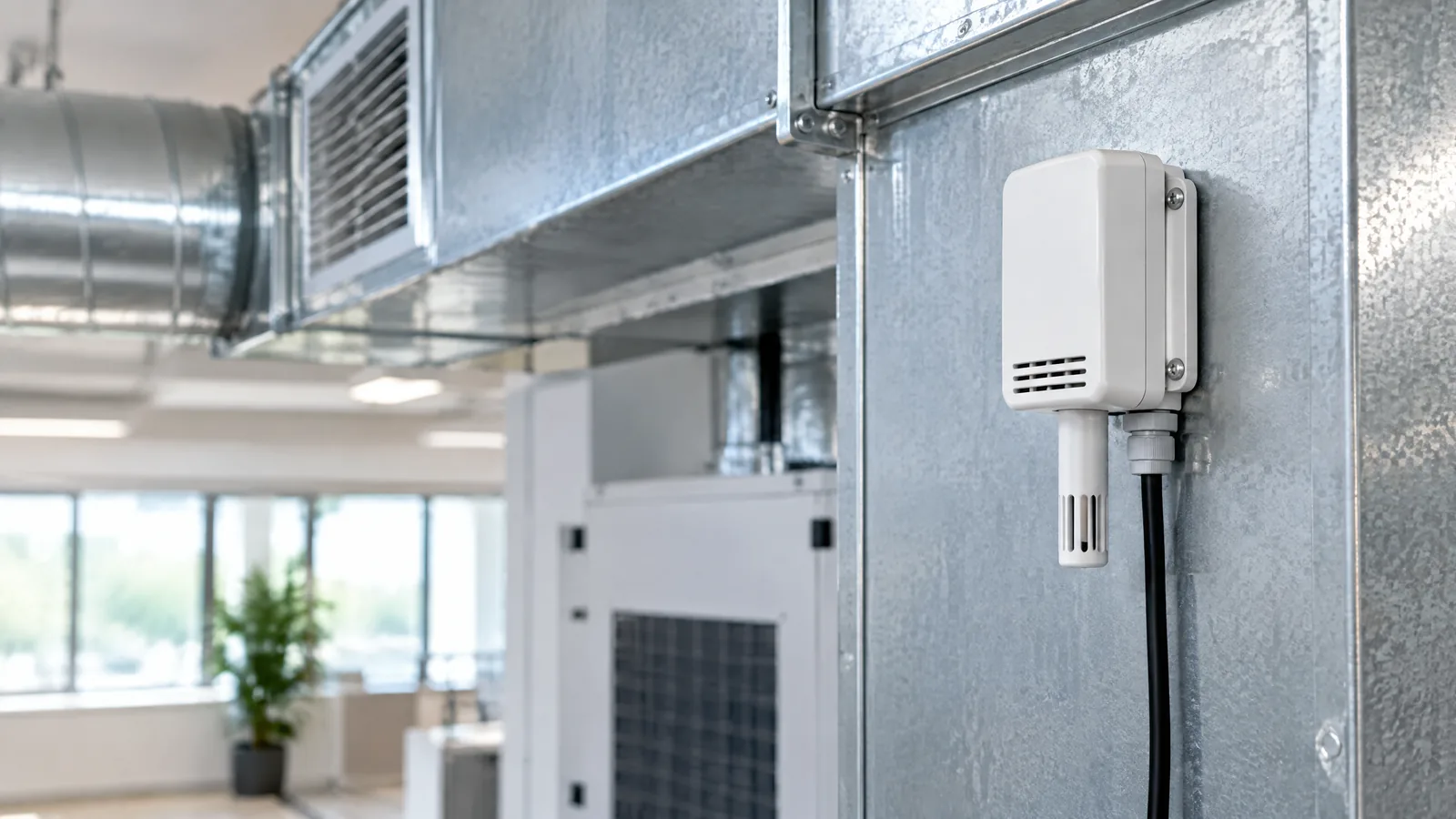
A room feels damp, a classroom varies from one corner to another, or an air-handling unit shows a surprising moisture reading. An HVAC relative-humidity sensor measures water vapour in the air at its installation point, giving a building system an RH value to observe alongside temperature, airflow and operating conditions—not a diagnosis of mould or overall indoor-air quality.
This article is part of the computer hardware technology guide library.
What does an HVAC relative-humidity sensor measure?
An HVAC relative-humidity sensor is a physical instrument that reports the relative humidity (RH) of nearby air, usually as a percentage. In a building, that air may be in an occupied room, a return-air path, a supply duct or an equipment space. The reading describes the sensor's local air environment, not every room connected to the system.
RH depends on temperature. That is why a building monitor should record temperature with humidity instead of treating a percentage alone as a complete moisture description. A room and a cool surface can also have different condensation conditions, so an RH sensor is best understood as one input to observation and maintenance decisions.
The sensing element may be part of a room transmitter, a duct probe, a controller input or a connected monitoring device. The instrument, enclosure, temperature measurement, electronics and installation all contribute to the result. A sensor element's stated performance should not automatically be treated as the accuracy of a finished HVAC installation.
- It measures local air humidity and commonly reports relative humidity.
- It may be paired with temperature measurement or compensation.
- It does not directly measure liquid water, wall dampness, mould, pollutants or every condition in a building.
Where can a building RH sensor be used?
The useful location depends on the question being asked. A room sensor can help observe the air experienced in that zone when its position represents the occupied space. A return-air sensor can describe air moving back toward an air-handling unit. A duct sensor can observe conditions within a particular air path, while an equipment-space sensor can help track a local environment around a cabinet or plant area.
These positions are not interchangeable. A supply duct reading answers a different question from a reading in a classroom, and neither one proves that all rooms have the same RH. Air exchange, mechanical ventilation, outdoor weather, air-conditioning operation, heaters, humidifiers and occupant behaviour can all change indoor conditions, according to the U.S. Environmental Protection Agency's indoor-air-quality overview.
A practical monitoring plan therefore names the zone, airflow path and decision before selecting the mounting point. If the purpose is to compare rooms, use comparable locations and document temperature and system state. If the purpose is to understand an air path, use an installation suited to that path and the instrument's documentation.
- Room or zone: observe a representative occupied-space microclimate.
- Return air: follow conditions moving back toward an air-handling system.
- Supply or process duct: observe one defined airflow path, not the whole building.
- Equipment area: watch a local environment around HVAC or electrical equipment.
Placement matters more than the label suggests
A sensor beside an air-conditioner outlet may see a jet of supply air rather than the room average. One beside a warm motor, a sun-heated surface, a humidifier outlet or a damp wall may also report a local condition. The EPA advises avoiding drafts and locations that restrict airflow for indoor monitors, while following the manufacturer's instructions; the same measurement principle is relevant when planning an RH installation.
The enclosure and airflow path matter too. A sealed box can respond slowly, while an exposed element can be affected by dust, condensation or direct moisture. In a duct, the probe and mounting arrangement should suit the air path and the documented operating conditions. Do not assume a wall-mounted room device and a duct probe have the same response or maintenance needs.
Record the sensor location, height or duct position, nearby heat and moisture sources, temperature, and the HVAC operating state. This simple context makes a trend easier to interpret and helps explain why two sensors may disagree without either one being broken.
Optional components around the sensor
The physical RH sensor is only one part of a building monitoring arrangement. Depending on the installation, optional or model-specific components may include a temperature element, a transmitter, a controller input, a data logger, a gateway, a display, an alarm rule or a building-management-system connection. These components can collect, transport or act on data; they do not change what the RH sensing element physically measures.
A complete indoor-air-quality monitor is a different instrument. It may include sensors for particulate matter, carbon dioxide, volatile compounds or other factors, but an HVAC relative-humidity sensor alone cannot stand in for that set of measurements. The EPA notes that a monitor detects only the pollutants or environmental factors for which it is designed, so one reading cannot provide a complete representation of indoor air quality.
Likewise, a moisture meter for a wall or a material, a surface-temperature instrument and a dew-point calculation answer different questions. They may be useful alongside RH data when a qualified building or facilities professional is investigating moisture conditions, but they should not be described as part of every RH sensor.
- Physical sensor: the instrument that responds to water vapour in local air.
- Optional temperature channel: adds context because RH depends on temperature.
- External electronics or software: transmit, log, display or analyse the reading.
- Separate instruments: surface-temperature, material-moisture or pollutant instruments are not replaced by an RH sensor.
What an HVAC humidity reading cannot prove
A high or changing RH value is a signal to investigate conditions, not proof of a specific defect. It cannot by itself diagnose mould, identify a leak, establish a wall's moisture content, or determine the cause of an occupant complaint. The EPA lists mould among indoor pollutants of concern and explains that moisture and mould-growth potential can be affected by climate, ventilation and air conditioning, but an RH sensor does not detect mould colonies.
One reading also cannot establish the air quality of an entire building. The EPA says low-cost monitors detect only what they are designed to detect and that accuracy and precision can be influenced by placement, temperature, RH, time in use and data processing. Treat a sensor trend as evidence about a defined location and period, not as a universal building verdict.
If data supports a consequential engineering, maintenance or health-related decision, use the specified instrument, calibration process and qualified assessment for that decision. Do not turn an inexpensive module into a safety alarm merely by assigning an unsupported threshold.
A sensible way to read the data
Start with the question: is the trend about one room, one duct, one equipment space or a comparison between zones? Check temperature and HVAC state beside RH, then look for repeated patterns rather than reacting to one number. A step change after a door opens, a system starts or weather shifts may be real, but it still needs local context.
Next, check the installation record and sensor documentation. Look for condensation exposure, restricted airflow, heat sources, response behaviour, stated operating range and calibration or maintenance guidance. If two instruments disagree, compare their locations and conditions before assuming that the higher or lower value is correct.
The goal is not to make the sensor answer more than it can. Used in a defined location and read with temperature and system context, an RH trend can support building observation and help a facilities team decide what deserves closer inspection.
- Define the monitored zone or airflow path.
- Read RH with temperature and HVAC operating context.
- Check placement, airflow, condensation and documentation before comparing values.
- Escalate consequential moisture or indoor-air-quality questions to an appropriate professional process.
Key takeaways
An HVAC relative-humidity sensor measures local water vapour conditions as RH; it does not measure the whole building.
Room, return-air, supply-duct and equipment-space locations answer different monitoring questions.
Temperature, airflow, placement, condensation and system state can change how useful a reading is.
An RH reading can support investigation, but it cannot diagnose mould, a leak, a wall defect or complete indoor-air quality.
Frequently asked questions
Is an HVAC relative-humidity sensor the same as an indoor-air-quality monitor?
No. It measures humidity at its location. An indoor-air-quality monitor may measure other designed-for factors, and no single sensor represents every pollutant or condition in a building.
Should a humidity sensor be placed beside an AC vent?
Usually not when the goal is a representative room reading. A vent draft can create a local condition that differs from the occupied space. Follow the device instructions and choose a location that matches the measurement question.
Can an RH sensor detect mould?
No. It measures air humidity. A reading may provide context for a moisture investigation, but it does not identify mould or prove its cause, extent or presence.
Why should temperature be logged with RH?
Relative humidity depends on temperature, so the same percentage can mean different moisture conditions at different temperatures. Temperature also helps explain changes near cooling, heating or airflow equipment.
Can one building humidity sensor represent every room?
Not reliably. Rooms and airflow paths can have different temperatures, ventilation, occupancy and moisture sources. A sensor describes its local microclimate unless a validated monitoring design supports a broader conclusion.
About the image
AI-generated editorial illustration; not an actual product or mission photograph.
Source notes
Reporting record
techduopulse stores source destinations privately. Public notes remain non-clickable so every visitor journey stays on this website.
Source note: U.S. Environmental Protection Agency — Low-Cost Air Pollution Monitors and Indoor Air Quality
Context source · Explains that monitors detect only designed-for factors; placement, temperature, relative humidity, time in use and data processing affect accuracy and precision; drafts and…Source note: U.S. Environmental Protection Agency — Report on the Environment: Indoor Air Quality
Context source · Explains the roles of air exchange, mechanical ventilation, weather, occupant behaviour, air conditioning and moisture/mould-growth potential in indoor conditions.Source note: techduopulse Editorial Desk — Humidity Sensor: Types, Working and Applications
Context source · Existing guide covers general RH principles, sensor types, calibration, condensation and broad applications; this page adds a distinct HVAC/building monitoring application focus.Created a distinct Buildings application article rather than duplicating the existing general humidity-sensor guide. Focused on HVAC room/duct/equipment contexts, placement, optional system components, interpretation limits and professional escalation; removed unsupported thresholds, product claims and mould/IAQ overreach.


