
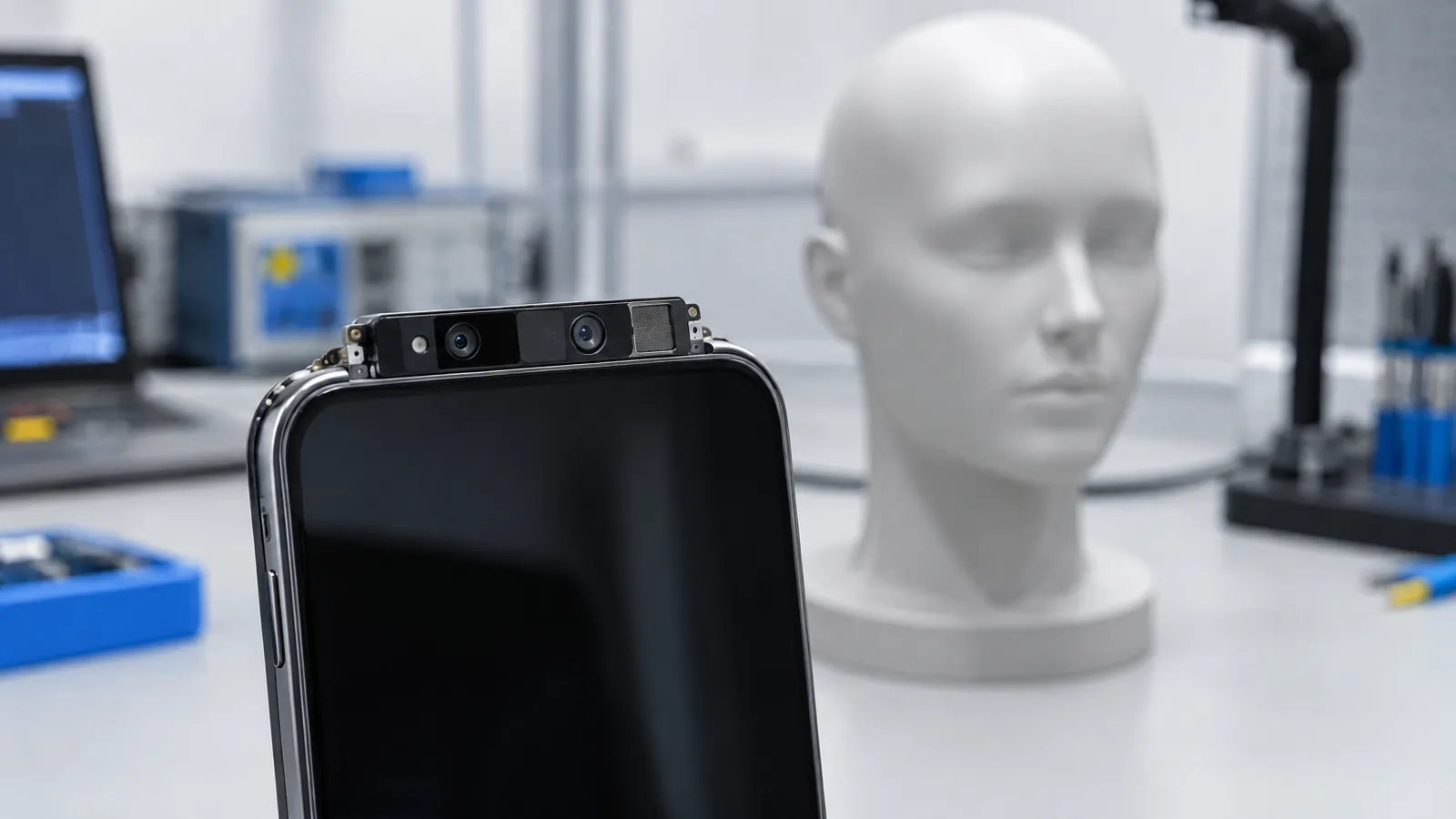
If your phone unlocks when you glance at it, you may wonder whether it is using a normal selfie camera or something more specialised. A Face-authentication/TrueDepth system measures facial shape and appearance using camera, infrared and depth hardware, then lets protected software compare that capture with an enrolled face; the exact hardware and security level depend on the phone model.
This article is part of the computer hardware technology guide library.
What is a Face-authentication/TrueDepth system?
A Face-authentication/TrueDepth system is a complete authentication chain, not one universal sensor. It can include a front camera, an infrared camera, an infrared illuminator or dot projector, depth processing, a matching algorithm and a secure area that protects the enrolled template. The user’s face is the thing being sensed; the camera and infrared/depth parts are the physical sensing components.
Apple uses the name TrueDepth for the system behind Face ID. Apple says its TrueDepth camera projects and analyses thousands of invisible dots to create a depth map, while also capturing an infrared image. Secure processing then turns those inputs into a mathematical representation for comparison with the enrolled facial data. That is different from asking a selfie camera to compare two flat pictures.
The name should not be treated as a specification shared by every phone. Some devices use a depth-capable infrared arrangement, while others offer a simpler camera-based face-unlock feature. Android’s platform documentation therefore classifies biometric strength rather than assuming that every face sensor has the same security.
- Physical sensors and emitters: visible-light camera, infrared camera, illuminator or projected pattern, where the model includes them.
- Processing: software builds useful features or a depth representation from the capture.
- Protection: a secure enclave, trusted execution environment or equivalent protects biometric templates and matching operations on supported implementations.
- Decision: the phone accepts or rejects the match, then may allow unlock, a payment approval or an app authentication flow.
How the phone creates a face or depth capture
During enrolment, the phone asks you to look at the front sensor area from several angles. A system such as Apple’s TrueDepth combines an infrared image with depth information from a projected pattern. The result is a representation of facial geometry and appearance that the device can compare later; it is not simply a saved selfie shown to the unlock screen.
When you try to unlock, the sensing hardware wakes and captures a fresh sample. The matching system checks whether the new capture is close enough to the enrolled representation under the rules set by the device maker. Lighting, distance, face position, glasses, masks, movement and changes in appearance can affect the experience, so a successful system still has operating conditions rather than perfect recognition.
Depth matters because a flat print or ordinary 2D image does not contain the same three-dimensional information. Apple explicitly says Face ID requires depth information and uses anti-spoofing neural networks. That is evidence about Apple’s implementation, not a promise that every phone with a front camera resists the same attacks.
- The system illuminates or observes the face with the hardware provided by that phone.
- The camera and depth components collect an infrared image and, where supported, geometric information.
- The device converts the capture into features or a mathematical representation.
- Protected matching software compares it with the enrolled template and returns an authentication result.
Face unlock is not the same on every phone
The most important buying and security question is not simply whether a phone says “face unlock”. Ask what hardware and biometric class sit behind that label. A phone may use a depth-capable infrared system, a camera-only implementation, or a hybrid that changes what apps and protected operations are allowed to request.
The Android Open Source Project defines Class 3, Class 2 and Class 1 biometric strength. It says biometrics are a secondary tier below a PIN, pattern or password, and that integration depends on biometric security rather than on the modality name. In other words, “face” does not automatically mean strong, and “fingerprint” does not by itself describe every implementation either.
On Android, Class 3 and Class 2 biometrics can integrate with BiometricPrompt, while Class 1 has more limited integration. A manufacturer’s model documentation and the authentication prompt on the device are more useful than a generic claim that a phone has an AI face sensor. Do not assume that camera-only face unlock can authorise banking, password-manager or payment actions just because it can open the home screen.
| Part of the system | What it does | Why it varies |
|---|---|---|
| Visible-light camera | Captures ordinary image information about the face | A camera-only implementation may not measure depth |
| Infrared camera or illuminator | Captures or supports facial information in infrared conditions | Some models include these components; others do not |
| Depth projector or depth processing | Adds geometric information to the face capture | The method and quality are model-specific |
| Secure enclave or TEE | Protects templates and sensitive matching operations | Platform class and manufacturer implementation determine available protections |
What face authentication can approve
On supported devices, face authentication can unlock the phone and approve selected actions. Apple lists device unlock, Apple Pay, App Store purchases and supported app sign-ins among Face ID uses. Android’s BiometricPrompt lets an app request an enrolled authenticator that meets its required strength, so the same face-unlock feature may be accepted for one action but not another.
A successful match does not give an app your face image or biometric template. Apple says supported apps receive only whether authentication succeeded, and its Face ID data does not leave the device. AOSP similarly instructs biometric implementations to keep raw data and derivatives inside a secure isolated environment and to encrypt stored data with a device-specific key.
The fallback credential remains important. A phone may require a PIN or passcode after restart, after several failed attempts, after a period without an unlock or during other security events. If you are concerned about someone unlocking the phone while you are asleep or under pressure, use the device’s lockout or emergency controls and rely on the primary credential when appropriate.
- Unlocking the device, where the model and settings permit it.
- Approving a payment or purchase on supported platforms.
- Confirming a sign-in inside an app that requests an allowed biometric strength.
- Falling back to a PIN, pattern or password when the biometric system requires stronger proof.
Limits and practical checks before you trust face unlock
Face authentication can be convenient without being a universal security guarantee. A camera-only implementation may be designed mainly for convenience. Even a depth-capable system can fail to recognise you when the face is partly covered, outside its useful viewing range, poorly positioned or changed enough from enrolment. Read the manufacturer’s model-specific support page instead of transferring claims from an iPhone or a premium Android phone to a different device.
Check which biometric options an app accepts and whether it identifies the phone’s face method as strong, weak or unavailable. Keep a secure PIN or password, because the phone will need it for setup and fallback. If a device is repaired around the front sensor or reports that its face system is disabled, follow the manufacturer’s repair guidance; Apple warns that improper repair or non-genuine components in its laser system can affect safety mechanisms.
Finally, do not confuse an infrared dot or a tiny light seen through another camera with proof of security. It can show that a component is emitting light, but it does not establish the phone’s depth quality, biometric class, anti-spoofing performance or secure-storage design. Those are system-level properties.
- Check the exact model’s biometric specification and the security options shown in its settings.
- Keep a strong PIN, pattern or password and know when the phone will require it.
- Treat camera-only face unlock as potentially different from a depth-based system.
- Use trained or authorised repair support when a damaged front sensor or face-authentication warning appears.
Key takeaways
A Face-authentication/TrueDepth system combines physical sensing hardware, depth or infrared data, matching software and secure storage; it is more than a selfie camera.
Apple TrueDepth uses a projected dot pattern, an infrared image and a depth map, but those details should not be generalised to every phone.
Android face authentication is model-specific: biometric class and secure implementation matter more than the word “face” in a feature list.
Keep a PIN or password as the primary fallback and verify what your phone and apps actually allow the face system to approve.
Face-authentication/TrueDepth system FAQs
These answers describe the system concept. Your phone maker’s model documentation and on-device security settings take priority.
Is a TrueDepth system just the phone’s selfie camera?
No. A TrueDepth implementation can combine a front camera with infrared capture, projected dots or another depth method, secure processing and matching software. A normal selfie camera alone does not establish that the phone measures depth or offers the same security.
Does every Android phone face-unlock system have a depth sensor?
No. Android phones can use different hardware and security classes. Some face-unlock features may be camera-based and intended mainly for convenience, while others use more specialised sensing. Check the exact model rather than assuming that the feature name describes the hardware.
Can phone face unlock approve banking or payment actions?
Only when the phone, operating system and app accept that enrolled biometric strength for the requested action. A phone may unlock with face authentication but still require a PIN, password or another biometric for a protected app.
Where is my face-unlock data stored?
Secure implementations are designed to keep biometric templates and matching operations in a protected device environment. Apple says Face ID data stays on the device and is protected by the Secure Enclave. AOSP requires protected handling for Class 3 and Class 2 implementations, but the exact design depends on the manufacturer.
Why does my phone sometimes ask for my PIN after face unlock is enabled?
The primary credential is a required fallback and may be requested after a restart, failed matches, a period without unlocking or another security event. That behaviour is part of the device’s authentication policy, not proof that the face sensor has stopped working.
About the image
AI-generated editorial illustration; not an actual product or mission photograph.
Source notes
Reporting record
techduopulse stores source destinations privately. Public notes remain non-clickable so every visitor journey stays on this website.
Source note: Android Open Source Project biometrics guidance
Primary source · Biometric classes, modality-versus-security distinction, BiometricPrompt integration and secure isolated template handlingSource note: Apple Support Face ID advanced technology
Primary source · TrueDepth depth map and infrared image, Secure Enclave matching, Face ID uses, depth requirement, privacy and repair limitationsNew 15 October 2026 beginner-facing explainer for the Face-authentication/TrueDepth system. Separates physical camera, infrared and depth components from secure processing and matching; uses Apple TrueDepth evidence without generalising it to all phones; explains Android biometric classes and keeps camera-only face unlock, repair and fallback-credential limitations explicit.


