
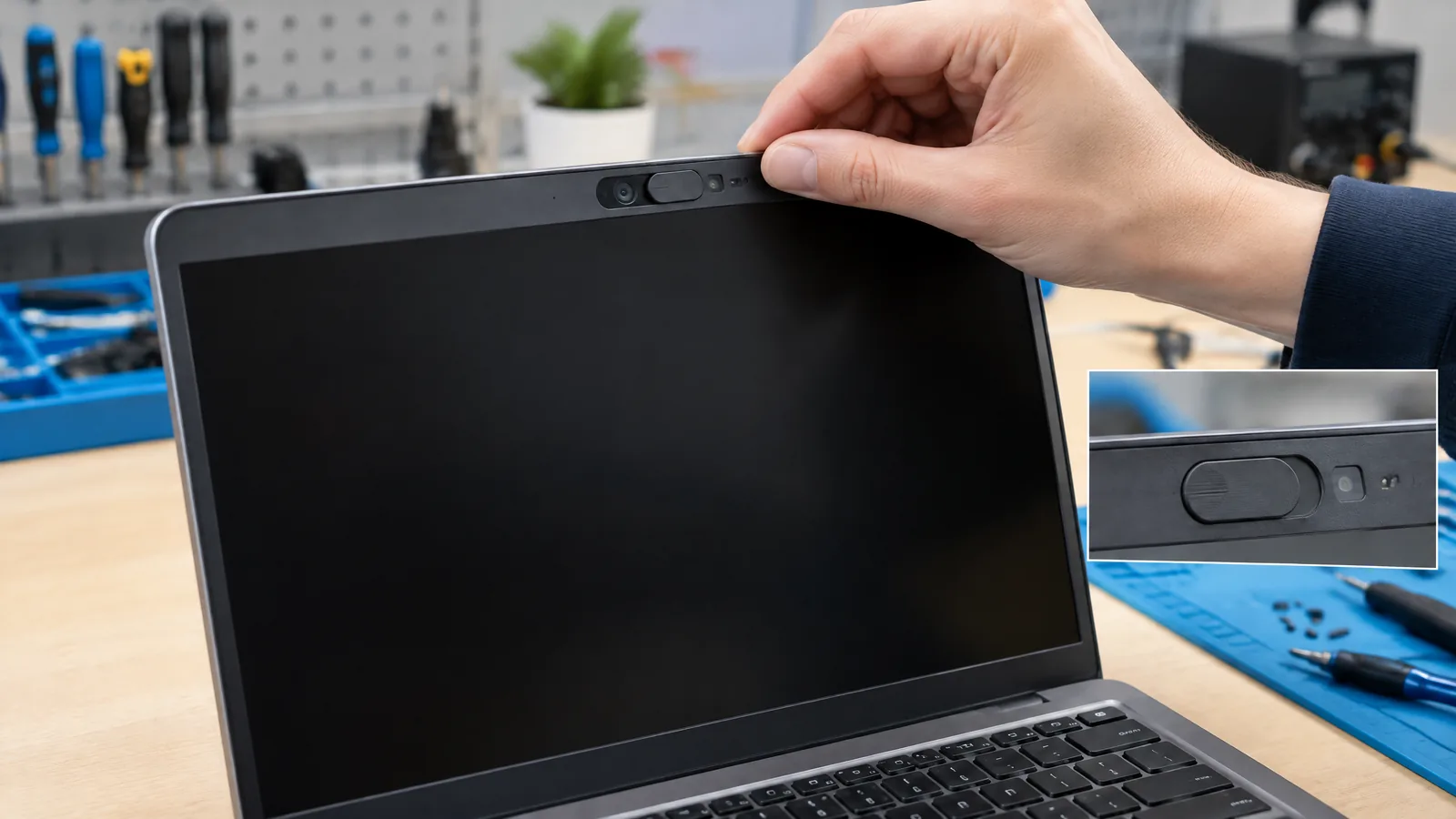
You slide the small cover over a laptop webcam before a meeting, then Windows or the meeting app shows a black picture or says the camera is blocked. The camera privacy-shutter state sensor is the physical detector—or, on some designs, firmware-based image inference—that reports whether the manual cover is closed; it is not the webcam's image sensor and it cannot make the shutter move.
This article is part of the computer hardware technology guide library.
Key takeaways
A camera privacy-shutter state sensor answers a narrow question: is the user-operated cover open or closed? It is separate from the image sensor that captures the scene.
Some laptops use a physical state detector. Others infer a closed shutter from a very dark camera image in ISP firmware. These designs have different limits.
Windows can receive a reported privacy state and let software explain a blank stream, but support depends on the laptop hardware, camera firmware, driver, operating system and application.
A black preview can also come from permissions, a disabled camera, a closed lid or a driver problem. Do not diagnose a failed shutter sensor from one symptom alone.
- Treat the visible slider or switch as the user's privacy control, not as software-controlled camera hardware.
- Check the physical cover first, then permissions and the laptop maker's camera controls.
- If the message appears only in darkness or only after streaming begins, firmware inference may be involved.
What does a camera privacy-shutter state sensor measure?
The sensor measures the position or effect of a webcam privacy control. In a physical design, a small detector can determine whether the sliding cover is over the lens. Microsoft describes this as physical state detection and says it can report the shutter state deterministically; it does not require the system to guess from the video image. Microsoft does not mandate one sensor technology, so the component may vary between laptop designs.
This is different from the camera's image sensor. The image sensor measures light to create frames. The privacy-state path tells the camera system whether the user's cover or switch is blocking capture. A laptop may have one, both, or neither of these reporting arrangements, even if its chassis has a visible cover.
The user must operate a manual shutter or physical button. Microsoft's design guidance says software must not open or close a privacy shutter, and opening an app must not move it. That boundary matters: a status message can describe the control, but it is not proof that an application can change the control.
Physical detection versus firmware inference
A physical state detector reads the hardware position of the cover. This can give a direct open-or-closed signal even when the room is dark, because it is not judging the brightness of a camera frame. It still depends on the laptop maker wiring the detector, exposing its state through firmware and driver support, and handling the cover's mechanical movement correctly.
A second approach uses the image signal processor, or ISP, inside the camera system. Firmware examines the captured image and compares it with a threshold to infer that the lens is covered. Microsoft notes that this approach can avoid adding a separate part and may also detect tape or another obstruction. The trade-off is uncertainty: a dark environment can look like a closed shutter, creating a false closed report.
Firmware inference may also need the camera to be actively streaming before it can obtain a reliable sample. That means an app asking for the state before starting the preview may receive an unavailable, conservative or otherwise limited result. Microsoft advises developers not to make a camera-start decision solely from a shutter state reported when the camera is not streaming.
| Design | What it uses | Main limitation |
|---|---|---|
| Physical state detection | A hardware detector that senses the cover position | Only exists and reports usefully when the laptop maker supports the detector, firmware and driver path |
| ISP firmware inference | Analysis of the camera image and a threshold | Dark scenes can look like a covered lens; sensing may require active streaming |
| No state reporting | A manual cover may still block the lens physically | Windows or an app may show only a generic black or unavailable preview |
How Windows receives the shutter state
On supported camera systems, the state travels from the camera hardware or ISP firmware through the camera driver to Windows. Microsoft's privacy-shutter notification guidance describes a get-only camera privacy property. In that interface, a value of 0 means the camera sensor can capture video and a value of 1 means the sensor is prevented from capturing video. A change event can also notify interested clients when the state changes.
For a USB Video Class camera, the Windows path maps the camera privacy control to the UVC privacy property. Other camera stacks can expose the equivalent through an AVStream or device-specific media driver. These are implementation details for OEMs and driver developers, not settings that a normal laptop user can safely toggle in a registry editor.
A reported closed state does not necessarily mean the camera device has disappeared. Microsoft says the camera can remain functional to Windows and applications while its stream is black, dark or replaced with a static image. The point of the notification is to give software enough context to explain why the preview is not a normal scene.
Why a laptop may say the camera is blocked
Start with the physical control. On Dell's Latitude 5340 manual, sliding the cover left exposes the lens and sliding it right covers the lens. Other laptops can reverse the direction or use a key, button or switch, so use the label or manual for the exact model. Do not force a stiff slider or dismantle the display to reach it.
If the cover is open but the preview is still black, separate the possible causes. The camera may lack state reporting, the application may not understand the reported state, or the driver and firmware may be out of date. Windows camera permissions, a privacy key, a vendor utility, a closed lid, another app holding the camera, or a general camera fault can produce a similar user experience.
A useful safe sequence is to open the cover, close and reopen the camera application, check the app's camera permission, and consult the laptop maker's support page for that model. If the camera works in one application but not another, the problem may be application selection or permission rather than the physical shutter sensor. If it remains black everywhere, record the exact laptop model and the wording of the message before contacting support.
- Look at the cover, switch or camera privacy key and return it to the open position using the model's documented control.
- Test the camera in one built-in or trusted application after closing other apps that may be using it.
- Check camera permission and any manufacturer privacy utility without changing undocumented firmware settings.
- Install only the camera or firmware update supplied for the exact laptop model, if the manufacturer recommends one.
- If the symptom continues, report whether the preview is black, whether a shutter message appears, and whether the problem occurs in every app.
What this sensor cannot prove
A shutter-state report is not a complete privacy audit. It does not by itself prove that every application has permission, that a camera stream never reached the operating system, or that a physical switch is a hardened kill switch. Microsoft's guidance treats kill switches separately and says their implementation must prevent real sensor data from being transferred to the host when active.
It also cannot distinguish every obstruction in a universal way. A physical detector may report an open cover while tape, dust or a damaged lens blocks the image. Firmware inference may flag a closed shutter in a dark room. A camera lid closed over the webcam is a separate occlusion case from the manual privacy cover. These distinctions are why a message should be treated as a useful clue, not a universal hardware diagnosis.
Camera privacy-shutter state sensor FAQs
Is the camera privacy-shutter state sensor the webcam image sensor?
No. The image sensor measures light for video frames. A privacy-state detector reports whether a physical cover or switch is closed. Some designs have no separate detector and instead use ISP firmware to infer the state from the image.
Does every laptop with a webcam cover have a shutter sensor?
No. A laptop can have a manual cover without exposing its state to Windows. Support depends on the physical design, camera firmware, driver and application.
Why can a camera shutter message appear in a dark room?
On firmware-inference designs, the camera may analyse a very dark image and treat it as evidence that the lens is covered. Microsoft identifies false closed reports in dark environments as a limitation of this method.
Can an app open or close the privacy shutter?
A properly designed manual privacy shutter is controlled by the user's physical action. Software can receive or display a reported state, but Microsoft says software must not change the shutter state.
Is a black webcam preview proof that the shutter sensor is broken?
No. A black preview can result from a closed cover, a firmware-inferred obstruction, permissions, a privacy key, a closed lid, an application issue or a camera fault. Check the physical control and the model-specific support steps before blaming the sensor.
About the image
AI-generated editorial illustration; not an actual product or mission photograph.
Source notes
Reporting record
techduopulse stores source destinations privately. Public notes remain non-clickable so every visitor journey stays on this website.
Source note: Microsoft camera privacy shutter and kill-switch design guidance
Primary source · Physical state detection, ISP firmware inference, shutter control and state reportingSource note: Microsoft Windows privacy shutter notification API guidance
Primary source · Windows state reporting, KSPROPERTY privacy values, change events and streaming limitationSource note: Dell Latitude 5340 owner manual physical shutter operation
Primary source · OEM example of sliding the cover to expose or cover the lensNew application explainer for laptop camera privacy-shutter state sensing. It distinguishes a physical shutter-state detector from ISP firmware inference, explains the Windows reporting path, and provides bounded troubleshooting without treating every black preview as a sensor fault. It is intentionally separate from the existing smartphone camera hardware guide.


