A biometric device uses a physical or behavioural characteristic—such as a fingerprint, face, iris, voice or interaction pattern—to help verify or identify a person. It can make attendance, access control and device sign-in more convenient, but it must be deployed with suitable privacy controls, alternatives and a realistic understanding of matching errors.
This article is part of the computer hardware technology guide library.
How a Biometric Device Turns a Sample Into an Authentication Decision
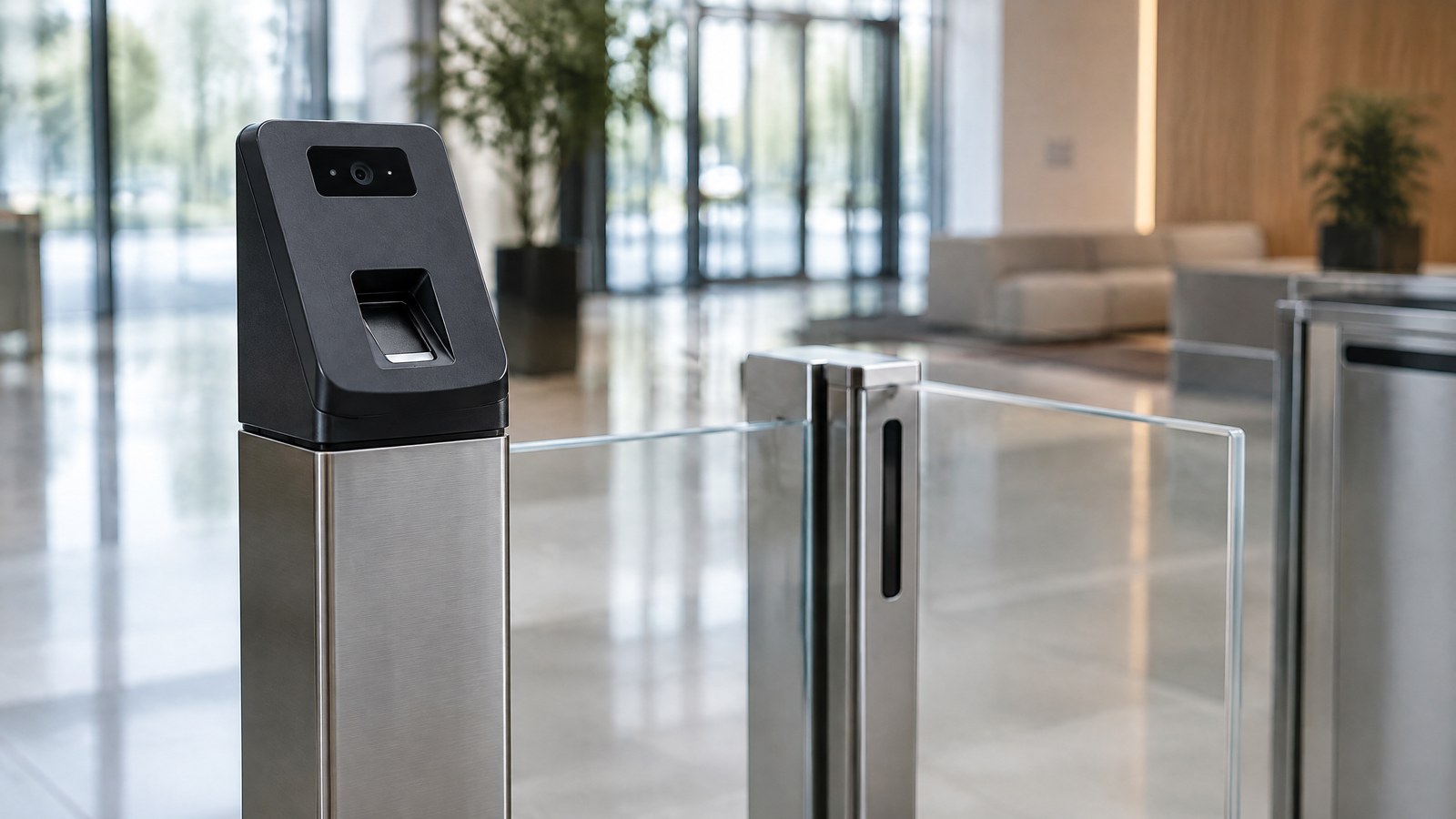
AI-generated editorial illustration of generic biometric access-control hardware in an office-entry context, not a photograph of a tested product, an attendance record or an actual identity-verification event.
A biometric system normally begins with enrolment. The system captures a supported characteristic and derives a digital representation often called a template. When the person later presents a fresh sample, the system compares the new template with an enrolled template or another authorised record. NIST explains this template-and-comparison model using fingerprint and face examples, with a similarity score and a threshold that determine whether a verification attempt is accepted [1].
The exact process depends on the device, software and purpose. A phone’s local sign-in mechanism, an office-entry system and a large database search are not interchangeable systems, even if they all use the word “biometric.” Hardware quality, environmental conditions, configuration, policies and the handling of a result can all affect the practical outcome.
Verification and identification are different jobs
Verification is usually a one-to-one question: does the current sample match the identity the person claims to be? Identification is a one-to-many search: which enrolled identity, if any, is most likely to match a sample? NIST distinguishes one-to-one verification from one-to-many searching, and UIDAI makes the same distinction in its explanation of Aadhaar face authentication [1] [3].
This distinction matters for privacy, accuracy and scale. A device that unlocks a personal phone is normally checking against an enrolled record. A system searching a large collection has a different risk profile and needs different safeguards. A successful match is an authentication result inside the configured system; it is not a general proof about every fact concerning a person.
Templates, storage and protection vary by design
Biometric systems do not all store or process data in the same place. Some designs perform sensitive processing locally, while others use managed infrastructure or an organisation’s identity system. Apple, for example, describes a Secure Enclave design that converts Face ID input into a mathematical representation and protects device-specific biometric data with hardware security controls [2]. That is an example of a particular product architecture, not a claim that every biometric device has identical protections.
Before an organisation uses a biometric device, it should understand what is captured, whether images or templates are retained, where the data is stored, which administrators can access it, how long it is retained and how deletion or account recovery works. Clear notice, appropriate lawful handling and an alternative sign-in or attendance route are important when a person cannot or should not use the biometric method.
Types of Biometric Devices and Where They Are Used
Biometric technology is a category, not one product. A suitable method depends on the use case, the operating environment, the population being served and the consequences of an incorrect match or rejection.
Common biometric modalities
Fingerprint readers capture fingerprint detail for matching. Face-recognition devices use facial input; iris systems use visible iris pattern information; voice systems use characteristics of speech; and palm, hand geometry or vein systems rely on different physical features. Behavioural systems can look at patterns such as typing rhythm or interaction behaviour, but their output and reliability depend strongly on the specific design.
A label alone does not explain how secure or accurate a system is. NIST notes that biometric performance involves both false matches and false non-matches, and that the trade-off depends on thresholds and use case [1]. Conditions such as image quality, lighting, sensor placement, user interaction and presentation-attack protections can also matter. Do not compare device types solely from a product listing or a claimed matching number without understanding the test conditions.
Attendance, access and personal authentication
A biometric terminal may help record a workplace check-in or control access to a defined area. A phone or computer may use biometric verification as part of local authentication. Healthcare, travel, financial and public-service systems may also use biometric technology, but each context has its own privacy, security, accessibility and governance requirements.
In India, UIDAI describes Aadhaar authentication as a process that can involve demographic or biometric information in its Central Identities Data Repository, and it describes face authentication as a consent-based one-to-one match for the Aadhaar number holder [3]. This is an example of a specific, regulated identity system—not a template for a private employer, shop, school or building to copy. Organisations should assess the rules and commitments that apply to their own use case before collecting or processing biometric information.
Benefits and boundaries
A well-designed biometric process can reduce the need to remember a password or carry a physical card, and it can make casual credential sharing harder in some situations. It can also support faster sign-in or attendance workflows when the device, software and fallback process are appropriate.
The benefits have limits. A biometric characteristic cannot be changed as easily as a password after a compromise. A device can reject a legitimate person or accept the wrong sample, and an inaccessible or unreliable process can exclude people. Biometrics work best as one part of a considered identity design, with recovery, access controls, clear policies and alternative methods where appropriate.
For broader context on phishing-resistant sign-in and recovery safeguards, see the site’s passkeys and account recovery explainer.
Important Points / Key Information
A biometric device does not make a system automatically secure or fair. The quality of the full system—including collection, enrolment, matching, storage, administration, incident response and human fallback—matters as much as the sensor itself.
Key Takeaways
- Biometric devices compare a fresh sample with an enrolled template or authorised record; they are not simply “face” or “fingerprint” cameras [1].
- Verification usually checks a claimed identity one-to-one, while identification searches one-to-many [1] [3].
- Matching systems can produce false matches and false non-matches, so performance must be evaluated in the relevant environment and use case [1].
- Secure local processing is possible in some product designs, but storage and protection differ across devices and deployments [2].
- Collect only the information needed for a clear purpose, protect it carefully and provide an appropriate alternative method where needed.
Privacy, security and accessibility questions
Before selecting a biometric device, a responsible organisation should be able to answer basic questions. What problem is the device meant to solve? Which data is captured? Is the organisation storing a template, an image or both? Who can access the data and administrative controls? What happens when someone is wrongly rejected, loses access or asks for an alternative? How are retention, deletion, security updates and incident handling managed?
These questions are practical, not optional paperwork. A system can be technically capable yet still be unsuitable if it collects more information than needed, offers no understandable notice, lacks an alternative process or leaves sensitive data exposed. Security measures such as restricted administration, encryption, device management and audit records should be considered as part of the deployment rather than after it.
Choosing a device without overpromising
Start with the primary purpose: personal sign-in, attendance, access to a restricted space or another documented identity workflow. Then consider environmental conditions, compatibility with existing identity systems, availability of support, physical accessibility, security controls and how results will be reviewed. False-match and false-non-match figures are meaningful only with information about how and where they were measured [1].
Cost also depends on more than the terminal itself. A realistic evaluation considers hardware, installation, integration, training, maintenance, replacement, security administration and compliant data handling. This article does not quote prices because they depend on the device, service arrangement, scale and location; obtain a documented, use-case-specific proposal instead of assuming a generic online price applies.
Examples / Supporting Information
The examples below explain system concepts. They are not endorsements, product comparisons, legal opinions or instructions to collect biometric data.
A device-side protection example
Apple’s Secure Enclave documentation describes a device-specific architecture in which a Secure Neural Engine converts face input into a mathematical representation and sensitive biometric data receives hardware security protections [2]. The broader lesson is not that every system should use the same technology. It is that a biometric deployment needs a clear explanation of where processing happens, what data is protected and which parts of the system are trusted.
Hypothetical workplace attendance discussion
**Hypothetical scenario:** a small organisation considers a biometric attendance terminal because staff sometimes forget access cards. A responsible assessment would first document the attendance purpose, consider less intrusive alternatives, plan an accessible fallback method and examine how any biometric information would be protected, retained and removed. It would also test the actual operating environment before treating claimed accuracy as a deployment decision.
The organisation should not assume that a simple device purchase completes the work. The attendance policy, access permissions, administrator controls, notice to staff, data retention and response to a failed match are part of the same system. If these cannot be handled responsibly, another attendance method may be more suitable.
A public-service context with boundaries
UIDAI’s authentication information distinguishes fingerprint, iris and face modalities and acknowledges that technological or biometric limitations can occur; it describes alternate mechanisms in some cases [3]. This shows why any identity programme needs a path for people whom one modality does not serve well. It does not authorise a private organisation to use Aadhaar data or copy a government process.
Conclusion
A biometric device can help verify or identify people using a supported physical or behavioural characteristic, but the device alone is not the security system. The key decisions concern purpose, matching design, data protection, access control, accessibility and what happens when the technology cannot make a reliable decision. Choose a system only after examining its use case, privacy responsibilities, recovery and alternatives; a qualified privacy, security and legal review is appropriate before a real deployment involving sensitive biometric information.
Source notes
Reporting record
techduopulse stores source destinations privately. Public notes remain non-clickable so every visitor journey stays on this website.
NIST — biometric template comparison and matching-error explanation
Primary source · How a biometric device turns a sample into a decisionApple Platform Security — device-specific biometric-data protection example
Primary source · Templates, storage and protection vary by designUIDAI — authentication modality and one-to-one face-authentication context
Primary source · Attendance, access and public-service contextInitial publication of the source-backed biometric device explainer prepared 28 October 2026; owner-commanded manual release 30 October 2026. No device testing, ranking or accuracy claims.