SEO Title: What Is an Accelerometer? How It Works and Uses Meta Description: Learn what an accelerometer measures, how MEMS sensors detect motion and tilt, and why phones, cars and wearables use them.
This article is part of the software engineering technologies guide library.
What is an accelerometer?
An accelerometer is a sensor that measures acceleration: a change in velocity. Its output represents acceleration components rather than a single reading of speed. In scientific work, acceleration is expressed in metres per second squared (m/s²). Sensor data sheets and apps also commonly use g, a unit based on gravitational acceleration. [2][5]
Gravity matters in everyday use. A phone that is sitting still still experiences the effect of gravity, so its accelerometer can detect a gravity-related component on its axes. When the phone is stationary or moving slowly, software can use that component to estimate which way is “down” and therefore infer tilt or screen orientation. During quick movement or strong vibration, the reading contains both gravity and motion-related effects, so tilt is less straightforward to estimate. [1][2]
An accelerometer measures linear acceleration, including the gravity-related component that can help estimate tilt. It is not a direct speedometer or a complete description of every kind of movement.
How does an accelerometer work?
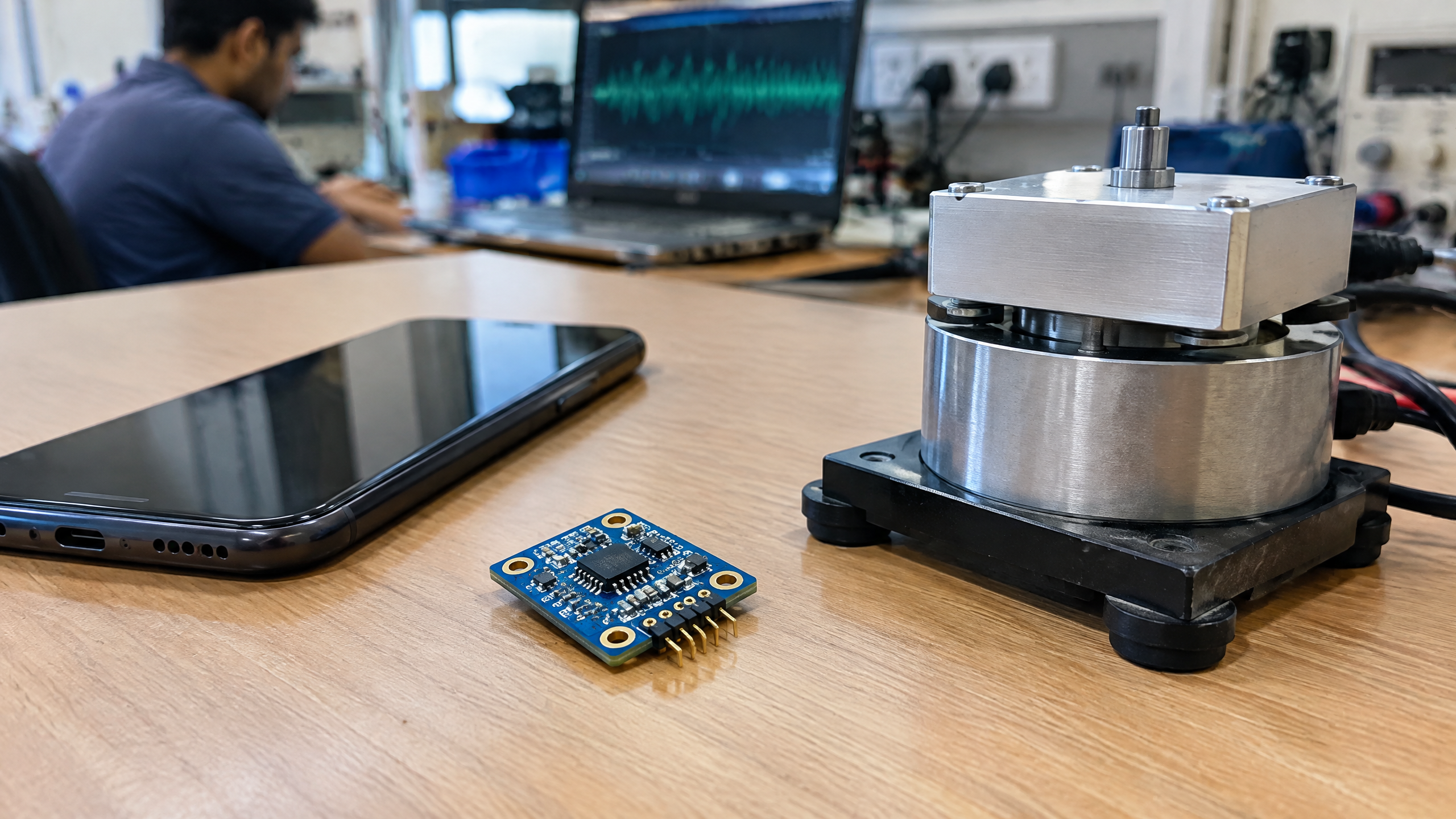
Many modern consumer devices use a MEMS accelerometer. MEMS means micro-electro-mechanical system: tiny mechanical structures are made on a chip. A typical design has a very small proof mass suspended by spring-like structures. If the device accelerates, the proof mass shifts slightly relative to the sensor frame. [2]
A common method then measures the change in capacitance between the moving mass and fixed structures. Electronics convert that tiny change into a usable electrical signal. The signal is conditioned and often converted to digital data by an analogue-to-digital converter (ADC). A microcontroller or phone processor can receive it through an interface such as I²C or SPI. [2]
Think of holding a tray with a loose object on it: when the tray changes speed, the object tends to lag or press in a direction relative to the tray. The MEMS proof mass behaves in a far smaller, controlled version of that idea. The device measures the resulting internal displacement and infers acceleration; it does not watch the outside world like a camera. [2]
Why a 3-axis accelerometer is common
Movement happens in three dimensions. A 3-axis accelerometer reports acceleration components along three perpendicular directions, conventionally labelled X, Y and Z. The names are tied to the sensor’s physical orientation, so an X-axis on one board or phone is not automatically “north,” “up,” or the direction in which a person is walking. [1]
Three axes give software a richer picture than a single-axis reading. For example, turning a handset from portrait to landscape changes how gravity is distributed across its axes. In a wearable, arm motion may create a changing pattern across more than one axis. Interpreting those patterns still depends on placement, the intended activity, and the device’s software—not just on the presence of three axes. [1][2]
Main accelerometer types
“Type” can refer to more than one feature. For a practical introduction, it helps to separate the physical sensing approach from the number of axes and the way a device delivers data.
MEMS accelerometers: compact sensors with micro-machined moving structures. They are widely suited to personal electronics and embedded systems. [2][3]
Single-, two-, and three-axis accelerometers: these measure one, two, or three directional components. Three-axis devices are a common fit when a device may be turned or moved in different directions. [1]
Analogue or digital-output devices: after signal processing, some designs provide a voltage-type analogue output while others provide digitised readings for a host processor. The interface and signal chain are part of the overall design, not a universal measure of quality. [2]
The right classification depends on the question. A learner choosing how to read a module may care about analogue versus digital output. A developer assessing motion coverage may care more about axes, range, sampling, bandwidth and the data-sheet conditions behind those specifications.
Accelerometer vs gyroscope
An accelerometer and a gyroscope are often placed together in phones and motion-sensing systems, but they measure different quantities. A gyroscope measures angular velocity—how fast something rotates—while an accelerometer measures linear acceleration. Software may combine, or “fuse,” both data streams for a more useful motion estimate. They are complementary rather than interchangeable. [1][2]
| Sensor | What it measures | Familiar example |
|---|---|---|
| Accelerometer | Linear acceleration along one or more axes; gravity-related components can support tilt estimates | Screen orientation, motion or vibration sensing |
| Gyroscope | Angular velocity (rate of rotation) | Detecting how quickly a device is turning |
A phone app that feels responsive to both tilting and rotation may use more than one sensor and software filtering. That does not mean every phone includes the same sensors or that every feature works in the same way.
Where accelerometers are used
Accelerometers appear in far more places than a handset. Common examples include:
Smartphones and tablets: orientation changes, gesture detection and motion-aware features can use accelerometer data. [1][2]
Wearables: activity-oriented devices can use motion signals as one input for recognising movement patterns. [3]
Automotive systems: accelerometers can be part of systems designed to sense sudden motion or impacts. In safety-critical vehicles, performance comes from the complete engineered system, not from a sensor alone. [1][3]
Industrial equipment: vibration monitoring can help engineers observe how a machine is moving under defined conditions. [1][3]
Structural and seismic monitoring: acceleration measurements can contribute to monitoring vibration and motion in structures or measurement systems. [1]
For an India-aware perspective, the same fundamentals are relevant whether the example is a smartphone in daily use, a student’s embedded-systems project, equipment in a workshop, or a monitoring installation for infrastructure. The use case changes the placement, range, sampling and validation needed; the word “accelerometer” alone does not promise a particular result.
Accuracy, calibration and limits to keep in mind
There is no universal accuracy figure for all accelerometers. A reading depends on the specific sensor, its configured range and bandwidth, sampling rate, mounting, temperature, and the processing around it. Noise, bias, cross-axis sensitivity and vibration can all influence the result. [2]
Bias is an offset in the reported value. Noise is unwanted variation in the signal. Cross-axis sensitivity means acceleration along one direction can slightly affect another axis. These effects do not make a sensor unusable; they show why a raw number needs context.
Useful habits when working with an accelerometer include:
Confirm the axes and mounting orientation. Record how X, Y and Z are positioned in the final device, not only on a development board.
Use the intended operating conditions. A tilt estimate made when a device is still should not automatically be trusted during abrupt movement or strong vibration. [1]
Check data-sheet conditions. Range, bandwidth, sample rate, noise and interface settings affect what the reading represents. [2]
Calibrate and validate the finished setup. Calibration can address known offsets or scaling in a defined setup, but it does not remove every environmental or installation effect.
Treat safety-critical uses carefully. A DIY module, phone reading or isolated sensor output should not be treated as a safety guarantee, emergency decision system, or diagnostic tool.
FAQs
What is an accelerometer in a smartphone?
It is a motion sensor that measures linear acceleration along one or more axes. A smartphone can use its data for tasks such as orientation changes and gesture or movement sensing. The exact features depend on the phone and its software. [1][2]
Accelerometer sensor kya hai?
An accelerometer sensor motion se judi acceleration ko measure karta hai. Aaram ki position mein gravity ka component bhi reading mein aata hai, isliye software phone ke tilt ya orientation ka andaaza laga sakta hai. Tez movement ke dauran reading mein motion aur gravity dono ka asar ho sakta hai. [1]
Accelerometer kaise kaam karta hai?
A typical MEMS accelerometer has a tiny suspended proof mass. Acceleration moves that mass by a very small amount; commonly, a change in capacitance is converted into an electrical and then digital signal. [2]
What is the accelerometer working principle?
The working principle is to detect the force-related displacement of a suspended sensing mass relative to the device. Electronics measure that displacement and infer acceleration along the sensor’s axes. [2]
What is a 3 axis accelerometer?
A 3-axis accelerometer measures acceleration components along X, Y and Z directions. This helps software interpret motion and gravity-related orientation across three dimensions, subject to movement, placement and processing limits. [1]
Accelerometer vs gyroscope: what is the difference?
An accelerometer measures linear acceleration, while a gyroscope measures angular velocity or rotation rate. Devices may combine both sensor signals, but neither is a replacement for the other. [1][2]
What are accelerometer uses in mobile phones?
Possible uses include screen orientation, gesture detection and motion-aware features. The available functions vary by handset, operating system and app; an accelerometer alone does not guarantee any particular feature. [1][2]
Related reading
[Gyroscope](/article/gyroscope-explained)
[Motion Sensor (PIR)](/article/pir-motion-sensor-working-principle)
[Wearable Sensor Accuracy](/article/wearable-sensor-accuracy-motion-skin-fit)
Source notes
Reporting record
techduopulse stores source destinations privately. Public notes remain non-clickable so every visitor journey stays on this website.
https://support.google.com/trends/answer/4365533?hl=en
Primary source · Research source 4https://www.epsondevice.com/sensing/en/tech/column/accelerometer/
Primary source · Research source 1https://www.analog.com/en/resources/technical-articles/accelerometer-and-gyroscopes-sensors-operation-sensing-and-applications.html
Primary source · Research source 2https://www.st.com/en/mems-and-sensors/accelerometers.html
Primary source · Research source 3https://www.bipm.org/documents/20126/41483022/SI-Brochure-9-EN.pdf
Primary source · Research source 5New India-focused sensor explainer covering accelerometer, working principles, uses and limitations.