UMANG Article Package
This article is part of the software engineering technologies guide library.
What UMANG is — and what it is not
UMANG stands for Unified Mobile Application for New-age Governance. Digital India describes it as a unified portal for major citizen-facing services from central and state governments, as well as local, autonomous and statutory bodies. It launched on 23 November 2017. [2]
Think of UMANG as a shared service-discovery and access layer, rather than one department replacing all other departments. Its directory includes categories such as travel, health and wellness, transport, education, skills and employment, social security, public grievance, agriculture and utility payments. It also includes central programmes and state-specific or e-District entries. [1] [3]
That distinction matters. A service appearing in UMANG does not mean it is available in every state, that every person qualifies, or that the application will be decided inside UMANG. The individual ministry, department, local body or provider remains responsible for the service content and workflow. UMANG itself says linked content is maintained by the respective central and state ministries or departments. [1] [3]
How to use UMANG to find a government service
Start at the official UMANG website or use the official download links it provides for Android or iOS. The web site is useful when someone prefers a larger screen, while the app can keep commonly used services together on a phone. [1]
### A practical search path
Name the task, not just the scheme. Search for the department, a broad category or the public task you need. For example, someone looking for an employment-related record should look under education, skills and employment or the relevant department rather than assume one generic result will fit.
Use the service directory and state filters. The directory contains both central and state entries, including e-District services. Selecting a state can help surface services connected with that administration. [3]
Read the service page before entering personal details. Check who provides it, what it is for, and whether it redirects or asks for a service-specific login, identity check or document.
Treat any result as service-specific. A form submission, payment, document request or status screen may be handled by the participating department. Keep any reference number supplied by that service and use its official support route for a task-specific problem.
For example, the directory lists EPFO, Indian Railways, eSanjeevani and several e-District services. That makes UMANG a useful place to discover that a participating route exists. It does not mean that every EPFO action, rail request, teleconsultation or certificate is available to every user in the same way. [3]
Central, state and local availability: check before you rely on it
India’s public services are delivered across different levels of government. That is why a single interface can still lead to different rules and experiences.
A central service may have a national scope but still require its own account, identifier or conditions. A state service can be present for one state and absent for another. Local-body services may depend on whether the relevant agency has joined the platform. The UMANG privacy policy expressly describes services from central, state and Union Territory departments, local bodies, agencies and onboarded utility providers; that is broad coverage, not a uniform catalogue for every location. [4]
Before planning around a service, verify these points on its current page:
the provider and the state or locality it covers;
who can use it and what identification or documents it asks for;
whether it is an information page, a link-out, a status check or an end-to-end transaction;
current fees, if any, and the official payment step; and
the department’s support or grievance route.
This avoids a common frustration: finding a familiar programme name, then assuming it replaces the local office or establishes eligibility. UMANG can reduce the effort of finding the right doorway, but it cannot settle an eligibility, benefit, legal or medical question on its own.
Documents on UMANG are not the same thing as universal verification
UMANG has a document area that displays categories and examples such as education records, driving licences, vehicle registrations, birth certificates and state documents. It also links to DigiLocker. [1] [5]
This can be helpful when a person wants to see whether a document-related option is offered. But it should not be confused with a promise that every record is available, that a document is automatically issued by the original authority, or that any receiving organisation will accept it in every situation. Those details depend on the relevant issuer and the receiving organisation.
For a document task, check the issuer name, the document type and the current instructions on the service screen. If a service asks to share information, read the associated notice before continuing. That keeps this guide focused on UMANG’s broader discovery role rather than duplicating a document-wallet or verification explainer.
Assisted use: when a Common Service Centre may help
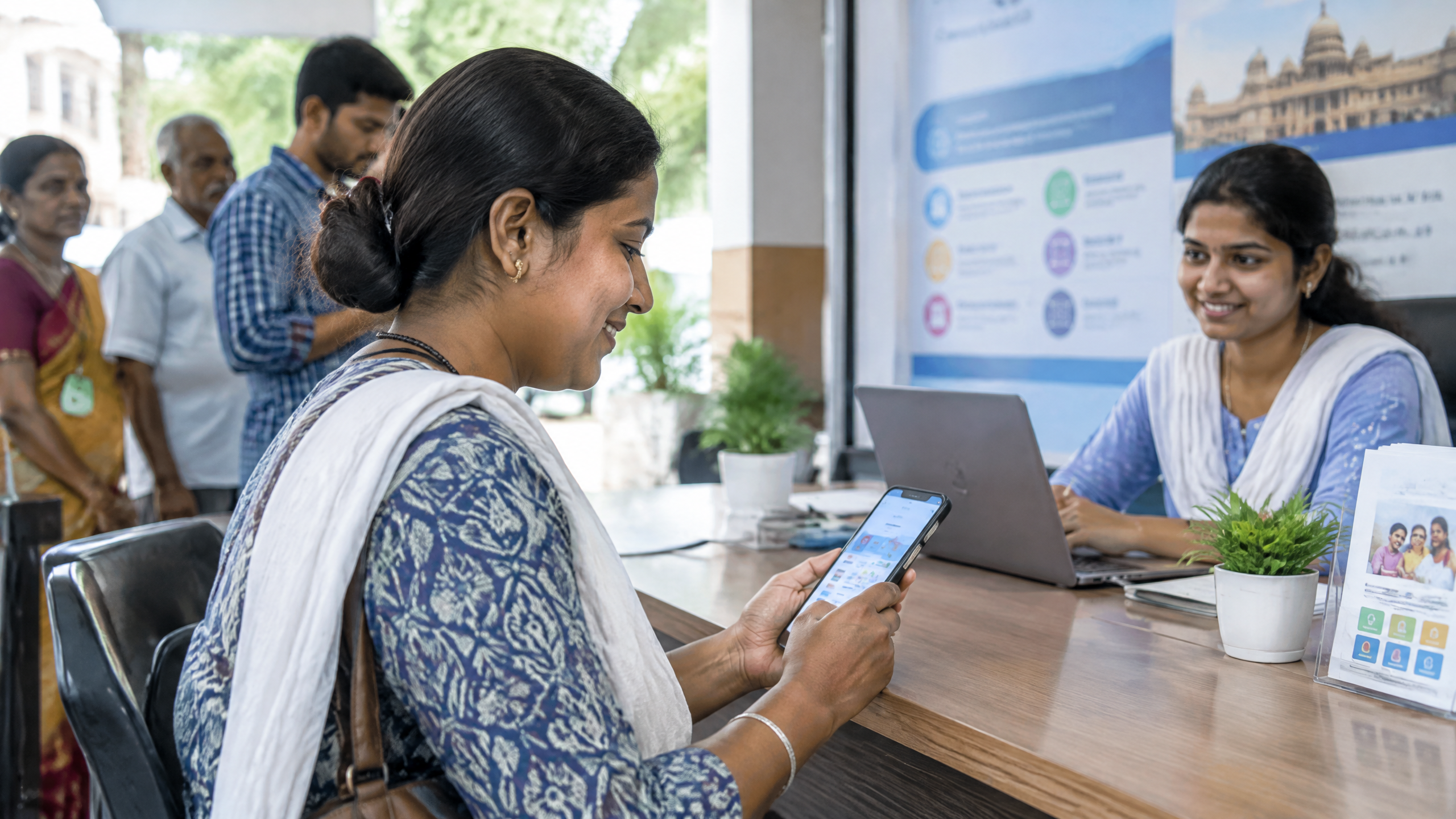
A smartphone and reliable connection are not available or comfortable for everyone. UMANG’s Assisted Mode programme supports selected services delivered through agents or human-assisted platforms, and lists Common Service Centres (CSCs) as an assisted-mode partner. CSCs are government-supported, IT-enabled citizen-service points intended to connect local populations with government departments and other institutions. [6] [7]
A CSC can therefore be a practical option for someone who needs help navigating a selected UMANG service. Ask the local centre whether your particular service is currently available there, what original documents or details are required, and whether any authorised charge applies. Do not assume every CSC offers every service, or that an operator can change the department’s eligibility decision or processing time.
If someone helps you on a shared device, watch the details entered in your name, keep any acknowledgement or reference number, and log out when finished. UMANG’s privacy policy specifically recommends logging out and closing sessions on shared or public devices. For a broader everyday-device checklist, see TechDuoPulse’s smartphone security guide. [4]
Privacy and account checks worth making
The information requested can vary by service. UMANG says it may process items such as contact details, identifiers, demographic information, service-request details and transaction references when needed for the service selected. It also says that onboarded departments, agencies, local bodies and utility providers may be independent data fiduciaries for the services they run. [4]
In practice, pause when a new service asks for data and check the name of the responsible provider, the purpose shown and any service-specific privacy notice. Use the official UMANG site or official app-store links rather than lookalike links received in messages.
Removing an app from a phone is also not necessarily the same as closing an account. UMANG’s privacy policy says that a user can request deletion or de-registration through the mechanism provided on the platform, while deleting the app alone may leave the registration in place. [4]
Limits to keep in mind
UMANG is a convenient starting point, not a complete substitute for every government portal, office or helpline. Participation, features and workflows can change. The platform may show a service category while the exact option needed is not enabled for a particular state, local body or account.
Do not use a directory result as proof of benefit eligibility, the validity of a document, the outcome of a complaint, or the availability of medical, legal or financial assistance. For urgent matters, use the appropriate current official local channel rather than waiting on a general app workflow. When a service is unclear, the responsible department’s current page and support contact are the better source of the final answer.
UMANG lists support at 10505, with the site stating availability from 10 am to 6 pm every day; operational hours may change, so check the current platform listing before calling. [1]
Frequently asked questions
### Is UMANG an app for all government services in India?
No. It is a unified platform for participating services and schemes from multiple government bodies and other onboarded providers. The exact service, location coverage and workflow must be checked on the relevant listing. [1] [4]
### Can I find state government services on UMANG?
Often, yes. UMANG’s directory includes state-specific and e-District entries, but availability varies by state and participating department. Use the directory’s state view and read the individual service details. [3]
### Does UMANG replace DigiLocker?
No. UMANG includes a document area and links to DigiLocker, but this broader platform is for discovering and accessing many types of public services. Document issuance, sharing and acceptance remain dependent on the relevant issuer and recipient. [1] [5]
### Can a CSC help me use UMANG?
For select services, potentially. UMANG lists CSCs as an assisted-mode partner. Confirm locally that the specific service is offered, what information is required and any applicable authorised charge. [6] [7]
### Is deleting the UMANG app enough to remove my account?
Not necessarily. UMANG’s privacy policy says deleting the app alone may not de-register the account. Use the platform’s prescribed account deletion or de-registration mechanism if that is what you want to do. [4]
Frequently asked questions about UMANG app services
These short answers summarise the practical scope of this explainer. Service availability, eligibility and implementation details can change, so check the current official guidance before acting.
What is UMANG app services?
UMANG Article Package explains the purpose, user experience and practical limits of UMANG app services in India.
Who can use UMANG app services?
Eligibility depends on the service, the user profile and the current rules or implementation of the participating organisation.
What should users check before using it?
Check the identity, consent, privacy, eligibility and support information shown by the service. Do not share sensitive information with an unverified person or interface.
Is UMANG app services available everywhere?
Coverage and features may vary by state, department, institution, provider, device and rollout stage. Treat availability as status-labelled rather than universal.
Source notes
Reporting record
techduopulse stores source destinations privately. Public notes remain non-clickable so every visitor journey stays on this website.
UMANG — One App, Many Government Services
Primary source · Research source 1Digital India: UMANG
Primary source · Research source 2Services on UMANG
Primary source · Research source 3UMANG Privacy Policy
Primary source · Research source 4Document on UMANG
Primary source · Research source 5UMANG Assisted Mode
Primary source · Research source 6CSC — Common Service Centres
Primary source · Research source 7New India-focused explainer covering UMANG app services, user context, limitations and verified sources.