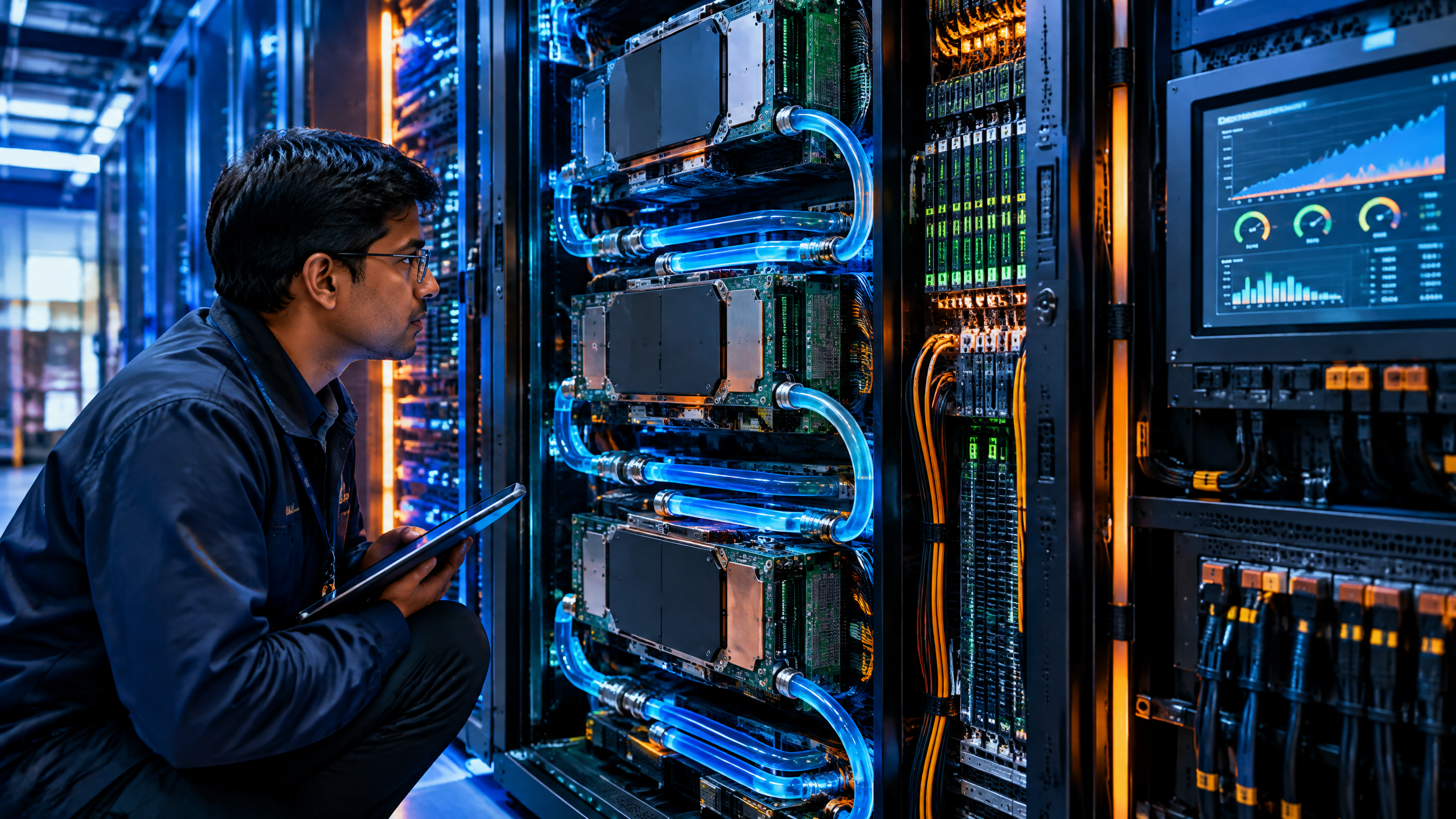
- AI compute infrastructure - GPU vs TPU vs NPU - AI inference chips
This article is part of the software engineering technologies guide library.
Key takeaways
AI infrastructure is the complete system that moves data through models. It includes chips, memory, networking, software, cooling, electricity and the facilities that support them.
GPUs are flexible parallel processors that work well for many AI training and inference workloads.
TPUs are Google-designed application-specific chips built around machine-learning operations, especially large matrix calculations.
NPUs are low-power AI processors commonly placed inside phones and PCs to run selected AI tasks locally.
Training changes a model’s parameters. Inference uses the trained model to produce an answer, prediction or generated output.
The best hardware depends on the model, software framework, memory requirements, latency target, privacy needs and cost. There is no single “best AI chip” for every job.
AI’s energy use is not only a chip problem. Data movement, cooling, networking, storage and the electricity mix also matter.
What is AI infrastructure?
AI infrastructure is the hardware and software system used to build, train, run and monitor artificial-intelligence models. It is broader than a graphics card or a cloud server.
A small AI feature on a phone may use an NPU, system memory, a local model and a software runtime. A large language model may need thousands of accelerators, high-bandwidth memory, fast networking, storage systems, cooling equipment and a data-centre power supply. Both are AI infrastructure, but they operate at very different scales.
When people search for “AI infrastructure explained,” they are often asking one of three questions:
What hardware does AI use?
Why do AI systems need so much computing power?
Why do companies use different chips for training, cloud inference and on-device AI?
The answer starts with the difference between training and inference.
AI training and AI inference are different jobs
During training, a model learns patterns from data. The training system repeatedly calculates outputs, measures errors and adjusts the model’s parameters. Large training runs can require substantial compute, memory and time.
During inference, the model is already trained. The system receives new input and generates an output. For an image model, that output may be an image. For a language model, it may be a sequence of tokens that becomes a response. Google’s machine-learning glossary defines inference as applying a trained model to new examples; for large language models, it is the process of generating a response from a prompt. [1]
Training and inference can use similar chips, but their priorities are not identical. Training often values large-scale parallel computation, fast data movement and the ability to keep many accelerators busy for long periods. Inference may place more emphasis on response time, cost per request, throughput, memory capacity and power efficiency.
A model can therefore be expensive to train but relatively efficient to run, or inexpensive to train but difficult to serve at scale. The answer depends on its architecture, size, precision, input length, output length and workload pattern.
What does a GPU do in AI?
A graphics processing unit, or GPU, contains many parallel computing resources. GPUs were originally designed for graphics workloads, but their ability to perform many similar calculations at the same time made them useful for machine learning.
Neural networks perform large numbers of mathematical operations, including matrix multiplication. A GPU can divide many of those operations across parallel execution units. Modern AI software also includes libraries, compilers and frameworks that help developers use GPUs for training and inference.
GPUs are popular in AI infrastructure because they offer a useful balance of performance and programmability. A developer can use them for different models and workloads, including computer vision, speech, recommendation systems and generative AI. They can also support custom operations that may not fit a more specialised accelerator.
That flexibility has trade-offs. A GPU may consume more power than a narrowly designed accelerator for a particular task. The complete system also needs enough memory and bandwidth to feed the GPU. If the processor spends time waiting for data, adding more compute units will not automatically improve the result.
For a reader choosing a laptop, workstation or cloud instance, the important question is not simply “How many GPU cores does it have?” It is also:
Which AI frameworks and runtimes are supported?
How much fast memory is available?
Can the system keep the model in memory?
What performance is sustained after the device heats up?
Is the workload training, image generation, video processing or inference?
Does the application actually use the GPU, or does it fall back to the CPU?
What is a TPU?
A Tensor Processing Unit, or TPU, is a Google-developed application-specific integrated circuit designed to accelerate machine-learning workloads. Google describes Cloud TPUs as hardware built for large matrix operations, with on-chip high-bandwidth memory and the ability to connect in groups called slices. [2]
TPUs are especially suited to workloads dominated by matrix calculations. They are not general replacements for CPUs or GPUs. Google’s documentation notes that CPUs remain useful for flexible prototyping and small workloads, GPUs are useful for models with custom operations and larger batch sizes, and TPUs are suited to large models and workloads that are dominated by matrix computation. [2]
A TPU also depends on its software stack. Google says TPU code must be compiled by the XLA compiler, which turns the machine-learning graph and its linear-algebra operations into TPU machine code. That compilation model can deliver strong performance when the model fits the hardware and compiler assumptions. It can be less convenient when the workload contains many custom operations, irregular shapes or frequent branching.
The practical lesson is simple: a TPU is not automatically faster than a GPU. The result depends on model architecture, batch size, tensor shapes, compiler support, memory behaviour and the rest of the serving system.
What is an NPU?
A Neural Processing Unit, or NPU, is a processor designed specifically for selected neural-network operations. NPUs are increasingly found inside smartphone and PC system-on-chip designs.
The main reason to use an NPU is efficient local processing. A phone or laptop can run some AI features without sending every input to a remote data centre. Depending on the application, local processing can reduce network dependence, response time and the amount of information sent away from the device.
NPUs are useful for tasks such as:
voice and speech processing;
camera enhancement and image segmentation;
background blur and video effects;
translation and transcription;
local text assistance;
sensor interpretation; and
smaller generative-AI models.
An NPU is not a guarantee that every AI application will run locally. The model must fit the available memory, the operating system must expose the hardware, and the application must support the relevant runtime. Some tasks may still use the CPU, GPU or a cloud service.
Qualcomm’s technical overview describes on-device generative AI as a heterogeneous-computing problem. In that design, the CPU handles sequential control, the GPU handles streaming parallel work and the NPU handles AI-centric operations with a focus on performance and power efficiency. [3]
This is why a modern phone or AI PC may contain several processors rather than one chip that does everything.
GPU vs TPU vs NPU: what is the difference?
The difference is mainly about generality, scale and operating environment.
A GPU is a flexible parallel processor. It is commonly used in data centres, workstations and gaming or creator PCs. It can support many AI frameworks and workloads.
A TPU is a specialised Google accelerator. It is designed around machine-learning calculations and is available through Google’s infrastructure and related services. It can be a strong fit when the model and software stack match its design.
An NPU is a low-power AI processor integrated into a device or system-on-chip. It is intended for efficient local AI tasks rather than replacing large data-centre training systems.
These categories overlap in real products. A cloud server may contain CPUs, GPUs, networking accelerators and other specialised hardware. A phone may combine a CPU, GPU, NPU, image processor and modem. The system distributes work according to performance, memory, latency, privacy and battery requirements.
Why memory matters as much as the AI chip
AI workloads move large amounts of data. The model’s parameters, intermediate activations, input tokens and output tokens all need to be stored and moved.
A processor with impressive theoretical compute may perform poorly if it cannot receive data quickly enough. This is why AI infrastructure discussions often mention high-bandwidth memory, memory capacity, cache, interconnects and networking alongside the accelerator itself.
For a large language model, memory requirements also change with context length and concurrent users. A longer prompt requires more processing and may increase the memory needed for the model’s working state. A service handling many users needs to manage batching and scheduling without creating unacceptable delay.
This creates several practical performance measures:
Latency: how long one request takes to produce a result.
Throughput: how many requests or tokens the system handles in a period.
Utilisation: how effectively the accelerator is kept busy.
Memory bandwidth: how quickly data can move to and from the processor.
Cost per request or token: how much the service spends to generate an output.
A faster chip is not always the better choice if it requires costly memory, has poor software support or cannot maintain performance under the target workload.
What happens during AI inference?
For a language model, inference usually has two major phases.
First, the system processes the input prompt. This is often called prefill. The model reads the prompt and builds the internal information needed to generate an answer.
Second, the model generates output tokens one after another. This is commonly called decode. The user experiences this phase as the response appearing on screen.
NVIDIA describes the inference path as including tokenisation, input processing, token generation and decoding. It also highlights latency, throughput and cost per token as important serving concerns. [4]
The same general idea applies beyond chat. An image classifier receives an image and predicts a class. A speech model receives audio and generates text. A recommendation model receives user and item data and scores possible choices.
Inference optimisation can include quantisation, pruning, batching, caching, model compilation and choosing a smaller model. Each technique involves trade-offs. Reducing numerical precision may lower memory use and improve speed, but it can also affect quality if applied without testing.
Why AI uses so much energy
AI energy use comes from the entire computing system, not only from the accelerator’s rated power.
Electricity is used by processors, memory, networking equipment, storage, cooling and facility systems. Training can run continuously for long periods. Inference may be smaller per request but can become a large aggregate workload when millions of requests are served.
The International Energy Agency’s Energy and AI report explains that AI depends on data-centre electricity and examines the relationship between AI deployment, electricity demand, energy security, emissions and affordability. [5]
Energy efficiency therefore has several dimensions:
Performance per watt: how much useful work the hardware delivers for the electricity it consumes.
Utilisation: whether the system is doing useful work or waiting for data.
Model efficiency: whether a smaller or compressed model can meet the quality requirement.
Data movement: whether memory and network transfers are creating unnecessary overhead.
Cooling and facility efficiency: how much additional energy is needed to remove heat and operate the site.
Electricity source: the emissions profile and reliability of the power supply.
A local NPU may reduce the need to send a short task to the cloud, but local execution still uses battery or mains electricity. A cloud model may be more efficient per request at large scale, but it also depends on network transfer and data-centre infrastructure. The right answer depends on the task and system design.
What does AI infrastructure mean for India?
For India, AI infrastructure is not only a question of importing faster processors. It also involves reliable electricity, data-centre construction, cooling, connectivity, skills, software ecosystems, data governance and the cost of serving users across different network conditions.
India Mobile Congress 2026 identifies AI-native telecom, edge and cloud, AI chipsets, semiconductors, 5G use cases, satellite communications and network APIs among its technology themes. [6] These themes point to a distributed model of computing. Some AI work may happen in central data centres, some closer to users at the network edge and some directly on phones, cameras, vehicles or industrial equipment.
That distribution can matter in areas where bandwidth, latency, privacy or connectivity is important. A local or edge model may respond quickly and continue working during a temporary connection problem. A cloud model may offer more capacity and easier central updates. A hybrid system can choose between them based on the task.
India-focused AI infrastructure coverage should therefore ask practical questions rather than assume that the largest model or newest chip is always the best choice:
Can the service work on affordable devices?
Does it support Indian languages and local use cases?
What happens when connectivity is weak?
Where is sensitive data processed?
Can organisations measure cost and energy use?
Is there a human review path for important decisions?
How to choose the right AI hardware
Start with the workload, not the product label.
For model training or large-scale cloud inference, compare accelerator memory, interconnect, software compatibility, availability, utilisation and cost. For a laptop or phone, check whether the applications you use support local NPU acceleration and whether the advertised AI features work without a cloud connection.
For a business system, also assess operational factors. These include monitoring, model updates, access controls, data retention, failure handling, testing and the ability to move to another supported environment.
A sensible evaluation should measure the complete application. Benchmarking only a chip’s peak number can hide memory bottlenecks, software overhead, queueing delay and quality differences. Test representative inputs, realistic concurrency and the exact model version that will be used.
Common misconceptions about AI infrastructure
### “The biggest GPU is always the best choice.”
Not necessarily. A smaller accelerator may be more efficient for a specific model, or a CPU and NPU may be sufficient for a local task. Software support and memory can matter more than a headline performance figure.
### “An NPU means all AI runs offline.”
No. An NPU makes some local AI workloads more practical, but applications may still use the CPU, GPU or a remote service. Check the application’s actual processing path.
### “TPUs are just Google’s version of a GPU.”
They serve related machine-learning workloads but have different designs and software requirements. Google documents TPUs as specialised ASICs optimised for particular machine-learning calculations. [2]
### “Inference is cheap because the model has already been trained.”
Inference avoids the training process, but serving a popular model can still require substantial compute, memory, networking and electricity. Repeated requests can create a large operating workload.
### “More energy always means a better AI answer.”
Energy can support larger models or more computation, but quality also depends on data, architecture, evaluation, prompting, retrieval, safety controls and human review. More hardware alone does not remove model errors.
Frequently asked questions
### What is AI infrastructure in simple terms?
AI infrastructure is the hardware, software, networking, memory, storage, cooling and electricity used to train and run artificial-intelligence models.
### What is the difference between a GPU and an NPU?
A GPU is a flexible parallel processor used for many workloads, including AI. An NPU is a specialised low-power processor designed for selected neural-network operations, often on phones and PCs.
### Is a TPU better than a GPU?
Neither is universally better. TPUs can be a strong fit for supported workloads dominated by matrix operations. GPUs are often more flexible and support a broad range of frameworks and custom operations.
### What is AI inference?
AI inference is the process of using a trained model to generate a prediction, classification or response from new input.
### Why does AI inference use electricity?
Inference uses electricity to run the processor, memory, networking and supporting systems that process the input and generate the output. At scale, many small requests can create a significant total workload.
### Can an NPU run ChatGPT or another large AI model locally?
It depends on the model size, device memory, software support and application design. Some smaller or compressed models can run locally, while larger services may still require cloud infrastructure or a hybrid approach.
### What is AI inference hardware?
AI inference hardware is a processor or accelerator configured to run a trained model efficiently. It can include GPUs, TPUs, NPUs, CPUs and specialised accelerators.
### Does on-device AI improve privacy?
It can reduce the need to send some inputs to a remote service, but privacy depends on the complete application, operating system, logs, backups, permissions and model provider. “On-device” is not automatically the same as private.
### How can AI systems reduce energy use?
Teams can use an appropriately sized model, improve utilisation, reduce unnecessary data movement, use quantisation where quality remains acceptable, cache repeated work and choose efficient hardware and cooling. These choices should be validated with real workload measurements.
Related TechDuoPulse explainers
/article/model-quantization-accuracy-latency-deployment
/article/mixture-of-experts-routing-efficiency-tradeoffs
/article/memory-hierarchy-hbm-cxl-system-performance
/article/chiplet-design-packaging-interconnects-explained
/article/data-centre-liquid-cooling-density-operations
/article/what-is-chatgpt-how-it-works
/article/google-gemini-ai-models-explained
Frequently asked questions about AI Infrastructure Explained: GPUs, TPUs, NPUs, Inference and Energy Use
These answers summarise the scope of this explainer. Availability, standards and implementation details can change, so check current official guidance before acting.
What is AI Infrastructure Explained: GPUs, TPUs, NPUs, Inference and Energy Use?
AI Infrastructure Explained: GPUs, TPUs, NPUs, Inference and Energy Use explains the main ideas, practical uses and limitations in plain English.
Why does this technology matter?
Its value depends on the problem, implementation, evidence, cost, security and the people responsible for using it.
What should readers verify?
Verify current availability, compatibility, security, privacy and regulatory details with the relevant official source.
Is this article professional or legal advice?
No. It is general technology information and does not replace professional, legal, regulatory or security advice.
Source notes
Reporting record
techduopulse stores source destinations privately. Public notes remain non-clickable so every visitor journey stays on this website.
Google Machine Learning Glossary — inference
Primary source · Research source 1Google Cloud TPU documentation
Primary source · Research source 2Qualcomm — Unlocking on-device generative AI with an NPU
Primary source · Research source 3NVIDIA — What Is AI Inference?
Primary source · Research source 4International Energy Agency — Energy and AI
Primary source · Research source 5India Mobile Congress 2026 — official technology tracks
Primary source · Research source 6New India-focused explainer covering AI infrastructure explained, practical context, limitations and verified sources.